Written by Julia
Edited on
1 May 2023
·
13:07
How do you solve charging problems with your Garmin watch?
Do you have problems with charging your Garmin smartwatch? You can often solve the problem yourself by gently cleaning the charging ports of your Garmin smartwatch. We'll explain how to do so in this article.

Cleaning your charging point in 4 steps
Follow these steps to clean the contacts of your smartwatch and the charger:
- Step 1: collect the items you need.
- Step 2: use the damp cloth.
- Step 3: use the wet cloth.
- Step 4: connect your smartwatch.
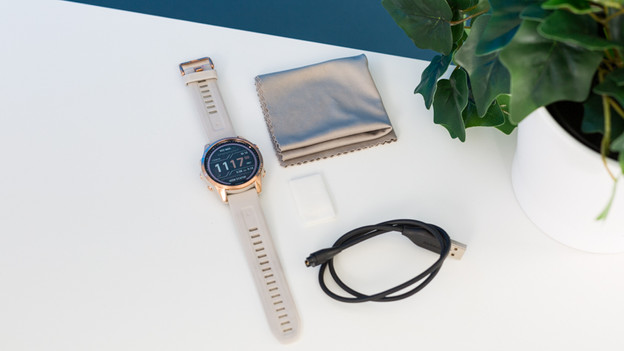
Step 1: collect the items your need
Not all cleaning supplies are suitable to clean electric contacts. Use 1 of the following items:
- Disinfecting alcohol on cotton wool or a tissue.
- Lens wipe tissue
- Screen cleaning tissue
- Pencil eraser
- Also grab a dry cloth, like a kitchen towel or tissue.
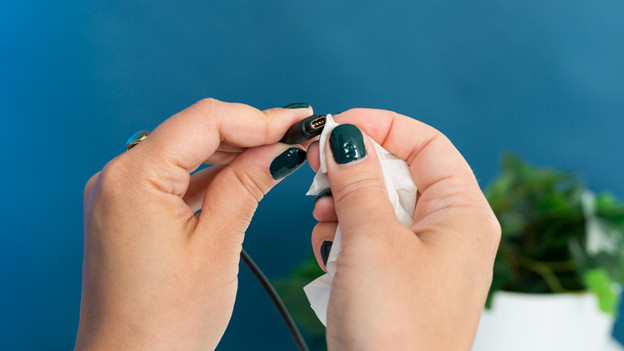
Step 2: use the damp cloth
Clean the contacts of your charger and smartwatch gently with a damp cloth. Gently rub the contacts. Do you use disinfecting alcohol? Don't put too much on the cloth or cotton wool.
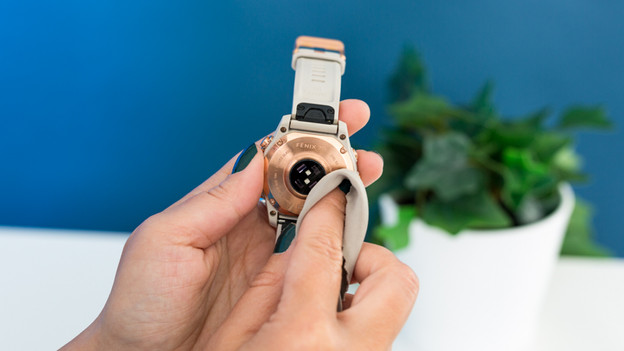
Step 3: use the dry cloth
Dab or rub the contacts completely dry with a dry cloth. Make sure they're dry before you continue to step 4.
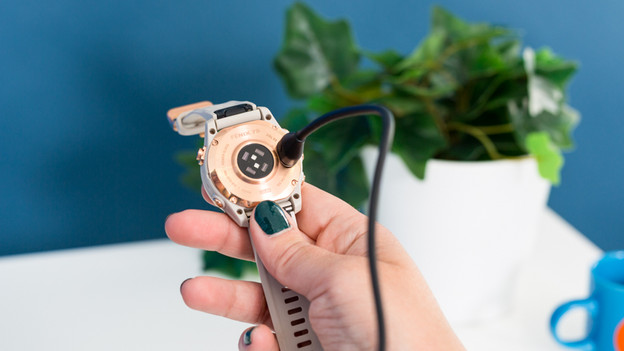
Step 4: connect your smartwatch
Now try to charge your smartwatch again. Connect the smartwatch to your watch via a cable. You should now see the charging icon. This means that your smartwatch is being charged. Does your Garmin watch still not charge? Try to plug the charging cable into a different socket.