Written by Jorn
Edited on
12 December 2022
·
15:06
How do you switch from analogue TV to digital TV from Telenet?
In 2021, Telenet stops offering analog TV and every user will switch to digital TV. Digital TV has a better image quality and offers a wider range of channels. Do you still watch TV with an analog signal from Telenet? In this article, you'll read how to switch from analog to digital TV.
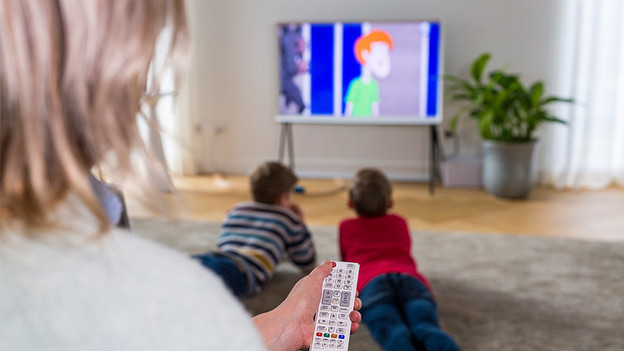
Switch to digital TV
When switching to digital TV, you first check if your current setup is suitable for the signal. To do this, have your TV search for digital channels.
Step 1: go to the channel settings.
Step 2: enter the frequency information.
Step 3: make the television search for channels.
Step 4: check if you're receiving digital TV.
Step 5: other solutions.
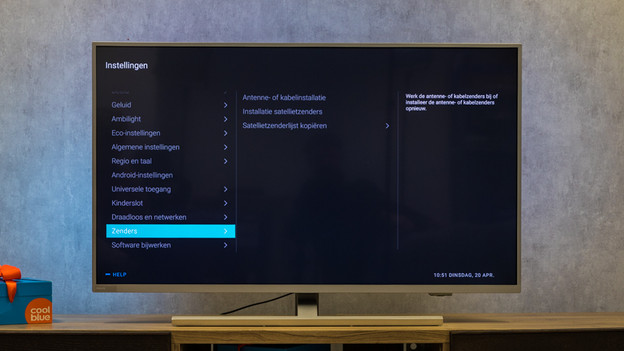
Step 1: go to the channel settings
Go to the channel settings of your television. You'll find these in the settings menu. Choose 'Automatic tuning' or 'Automatic setup'. Then choose the Cable option, so the television will look for a signal for digital cable television itself.
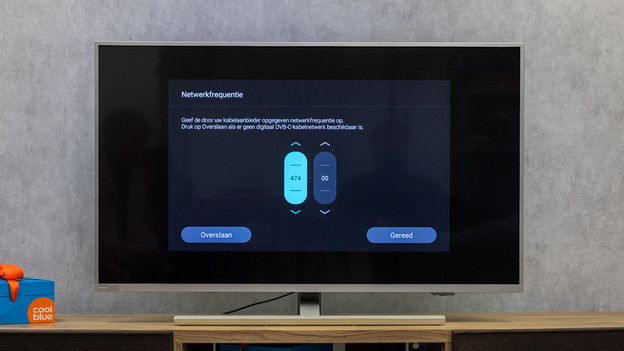
Step 2: enter the frequency information
Do you see an option where you can enter the Telenet network information? This option is usually in the Network settings. Enter the following information:
- Frequency: 32200, 322000, or 322
- Network ID: 22 (Flanders) or 12 (Brussels)
- Modulation: 256-QAM
- Symbol rate: 6875
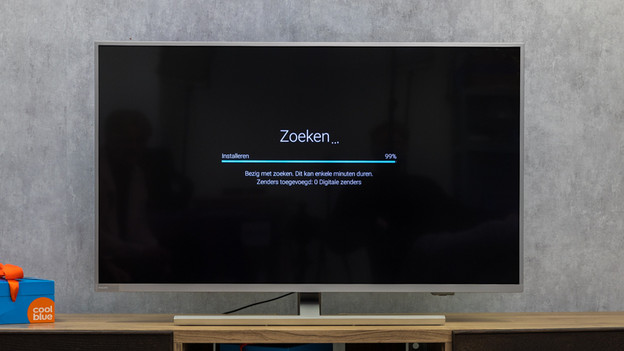
Step 3: make the television search for channels
Make the television search for channels. Press 'Scan' and wait until the TV is done searching. Then close the menu. You'll now see the first channel.
Step 4: check if you're receiving digital TV
Go to channel 55. Do you see a confirmation screen with the text "Goed nieuws"? That means you've successfully switched to digital TV. Don't see this screen? Go to step 5.
Step 5: other solutions
When your television doesn't receive digital TV, your device probably isn't suitable for the new signal. Contact Telenet and request a new TV receiver. This box will receive the digital TV signal, so you can easily watch TV on your own television. Another option is purchasing a new TV. Newer televisions have a built-in digital tuner, which allows you to watch digital television with a smart card from Telenet.