Written by Bob
Edited on
12 August 2026
·
09:41
How does calling anonymously work with your iPhone?
Sometimes, you want to call someone without them seeing your phone number. For example, when you make a business call with your personal phone. Luckily, making anonymous calls with your iPhone is very easy. You can add #31# at the start of the phone number you want to call, or you can turn off caller ID completely. We'll explain how these options work and what the differences are.

Get started with calling anonymously on your iPhone
This is how to keep your phone number hidden when you call with your iPhone:
- Tip 1: add #31# in front of the number you want to call anonymously 1 time
- Tip 2: turn off caller ID to always call anonymously
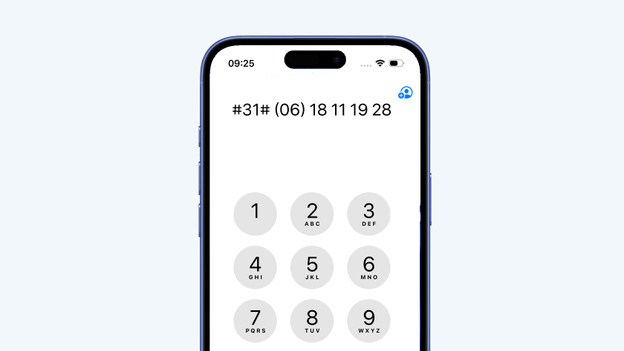
Call anonymously 1 time with #31#
Do you want to call anonymously with your iPhone 1 time? Add #31# in front of the phone number you want to call. Want to call 06-18111928, for example? Type in #31#0618111928. The next time you call, your phone number will be visible again. Do you always want to call a specific number anonymously? Save the number in your contacts with #31# in front of it. That way, you call that number anonymously by default.
Always call anonymously via Settings
Do you always want to call all your contacts anonymously with your iPhone? Turn off caller ID.
- Go to 'Settings'.
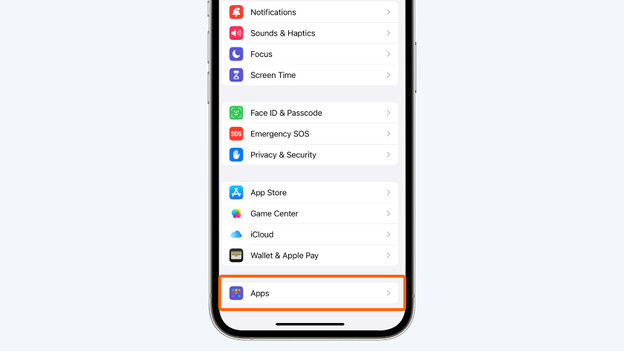
- Go to 'Apps'.
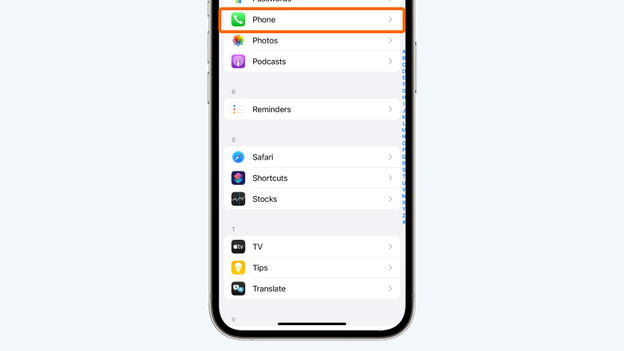
- Go to 'Phone'.
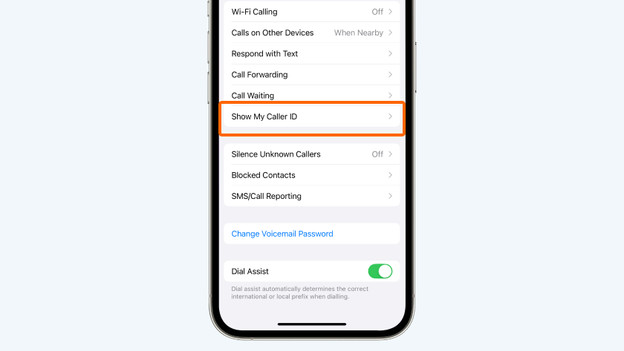
- Go to 'Show My Caller ID' and turn it off.
Now, calling anonymously is on by default for every phone number. Keep in mind that not everyone picks up when they receive an anonymous call. Turn your caller ID back on if you notice people no longer pick up when you call them.
In Settings, go to Apps
Go to Phone
Go to Show My Caller ID and turn it off
Can you find out who calls anonymously?
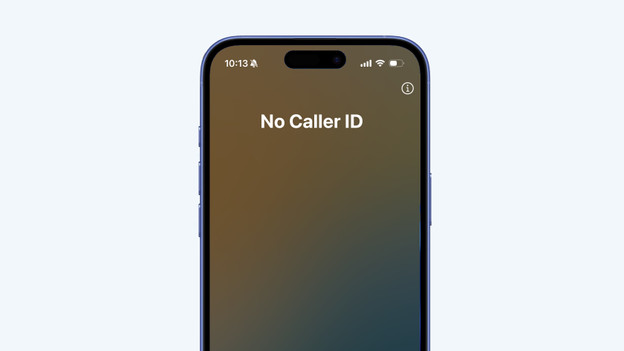
No, there's no way to find out which phone number is behind an anonymous call. This always remains private. The same goes for when you're called by an anonymous number, you can't find out who it is without answering. Want to prevent anonymous numbers from calling you? That's possible, but you might miss important calls. We'll explain how it works in our advice article.
Article by Bob
Apple iPhone Expert.