Written by Lucinda
Edited on
21 December 2022
·
15:37
Everything on macOS Catalina
In 2019, Apple announced macOS Catalina. The operating system for your MacBook, iMac, and Mac Mini. Haven't installed this update yet? In this article, you can find out how to do that. In addition, we'll tell you more about the functions of this new Mac operating system.
Note: newer version announced
Apple has announced the successor to macOS Catalina. This new version of macOS is called Big Sur.
Install the update
You can update the following models to macOS Catalina:
- MacBook (Air/Pro) from 2012 and later
- iMac from 2012 and later
- All iMac Pro models
- Mac Pro from 2013 and later
- Mac Mini from 2012 and later
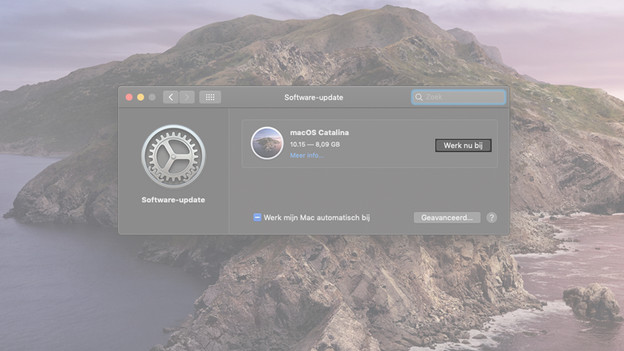
To do this, navigate to the System Preferences of your MacBook. Click 'Software update' to download the update. Next, select 'Update now' to start the update.
Voice control
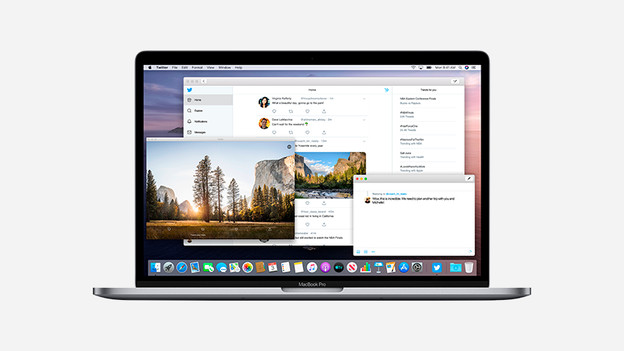
With macOS Catalina, you can control your Mac device with your voice. You can open apps, send messages, or browse through different websites without having to lift a finger. That's useful if your hands are dirty and you need to quickly check the recipe on your MacBook.

Apple iPad as drawing tablet: Sidecar
To expand your workspace with a second screen, you can use Apple Sidecar. It allows you to connect your Apple iPad to your Apple Mac to get more screen space. You can then use your iPad to make notes in files you have open on your Mac. You can also turn your Apple iPad into a drawing tablet. Combined with the Apple Pencil, you can get started with all your creative ideas right away.
Note: you can't use Sidecar on all Apple Mac models.

3 new apps: Apple iTunes will disappear
Apple is definitely pulling the plug from iTunes. Instead, we're getting 3 new apps in macOS 10.15 Catalina:
- Apple Music to find all your music.
- Apple Podcasts to listen to over 700,000 episodes of the most well-known podcasts.
- Apple TV to watch movies and TV shows. This fall, Apple TV+ will become available. That's Apple's streaming service.

There is more...
- With the new Find My app, you can safely check the location of your lost Mac from another Apple device.
- With Screen Time, you'll know exactly how much time you spend in certain applications. If you want, you can also set a time limit.
- Apps for Apple iPad will become available for Mac.
- Your privacy will be better protected, so you can pay online even more safely. In addition, apps now first ask my permission for data.