Written by Robyn
Edited on
16 July 2025
·
10:32
What's the Always On screen of the Apple Watch?
With an Always On screen, the screen of your Apple Watch never turns completely black. This allows you to check the time at a glance, without lifting your arm. We'll tell you more about the Apple Watch Always On screen and how it benefits you here.
Always On screen in use
The Apple Watch 5 and later models have the Always On function. That means your watch face is always visible. Your screen dims automatically when you rest your wrist or briefly cover the screen with your hand. The touchscreen is turned off, so you don't have to worry that your Apple Watch accidentally calls your grandma. The screen lights up when you lift your wrist, tap the screen, or press a button.

Change Always On settings
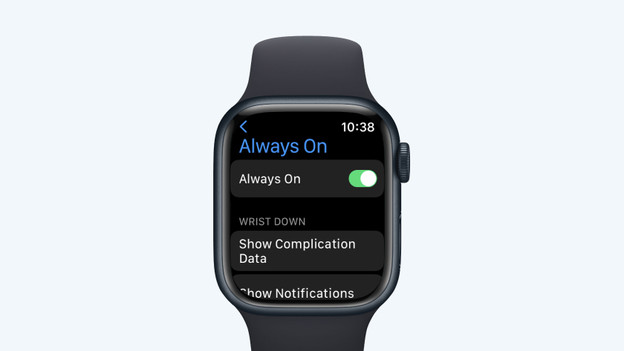
You can easily turn off the Always On function. This way, you extend the battery life of your Apple Watch. You can also hide the messages of certain apps.
- Open the Settings app on the Apple Watch.
- Click Display and Brightness.
- Select Always On to turn the function on or off.
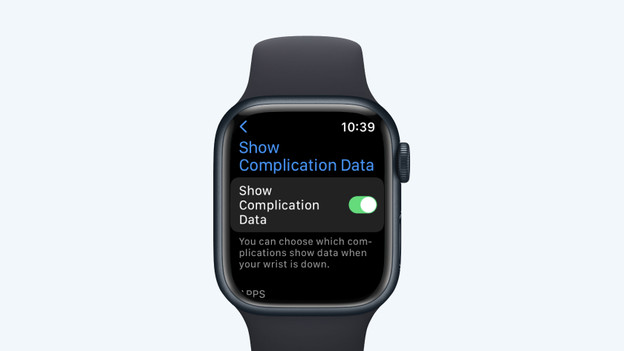
- Choose Hide complication data if you want to hide information for your Calendar app or Messages app if you're not looking at the Apple Watch.