Want to buy a new Acer laptop, but aren't you sure which one suits you? You can perform all your tasks with an Acer laptop. An Acer Aspire 5 is suitable for daily and graphic design tasks. You can write texts, create spreadsheets and presentations, or edit photos and videos. You can easily take an Acer Swift or Acer Go with you on the go. If you like to game, the Acer Nitro or Acer Predator is something for you. You can play all your favorite games with these laptops. Use many Google apps? An Acer Chromebook suits you well.
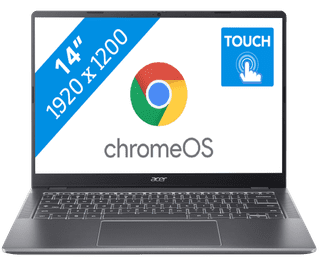

Our choice for a Chromebook for your school or studies|Center, Small|Small|BE layout
- You can smoothly switch between multiple apps, so you can write your reports while doing research via your browser.
- You can easily take this Chromebook to your school thanks to the low weight.
- You can easily take notes and quickly swipe through apps via the touchscreen.
499,--12%
439,-
Delivered tomorrow

Our choice for a Chromebook that you can also use as a tablet|Center, Small|Small|BE layout
- You can flip the touchscreen 360 degrees and turn the Chromebook into a tablet.
- You can smoothly take notes or make sketches and swipe through apps via the touchscreen.
- You can easily work on your files on the go, because this Chromebook has a lot of local storage and it only weighs 1.4kg.
499,--14%
429,-
Delivered tomorrow

Our choice for an 18-inch gaming laptop you can use to play demanding games|Large|Large|None fingerprint scanner
- With the RTX 5070 video card, you can smoothly play demanding games like Microsoft Flight Simulator and Elden Ring in Full HD at 60 fps.
- On the WQXGA screen with 240Hz refresh rate, you can see sharp images and extra smooth movements.
- The NPU and AI functions of the Ultra 9 processor adjust the frame rate and resolution automatically to each other, so you can always game smoothly.
2.499,--8%
2.299,-
Delivered tomorrow
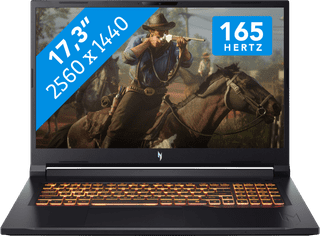
Our choice for a 17-inch gaming laptop that you can use to play demanding games|Large|Large|None fingerprint scanner
- With the RTX 5070 video card, you can smoothly play demanding games like Microsoft Flight Simulator and Elden Ring in Full HD at 60 fps.
- The 165Hz screen displays fast-moving images smoothly, so you can see your opponents in time.
- In addition to gaming, you can stream in Full HD and edit your gameplay videos thanks to the Ryzen 7 processor
2.199,-
Delivered tomorrow


Our choice for a Windows laptop for browsing the internet, sending emails, and text processing|Center, Large|Medium|BE layout
- You can smoothly switch between different light programs, such as a text document and your browser.
- You can quickly enter numbers and formulas via the numeric keypad.
- You don't have to worry about fingerprints on the screen thanks to the anti-glare layer.
899,-
Delivered tomorrow

Our choice for a Chromebook for light graphic tasks|Center, Large|Medium|BE layout
- You can work smoothly on light, graphic tasks thanks to the powerful processor and RAM.
- You can smoothly perform graphics tasks and use AI while you work, because this powerful Chromebook is a Chromebook Plus.
- You can smoothly take notes or make sketches and quickly swipe through apps via the touchscreen.
659,-
Delivered tomorrow
