Switches with 8 ethernet ports
With an 8-port switch, you connect up to 8 extra devices with your network. This is handy if you don't have enough ports on your router. A fast network is the main priority for many people. with a Gigabit Ethernet switch, you can transfer files up to 10 times faster than with a Fast Ethernet switch.


Our choice for a switch that lets you extend your Ubiquiti UniFi network|52 W|UniFi|Color white
- In the UniFi app, you can see this switch right away as soon as you connect it to your UniFi network.
- The switch has 4 PoE+ ports, so your connected devices receive power and internet through the same cable.
- You can prioritize your most important devices on the network with Quality of Service.
144,-
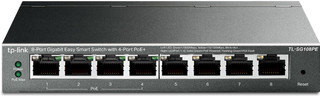

Our choice for a small switch you can install and manage yourself|64 W|Color black|VLAN
- You can provide 4 devices with power via the network cable thanks to the PoE ports.
- With this managed switch, you can set up extra functions for the security of your network.
- You can connect up to 7 wired devices with this switch, so they always have the most stable internet connection.
49,99
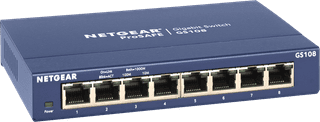

Our choice for a plug and play switch|Color blue|None VLAN|None PoE support
- You can connect 7 extra devices to your network. This switch is plug and play, so you can use it right away.
- You can mount this switch under a desk or to the wall, so it fits anywhere in a small room.
- We recommend the NETGEAR GS108 if you need Ethernet cables for the devices in 1 room.
26,99