TP-Link M7350






anything for a smile
69,-
Product number | 583338 | |
|---|---|---|
Manufacturer code | M7350 | |
Brand | TP-Link | |
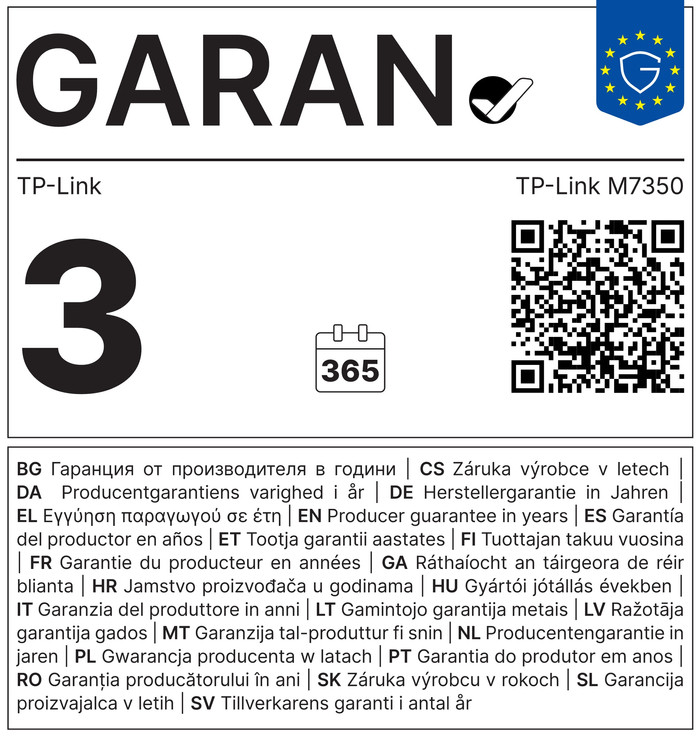
Warranty | 3 years | |
Processing of your defect | Via Coolblue |
Type router | Mobile WiFi router | |
|---|---|---|
WiFi speed class | Basic | |
Usage situation | Internet everywhere | |
Number of stations | 1 | |
Can be expanded with extra stations | ||
Built-in modem |
Fastest WiFi standard | Wireless N (WiFi 4) | |
|---|---|---|
Frequency bands | Single-band (2.4GHz) | |
WiFi speed | Wireless N | |
2.4GHz band speed | 150 Mbit/s | |
Number of WiFi antennas | 2 | |
Jumbo frame support |
Network connector | ||
|---|---|---|
Number of Ethernet ports | 0 | |
PoE support | ||
USB port |
Highest type of mobile data connection | 4G | |
|---|---|---|
Maximum speed mobile internet | 150 Mbit/s | |
Automatically switches to 3G/4G | ||
Mobile data connection | 4G | |
SIM card slot |
Quality of Service (QoS) | ||
|---|---|---|
MU-MIMMO | ||
Seamless roaming | ||
Beamforming | ||
Port forwarding | ||
LACP Link aggregation |
Parental controls | ||
|---|---|---|
WLAN security | WPA-PSK, WPA2-PSK | |
Firewall | ||
Firewall type | NAT Firewall | |
Guest network | ||
VPN support | ||
VPN server | ||
VPN client | ||
VPN passthrough |
Mounting possible | ||
|---|---|---|
Width | 10,6 cm | |
Height | 1,6 cm | |
Depth | 6,6 cm | |
Weight | 259 g | |
Color | Black | |
Material | Plastic |
Power supply type | Battery, Rechargeable battery | |
|---|---|---|
Battery level indicator |
Receive more coverage in case of damage than with your standard warranty. Coolblue takes care of everything: from taking out the insurance to repairs. Is a repair not possible? You receive the purchase price as CoolblueCredit.
XCover is allowed to arrange and process insurances on behalf of the insurer. The insurances are governed by Belgium law. If you have a complaint, you can contact the or our customer service.
First, add your router to your shopping cart. On the next page, choose the Protection Plan below. You always have a 30-day return window and pay no deductible in case of damage.
The insurance can be canceled every year, even if you have paid in advance. If you cancel earlier, you will receive a refund for the overpaid amount.

Range
Installation ease
Speed
Design
I bought this MiFi especially because (1) it is a new product, (2) TP-LINK makes decent devices, (3) because the link works with a normal SIM card that is available almost everywhere in the world and (4 ) supports dual band (2.4 GHz and 5 GHz) and 4G-LTE. The setup is self explanatory and doesn't cause any problems. Just turn off the SIM card protection (enter it once and tick it off) and the LINK immediately makes contact with the provider. I mainly use the LINK to avoid expensive roaming charges and to plug in a SIM card from the country where I am currently staying. Have a monthly card from Telenet and it works fine, also on 4G. Unfortunately, Telenet's Hotspots are not supported (or haven't found one yet). The SD memory is a nice feature, especially because the memory can be accessed via WiFi. So a nice feature, but no more than that. Use cloud storage (OneDrive and Dropbox) for all data. In summary: a good and solid product
LudoDH
16 April 2015
Automatically translated from Nederlands
Pros;
The device is solid and neatly finished, and easy to operate and set up, provided you have some knowledge of IP addresses and related settings.
Minus1 (Tip) Change the ingrained SSID and associated password right away, or you will have hitchhikers in no time (this data is on the internet), this happened to me on the first night of use that the device was taken over by the neighbors.
Minus 2 Be careful with Windows 10 (7 or higher), this eats up your data bundle in no time, without you noticing this, especially with a new laptop, if you only use this device for internet use of this laptop. Tip; Because the Automatic Updates cannot be turned off with Windows 10, there is, however, a possibility to limit this data use of Windows, by indicating in the advanced Wi-Fi settings of Windows that it concerns paid data, Windows will then no longer work. extensively sponges, only critical updates are then still unsolicited, the rest is then neatly asked, and you can refuse until you are (again) in a free network.
Anno
22 June 2016
Automatically translated from Nederlands
The installation is difficult with Telenet cards, but if you follow the following steps, you can easily solve it. With these cards you first have to remove the PIN and you do this in a smartphone (at Settings-security"). After that, this card can be used in the device. On your smartphone you first have to download the app Tp Mifi and from the available WiFi networks connect with TP-Link_6956 (The password for this WiFi network can be found under Device Info in the device itself). At that moment you will see that you are connected to this WiFi, but that you do not yet have internet access You can solve this problem in the following way: Open the app Tp Mifi and go to Tools, Internetsetting, APN management and click on +.Choose a name, set APN Type to Dynamic and the Auth Type to PAP. Then choose Add another Username and Password and click on Done If you check this Management Type, you will see that you will get access to the Internet.You must also not forget to turn on the Roaming Data in the device. Done! The device is ready for use also with Telenet cards and it it works fine.
Betty Coppens
9 August 2021
Automatically translated from Nederlands
Fastest WiFi standard
Wireless N (WiFi 4)Our digital expert will help you, but it can sometimes make mistakes, like humans do.
According to our router expert
The router works with more channels at the same time, so you can connect up to 8 devices to the router with MIMO.
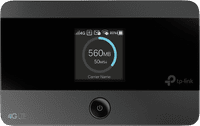
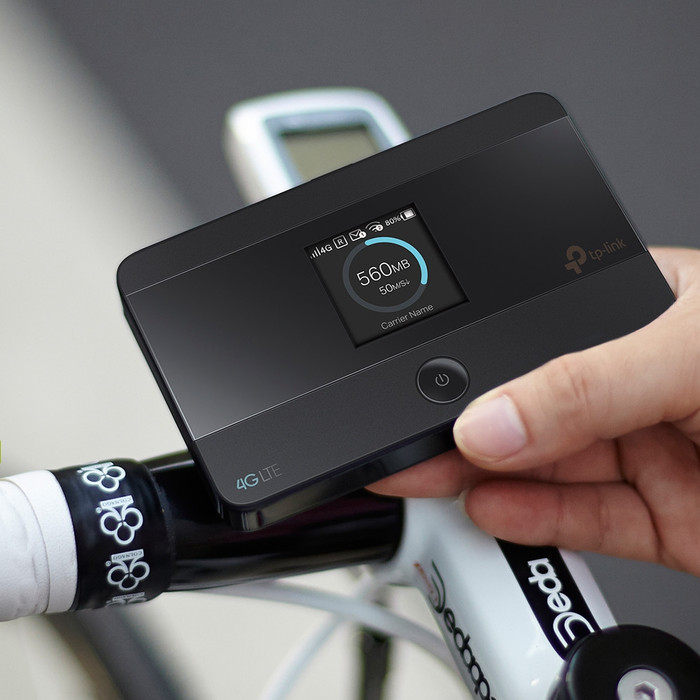
You can see all important information on the screen, like the battery life, connection status, and data consumption.
The MiFi router also works on the go because it directly connects to the mobile network.
With this MiFi router, you only have 4G reception in Europe and parts of Africa and Asia.
This MiFi router doesn't have a network connection to connect devices wired.
Note: you need a SIM card with a data phone plan to use this MiFi router.
Do you travel a lot and are you sick of bad WiFi connections? Create your own WiFi hotspot with 4G connection across Europe with the TP-Link M7350. Its compact size ensures you can easily take it anywhere. You can see all important information on the screen, like the battery life, connection status, and data consumption. You can share your connection with up to 10 users.
Fastest WiFi standard
Wireless N (WiFi 4)69,-
Delivered tomorrow
Delivered tomorrow