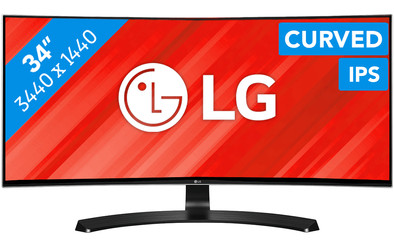
Never available again
View alternatives in the sidebar
View alternatives in the sidebar
According to our monitor expert
Whether you play games, edit photos or process audiovisual elements, the LG 34UC88-B clearly brings everything into the picture. When gaming, this Ultrawide curved monitor gives you a better overview of the battlefield without sacrificing performance. This is because AMD Freesync ensures that you experience the action without stutter or tearing. And if you do get around to working, then you can certainly perform professional image editing on this screen. Thanks to the IPS panel, which covers 99% of the sRGB color space, colors appear true-to-life, so you only deliver the best quality. Tilt and adjust the height of the monitor to a comfortable position for you, because as a gamer or graphics professional, an ergonomically sound posture is essential for long sessions.
Sharpness | Quad HD (1440p) | |
|---|---|---|
Curved | ||
Aspect ratio | Ultrawide (21:9) | |
Refresh rate | 75 Hz | |
Response time | 5 ms | |
Panel type | IPS panel | |
Color depth | 17 million colors (8-bit) | |
Built-in speakers |
5 stars
37
4 stars
13
3 stars
0
2 stars
0
1 star
0
I've had this monitor for a week now. I got rid of an iiyama 24" 1080p 144hz screen and spent a long time looking for a new monitor. I've wanted to have a curved screen for a while, but I don't want to pay 1000 or more for it. I've considered 4K and triple-screen setups and just bigger screens at 1440p.
A while back I bought a GTX 1070 and 4k fell off a bit because of this. I didn't mind triple-screen, but the border between the screens would limit my choice in screens again and I wanted at least a VESA mount for this. I didn't think an ordinary 1440p had much more values because my wish was to have this curved.
After a while of searching I decided to go 34" curved. I also looked at an Acer Z35 "which is a 144hz screen and curved, it was not that it is only 1080p and in windows 1080p on 35" is just not an option.
I deliberately chose the LG 34UC88 because I had read several places that this one of LG's curved monitors is the better one for the money. Height adjustable / curve radius slightly stronger and virtually no backlight bleeding (white spots during black image)
For everyone who is looking for an all-round ultra wide, I immediately say this one!! As soon as I connected this monitor I checked if I could overclock it and guess what! immediately set to 80hz!! (because of gaming) This made the step from 144hz to "60" a bit better for me. I also use adobe premiere pro for video editing and the amount of content on the screen is just superb.
Design is also very good, super nice that thin edge all around. The screen itself is fairly stable and hardly "wobbles".
Screen is well worth the money!
Eduard Wichers
12 September 2016
Automatically translated from Dutch
Recommended for the hard worker / student
I like this product very much. Thanks to its high resolution and large screen size, this is a great display for multimedia, but also positive for productivity. The screen is also beautiful to see, partly thanks to the curve.
I hesitated between the LG 34UC88 and the 34UC98. The main difference is the thunderbolt ports present on the 34UC98. Although I use a MacBook pro, this was not a problem for me. By purchasing a Displayport mini to Displayport cable I have no difference in screen display. So I don't regret my choice.
I do find the number of USB ports on the moderate side. There is also no firewire cable included, which means that using the USB ports is not immediately possible.
The menu is very easy to use, contains many options and profiles (eg dark room 1 and 2) and together with the software (MacOS/Windows) from LG it is easy to put 3/4 screens next to each other.
Speakers certainly do not disappoint, despite the fact that they are built-in speakers and not large, they can be very loud and give a (kind of) surround/3d sound reproduction.
Despite the high resolution, gaming is a great experience. With the Iris Pro 5200 in my MacBook I can still play gta 5 with decent FPS (all settings on low of course). This is against my expectation.
Janjaap
27 October 2016
Automatically translated from Dutch
Bought for myself to work from home once a week. In reality: preoccupied by my teenage kids for gaming...
Even without connecting speakers to it, a really great sound comes out. My kids persuaded me to join the game because they wanted me to experience why they should get this screen for Christmas too. And I must confess that I really understand why they want this screen. The colors are beautiful and the screen is really sharp; you are really completely in the game because of the curved screen.
As soon as I use the screen again for work, I have to adjust all the settings of the screen (read less bright for both colors and brightness). You must first install a program on your laptop, so that you can easily personalize everything. LG should refine this application a bit, because now I have written all my personal settings on a piece of paper. It would of course be ideal if you could save a setting and assign a name to it. You pay quite a lot for a screen like this, but these are the little things you expect when you pay that much. The screen is well worth the money, so you won't hear me complaining. Maybe I should send LG another email about this to come up with an update.
Another tip for people who work a lot in Excel and therefore really have to stare at the screen: remove the blue tint a bit and add more yellow tint and make your screen less bright. Less tired eyes guaranteed!
Oscar
28 November 2016
Automatically translated from Dutch
Product number | 704519 | |
|---|---|---|
Manufacturer code | 34UC88-B | |
Brand | LG | |
Warranty | 2 years | |
Processing of your defect | Carry-in warranty |
Recommended display resolution | 3440x1440 | |
|---|---|---|
Sharpness | Quad HD (1440p) | |
Aspect ratio | Ultrawide (21:9) | |
Refresh rate | 75 Hz | |
Response time | 5 ms | |
Panel type | IPS panel | |
Local dimming | ||
HDR support | ||
Contrast ratio | 1000 | |
Touchscreen | ||
Screen reflection | Anti-glare | |
Blue light filter | ||
Flicker-free technology | ||
Color space | sRGB | |
Color depth | 17 million colors (8-bit) | |
G-sync | ||
G-sync Ultimate | ||
Adaptive Sync | ||
Type of adaptive sync | FreeSync | |
Resolution width | 3440 pixels | |
Resolution height | 1440 pixels | |
Anti-reflection type | Anti glare | |
Horizontal viewing angle | 178 ° | |
Vertical viewing angle | 178 ° |
Height | 44,6 cm | |
|---|---|---|
Width | 81,6 cm | |
Depth | 23,8 cm | |
Weight | 8,35 kg | |
Color | Black, Silver | |
Including stand | ||
Material | Plastic | |
Cable management | ||
Appearance | Neutral | |
Curved |
Number of HDMI connectors | 2 | |
|---|---|---|
Number of Female HDMI type A 1.4 ports | 2 | |
Number of headphone jacks | 1 | |
Type of headphone connection | 3.5mm (TRRS) | |
Number of Female Standard DisplayPort 1.2 ports | 1 | |
Number of female standard USB-A ports | 2 | |
Female standard USB-A port version | 3.0 | |
Number of female 3.5mm TS Audio Jack ports | 1 | |
Number of female 3.5mm TRRS Audio Jack ports | 1 | |
Number of USB ports | 3 | |
Type of USB port | Standard USB-A | |
Number of USB ports | 3 |
Adjustable in height | ||
|---|---|---|
Tiltable | ||
Pivotable stand | ||
Pivot function | ||
VESA mount option | ||
VESA mount | 100x100mm |
Energy consumption standby | 1,2 W | |
|---|---|---|
Energy consumption active | 65 W |
Built-in speakers | ||
|---|---|---|
Sound system | Stereo | |
Split screen | ||
Kensington lock | ||
Best tested |
Image quality according to customers | Very good | |
|---|---|---|
Design according to customers | Very nice | |
Recommended for use | Business use |
