Never available again
View alternatives in the sidebar
View alternatives in the sidebar
Product number | 705138 | |
|---|---|---|
Manufacturer code | 55UH850V.AEU | |
Brand | LG | |
Warranty | 2 years | |
Processing of your defect | On-site service |
Screen type | LED-LCD | |
|---|---|---|
Screen size | 55 inches | |
Sharpness | 4K (UHD) | |
Refresh rate | 100 Hz | |
Color depth | 17 million colors (8-bit) |
Pixel structure | RGB | |
|---|---|---|
Local dimming | ||
Input lag | 33,8 ms |
Smart TV | ||
|---|---|---|
Smart platform | WebOS | |
Built-in WiFi | ||
Bluetooth | ||
DLNA | ||
Media player |
Number of speakers | 2 | |
|---|---|---|
Continuous/nominal total output capacity (RMS) | 40 W | |
Subwoofer |
Sleep timer | ||
|---|---|---|
Light sensor | ||
Best tested | ||
Pivotable stand | ||
Ambilight |
Controls via app | ||
|---|---|---|
Controlled via Android app | ||
Controlled via Apple app | ||
Voice control |
CI/CI+ slot | ||
|---|---|---|
Digital tuner | ||
Digital video signal | Cable (DVB-C), Digitenne (DVB-T), Satellite (DVB-S) | |
DVB-T Twin tuner | ||
DVB-S Twin tuner |
Antenna connector | ||
|---|---|---|
Digital optical connector | ||
Headphone jack | ||
USB port | ||
Component video connector | ||
Composite connector | ||
Network connector | ||
RCA connector | ||
VGA connector |
VESA mount option | ||
|---|---|---|
VESA mount | 300x300mm |
Energy label | A+ |
|---|
Color | Silver | |
|---|---|---|
Height | 72,1 cm | |
Width | 124 cm | |
Depth | 5,2 cm | |
Weight | 19,2 kg | |
Height including stand | 77,5 cm | |
Width including stand | 124 cm | |
Depth with stand | 23,8 cm | |
Total weight including stand | 21,2 kg | |
Year introduced | 2016 |
anything for a smile
Screen size | 55 inches | |
|---|---|---|
Smart platform | WebOS | |
Refresh rate | 100 Hz | |
Screen type | LED-LCD | |
Sharpness | 4K (UHD) |
According to our television expert
The webOS 3.0 operating system brings together live television, apps and internet in a clear overview.
Thanks to the 100Hz refresh rate, fast-moving images are displayed smoothly.
You can connect the television to the internet wirelessly using WiFi.
When you're recording a TV program, you can't watch other programs.
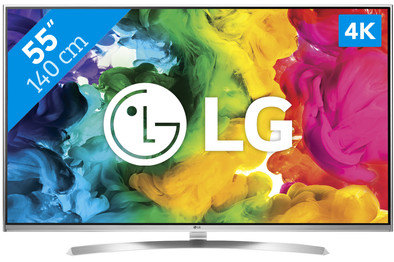
With the LG 55UH850V, you'll watch sharp 4K images. The IPS 4K panel has a wide viewing angle. If you look at the screen from the side, the image will still be clear. The audio system, that was developed by Harman Kardon, adds a clear and powerful sound to the high-quality image display. The webOS 3.0 platform gives you easy access to apps, games, and streaming videos. Navigate through the menus intuitively using the Magic Remote so you can quickly find what you're looking for.
Appearance and connections. You definitely need at least 2 people to take the television out of the box. Since the television does not have a good grip and thin bezels (edges), you have to be careful how you grab the television, because you are not allowed to press on the screen. Once unpacked and put together, I think the television is a gem. Both the bezels and the foot are completely made of stainless steel, giving the television a really luxurious look. The back of the television is white. That is remarkable for a television, because almost always the televisions are black on the back. Personally I think this looks very nice on my white closet. LG has not thought very carefully about the connections; there are some connectors mounted straight to the back (Audio 3.5mm, Audio Digital, AV, Component, Satellite and Antenna input). As a result, you will have to work with right-angled cables for wall mounting. On the side are the 3x HDMI, 2x USB 2.0 and 1x USB 3.0 connections and the CI+ module. The CI+ module works in any case with Ziggo customers. If you are concerned that the HDMI cables may be visible, I can reassure you. These cables are not visible on the 55 inch model. This may be because the television is large, but the connections are also processed fairly far from the side of the television.
Remote Control The 55UH850V comes with one remote control. With some competitors you often get two included: a regular infrared remote control and a Smart Control remote control. which is equipped with motion detection and a microphone. LG has come up with a smarter solution for this and has chosen to process everything in one remote control, called: Magic Motion Remote. This remote control weighs 147 grams including two AA batteries and is 18.5 cm long and 4.8 cm wide. The remote control does not feel very cheap, but it is certainly not an eye-catcher. Due to the round back and the notch where your index finger falls, it lies well in the hand. Your thumb will automatically reach the navigation buttons and the scroll wheel at the top and not with the standard zap and volume buttons. But you can zap with the scroll wheel by simply scrolling. The Magic Motion Remote can also be used as a universal remote control. I tested this with the Samsung H380R digital receiver from Ziggo. This receiver dates from 2010, but that was no problem for the Magic Motion Remote. Setting up devices is also fairly easy via the television menu. You select the device for which you want to use the function, choose the manufacturer, select the TV provider and then choose which navigation profile works on your box. To use the pointer function, you can press the “pointer” button or by briefly shaking the remote control, after which a pointer appears on the screen. With this pointer you can navigate and click through the menu faster. For voice commands through the built-in microphone, you have to press the “magnifying glass.” button. With this function you can look up YouTube videos or search the internet. The speech recognition is accurate in my experience. It is just not possible to operate the TV with voice commands, such as “tv off”, “sound up” or “navigate to channel 3”.
WebOS 3.0 LG has already released the third version of webOS for its LG smart televisions. LG's webOS is very simple and intuitive. With apps, external inputs and live TV all represented in the same way in the interface, it is very easy to navigate. You quickly learn to work with it. The operating system works very quickly and I do not experience any delays between switching, for example, the Netflix app and an external input. The main innovation in 3.0 is that you can zoom in on a certain part of the screen, display phone-tablet screen on the television and multi-view, which makes it possible to watch multiple channels at the same time. I myself occasionally only use the function to display my phone screen. This to play back photos or videos, for example. The quality of the stream of the videos and photos are generally good. Starting up the television takes between 4 - 5 seconds, if the so-called Quick start + function is enabled, which is set to “on” by default. When this function is turned off, it takes about 7 - 8 seconds. These times are based on when the television is displaying an external input. I have not (yet) been able to test it with a CI+ module, since I still use an external digital receiver until now. LG has its own app store with the following offerings: YouTube, Netflix. Spotify, NOS sports, NOS, Pathé, Videoland, Google Play Movies & TV, NPO, Nu.nl, Buienradar, HBO go, Goal.com and TVgids.nl. There are also some other applications available such as Eurosport player, UFC.tv and games. What I really miss in this list is the FOX sports app. The application I use the most is the Netflix app and I can conclude that this application works perfectly and quickly.
Sound The speakers of the UH850V were designed by the American audio specialist Harman Kardon. Despite this collaboration, this television, like other televisions, suffers from the lack of bass. On the other hand, I do think that this television has better sound than many other televisions I've heard. When you watch a movie, I think speakers sound much better than when you listen to music, for example. Real enthusiasts will still turn to an external audio system.
Image Ultimately, a television is all about the image and I can sum it up in one word: great! The color reproduction of the television is sublime. It delivers vivid and smooth images. At viewing angles of about 45 degrees, the contrast of the image is still good. That means that you don't just have to sit right in front of the TV for the optimal image experience. When watching a movie that has black bars, you will see some backlight bleeding in the dark. The 4k screen is amazing on a 55 inch model. I myself sit 2.5 meters from the TV and at such a distance you can actually see the difference between 4K and Full HD. However, the range of 4k is not yet wide (Netflix, YouTube, etc.), but with this model you are already ready for the future.
3D and gaming LG uses passive glasses to display 3D, so you don't need batteries or anything like that for the 3D glasses. I think a big advantage is that the glasses feel very comfortable, partly due to the light weight and that passive glasses are quiet for your eyes. However, the supplied 3D glasses cannot go over my normal glasses and there are no 3D glass clips included that I can put on my normal glasses, which is a shame. While watching 3D I have not yet suffered from crosstalk (ghosting). Crosstalk is images that run through each other. Another nice feature is that you can easily convert 2D images into 3D. I have tried this with the game FIFA 2016 and Metal Gear Solid for example. Mainly with FIFA, the image was well converted to 3D, but with Metal Gear Solid, for example, it was occasionally not visible. Furthermore, while gaming a shooter from a Playstation 4 with the image on game mode, I do not suffer from input lag. Only during a repetition of a shot in FIFA 16, for example, did the ball sometimes suffer from artifacts. If you have the image set to game mode, you will be much less bothered by this.
Armando
12 April 2016
Automatically translated from Nederlands
Actually, I don't like such a big screen in the living room. I think this one is really beautiful. Beautiful picture and sound a pleasure to watch TV. I had read about this TV on various forums before purchasing. One of the comments on these forums had a person describing exactly how to set up this TV. We have applied this and are really very satisfied with it. Maybe other people find this setting interesting too. The setting we applied to background 80 contrast 90 brightness53 Hen V sharpness 0 color 50 Advanced| dyn.contrast| medium gamma|BT.1886 others all off whiteball snans warm|2 point pattern , outdoor / low round 12 green 19 blue 18 color management system|Color red saturation -2 hue 0 luminance 2 image options black level low lowLED local dimming|: high others all off
cornelia Verheugd
11 May 2017
Automatically translated from Nederlands
I am a fan of the LG 55UH850! I installed this television at home a few weeks ago and was very curious if the picture was really as clear as LG promised. I can tell you: this has come true, the images are splashing off the TV. The colors are super tight and the contrast is also very fine. The display of black colors are displayed naturally. This was different with my previous TV. So a huge improvement.
In 4K, everything looks absolutely beautiful. Unfortunately, this is not yet available. Luckily Netflix has quite a bit in 4K, so I've been series addicted ever since :)
The sound is also a big plus: the sound that comes from Harman Kardon speakers is of good quality. With some TVs, everything still sounds very tinny, but the sound with the LG is nice and full with a good range. Movies now really pop into my living room both through the eyes and the ears!
LG uses its webOS3 operating system for this TV, which works very nicely for me. I had to get used to it in the beginning, since I had a Samsung television before, but after a day everything feels very logical. The TV responds quickly and apps open almost immediately. A nice extra is the magic remote, a remote control that you can also control with your voice and even project it onto the TV as a kind of mouse.
Furthermore, this television simply looks great with its flat design. Because the lines around the screen are very narrow, everything is almost full screen, the TV looks even tighter and it seems to take up less space. In short, I can recommend this LG TV to everyone without a doubt!
telefoon
31 August 2016
Automatically translated from Nederlands