HP Pavilion 27 Quantum Dot
Never available again
View alternatives in the sidebar
View alternatives in the sidebar
According to our monitor expert
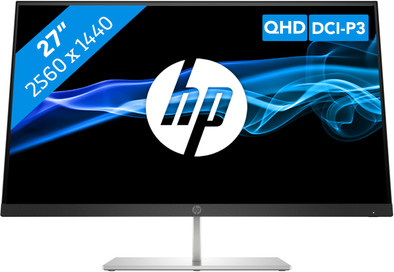
The HP Pavilion 27 Quantum Dot is a graphic design and image editing screen. The PLS panel provides realistic color representation with a wide viewing angle. This is useful when you want to show your creation to colleagues. You can connect modern laptops and other devices easily with the USB-C port. This monitor displays colors clearly and accurately, thanks to HDR and a 400 nits brightness. The Quantum Dot technology increases the brightness even further. The Pavilion 27 Quantum Dot covers no less than 90% of the DCI-P3 color space. This makes the screen very suitable for video editing and video creation. The QHD resolution provides twice as many pixels as Full HD. You can also easily tilt the monitor up or down.
Sharpness | Quad HD (1440p) | |
|---|---|---|
Curved | ||
Aspect ratio | Standard (16:9) | |
Refresh rate | 60 Hz | |
Response time | 5 ms | |
Panel type | IPS panel | |
Color depth | 17 million colors (8-bit) | |
Built-in speakers |
5 stars
0
4 stars
1
3 stars
3
2 stars
0
1 star
0
Don't buy it for a Mac!
Ralph B
1 July 2020
Automatically translated from Dutch
Product is really only designed for Windows machines, only then you can enjoy the benefits. As the other review also indicated, the screen does not come out of sleep mode and you can almost only connect the screen with a Macbook in the following way: Shut down the Macbook, connect the screen, start up the Macbook. Fairly (understatement) cumbersome. Too bad, because the spec vs the price are good again.
Roeland
16 October 2020
Automatically translated from Dutch
It's a nice thin screen. Because it is on the dining table, this is nice. Unfortunately, there is a lot of discoloration at the edge above and below if your screen is white (it turns yellow). Because I do a lot of photo editing of old books, it is very annoying that you don't have real colors all over your screen. It is also a pity that you cannot adjust the screen in height. Adding a second, longer leg would have solved a lot. To use the two USB-A ports on the back of the screen, you need to connect the USB-C cable to the PC. Not very useful because I just now use it to connect my work notebook to the screen. Moreover, you cannot charge your notebook via this USB-C port, so that you still have an extra charger on the table. In that case, HDMi and Displayport both support sound transmission, but there is still no headphone connection on the screen. That would have been easy anyway. It is not an overpriced 27" screen, but the image quality and possibilities of the ports are still on the low side/limited.
Marcel
24 October 2020
Automatically translated from Dutch
Product number | 858052 | |
|---|---|---|
Manufacturer code | 5DQ99AA#ABB | |
Brand | HP | |
Warranty | 3 years | |
Processing of your defect | Via Coolblue |
Recommended display resolution | 2560x1440 | |
|---|---|---|
Sharpness | Quad HD (1440p) | |
Aspect ratio | Standard (16:9) | |
Refresh rate | 60 Hz | |
Response time | 5 ms | |
Panel type | IPS panel | |
Brightness | 400 cd/m2 | |
Local dimming | ||
HDR support | ||
Contrast ratio | 1000 | |
Touchscreen | ||
Type of HDR | DisplayHDR 400 | |
Screen reflection | Anti-glare | |
Blue light filter | ||
Flicker-free technology | ||
Color space | DCI-P3 | |
Color depth | 17 million colors (8-bit) | |
Adaptive Sync | ||
Type of adaptive sync | FreeSync, FreeSync 2 | |
Resolution width | 2560 pixels | |
Resolution height | 1440 pixels | |
Anti-reflection type | Anti glare | |
Horizontal viewing angle | 178 ° |
Height | 43,96 cm | |
|---|---|---|
Width | 61,33 cm | |
Depth | 17,8 cm | |
Weight | 4,6 kg | |
Color | Black | |
Including stand | ||
Material | Plastic | |
Cable management | ||
Appearance | Neutral | |
Curved |
Number of HDMI connectors | 1 | |
|---|---|---|
Number of Female HDMI type A 2.0 ports | 1 | |
Number of USB-C ports | 2 | |
Number of USB 2.0 Female USB-C ports | 2 | |
Number of Female Standard DisplayPort 1.4 ports | 1 | |
Number of female standard USB-A ports | 2 | |
Female standard USB-A port version | 3.0 | |
Type of USB port | Standard USB-A, USB-C | |
Number of USB ports | 3 |
Included by default | HDMI cable |
|---|
Adjustable in height | ||
|---|---|---|
Tiltable | ||
Pivotable stand | ||
Pivot function | ||
VESA mount option |
Energy label | B | |
|---|---|---|
Energy consumption standby | 0,25 W | |
Energy consumption active | 34 W |
Built-in speakers | ||
|---|---|---|
Webcam | ||
Split screen | ||
Kensington lock | ||
Best tested |
Recommended for use | Image editing and graphic design, Internet, email, and text processing |
|---|
