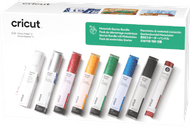
Cricut Smart Vinyl Removable 33x640 Black
Choose your materials for cutting machines
Black
Color: Black
- Be the first to know when this product is in stock


Black
Color: Black
Product number | 886081 | |
|---|---|---|
Manufacturer code | 2008648 | |
Brand | Cricut | |
Warranty | 2 years | |
Processing of your defect | Via Coolblue |
Height | 34,29 cm | |
|---|---|---|
Width | 6,99 cm | |
Depth | 6,99 cm | |
Weight | 7,85 kg | |
Color | Black |
Material type for cutting machines | Vinyl | |
|---|---|---|
Number of rolls | 1 | |
Adhesive surface | ||
Finish material type for cutting machines | No finish | |
Also works without a cutting mat | ||
Suitable for model | Cricut EasyPress 2, Cricut EasyPress 3, Cricut EasyPress Mini, Cricut EasyPress SE, Cricut Explore 3, Cricut Explore 4, Cricut Explore 5, Cricut Maker 3, Cricut Maker 4, Cricut Maker 5 |

anything for a smile
Current product

43,99
59,-
43,99
43,99
Vinyl
Vinyl
Vinyl
Iron-on
Cricut EasyPress 2, Cricut EasyPress 3, Cricut EasyPress Mini, Cricut EasyPress SE, Cricut Explore 3, Cricut Explore 4, Cricut Explore 5, Cricut Maker 3, Cricut Maker 4, Cricut Maker 5
Cricut EasyPress 2, Cricut EasyPress 3, Cricut EasyPress Mini, Cricut EasyPress SE, Cricut Explore 3, Cricut Explore 4, Cricut Explore 5, Cricut Maker 3, Cricut Maker 4, Cricut Maker 5
Cricut EasyPress 2, Cricut EasyPress 3, Cricut EasyPress Mini, Cricut EasyPress SE, Cricut Explore 3, Cricut Explore 4, Cricut Explore 5, Cricut Maker 3, Cricut Maker 4, Cricut Maker 5
Cricut Autopress, Cricut EasyPress 2, Cricut EasyPress 3, Cricut EasyPress Mini, Cricut EasyPress SE, Cricut Explore 3, Cricut Explore 4, Cricut Explore 5, Cricut Hat Press, Cricut Maker 3, Cricut Maker 4, Cricut Maker 5
Black
Multicolored
White
Blue
Our digital expert will help you, but it can sometimes make mistakes, like humans do.
According to our materials for cutting machines expert
For stickers on objects: cut stickers from the vinyl for items like books, windows, cups, or laptops.
Work without a cutting mat: you can work without a cutting mat and make longer designs with Smart Materials.
Always the right settings: you select the material in Cricut Design Space, so you'll always use the right settings.
Not directly multicolor: layer different vinyl sheets on top of each other or use the Print Then Cut function.