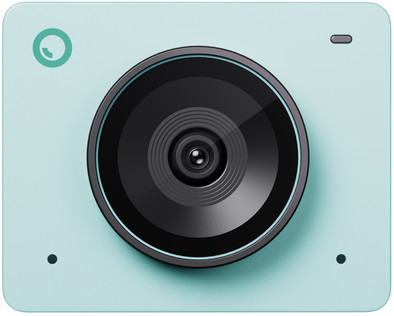
OBSBOT Meet 2 Aurora Green
Never available again
View alternatives in the sidebar
Choose your webcam
Green
Color: Gray
View alternatives in the sidebar
Green
Color: Gray
Product number | 959495 | |
|---|---|---|
Manufacturer code | OB119397 | |
Brand | OBSBOT | |
Warranty | 2 years | |
Processing of your defect | Via Coolblue |
Plug and Play | ||
|---|---|---|
Sharpness | 4K Cinema | |
Maximum fps in Full HD (1080p) | 60 fps | |
Maximum fps in Ultra HD (4K) | 30 fps | |
Autofocus | ||
Wide-angle | ||
Automatic brightness adjustment | ||
Coverable lens |
Built-in microphone | ||
|---|---|---|
Microphone recording type | Omnidirectional | |
Microphone noise suppression | ||
Infrared (IrDA) | ||
Tiltable | ||
Type of webcam holder | Desk stand |
Width | 3,6 cm | |
|---|---|---|
Depth | 2,2 cm | |
Height | 4,5 cm | |
Weight | 0,4 kg | |
Color | Green | |
Material | Plastic | |
Finish | Matte |
Type of USB port | Standard USB-A, USB-C | |
|---|---|---|
Connection type | Wired | |
Bluetooth | ||
Compatible with operating system | Windows, macOS | |
Cable length | 1 m |
anything for a smile
Plug and Play | ||
|---|---|---|
Compatible with operating system | Windows, macOS | |
Autofocus | ||
Sharpness | 4K Cinema | |
Built-in microphone |
According to our webcam expert
This webcam supports AI, so your video calls have a higher quality.
The 4K resolution with HDR ensures a sharper image than a Full HD webcam, even in poorly lit spaces.
With auto tracking and auto framing, you're always in the center of the frame.
The webcam doesn't support Windows Hello, so you can't log into your computer with facial recognition.
The OBSBOT Meet 2 Aurora Green is a 4K webcam that uses AI for the best images. Your image looks professional thanks to the AI auto framing functions. The AI algorithm, 4K resolution, and autofocus ensure you're always sharply and clearly in view. You can control the Meet 2 with various hand gestures. Raise your hand and the camera only focuses on you. Want to zoom in and out? Raise your thumb and index finger. You can also adjust the settings and switch between different modes via the OBSBOT Center software. You can protect your privacy with the included magnetic cover. You can use this webcam for regular video calls, streaming, content creation, podcasts, and online lectures.
I have been using the camera for a week now and am very happy with it. It is easy to use and works perfectly in combination with Microsoft Teams; even in low light, you get a sharp and well-lit image.
Suzanne
6 August 2026
Automatically translated from Nederlands