Welcome to your environment! You can order everything from your assortment with your personal budget here.

You can always return to the normal Coolblue website by clicking here.

Your outstanding budget (incl. VAT) is always visible here, so you know exactly how much you can spend.

Coolblue home

Help with your product
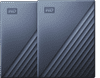
WD My Passport Ultra 5TB Blue - Duo Pack
0 reviews

Store and back up all your music, photos, and projects on the WD My Passport Ultra 5TB Blue - Duo Pack. This bundle contains 2 hard drives with a 5TB capacity each. With this, you can store up to 1,000,000 photos of 10MB. You can use 1 drive for your work and the other for private use. This ultra version of the Passport has a metal casing, includes USB 3.0 to USB-C, and is slightly thinner than the normal version. Backups are made automatically thanks to the WD Smartware Pro software. You can decide whether you want it to run continuously in the background or at a set time. If you want to keep your files extra safe, set a password with the WD Security Software. This way, nobody can access your private files.

Read all tips here

Backup tips in case of ransomware

Cyber criminals use ransomware to block access to computer networks or information. This way, you can loose access to important data. That's why you should regularly make backups on an external hard drive. On this page, we'll tell you what you need for this. We'll also explain how regular backups contribute to a secure network.

Backup tips in case of ransomware

Cyber criminals use ransomware to block access to computer networks or information. This way, you can loose access to important data. That's why you should regularly make backups on an external hard drive. On this page, we'll tell you what you need for this. We'll also explain how regular backups contribute to a secure network.

Backup tips in case of ransomware

Cyber criminals use ransomware to block access to computer networks or information. This way, you can loose access to important data. That's why you should regularly make backups on an external hard drive. On this page, we'll tell you what you need for this. We'll also explain how regular backups contribute to a secure network.

Backup tips in case of ransomware

Cyber criminals use ransomware to block access to computer networks or information. This way, you can loose access to important data. That's why you should regularly make backups on an external hard drive. On this page, we'll tell you what you need for this. We'll also explain how regular backups contribute to a secure network.

Didn't find your answer?

Find an answer to your question quickly and easily via our customer service.

Coolblue specialist
Personal chat Digitalk.
You're now chatting with Coolblue customer service
This chat is closed
foo
Oeps File size is larger than 5MB. Upload a smaller file.