Welcome to your environment! You can order everything from your assortment with your personal budget here.

You can always return to the normal Coolblue website by clicking here.

Your outstanding budget (incl. VAT) is always visible here, so you know exactly how much you can spend.

Coolblue home

Help with your product
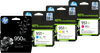
HP 951XL Cartridges Black/Color Combo Pack

Replace all your empty cartridges at once with the HP 951XL Cartridges Black/Color Combo Pack. This bundle includes 4 XL cartridges in black, cyan, magenta, and yellow. These cartridges let you print up to 1,500 color pages and 2,300 black-and-white pages. Check below to see which printers this ink cartridge is suitable for: Suitable printers HP OfficeJet Pro HP OfficeJet Pro 251dw HP OfficeJet Pro 276dw HP OfficeJet Pro 8100 HP OfficeJet Pro 8600 HP OfficeJet Pro 8600+ HP OfficeJet Pro 8610 HP OfficeJet Pro 8615 HP OfficeJet Pro 8620 HP OfficeJet Pro 8630 HP OfficeJet Pro 8640 HP OfficeJet Pro 8660 Suitable for HP Instant Ink HP Instant Ink is a print plan that lets you print a fixed number of pages per month. You can cancel this plan every month, so you¿re not tied to anything. Your HP printer sends a notification to HP when the ink is almost empty. HP then automatically sends you a cartridge that¿s suitable for your HP printer.

Read all tips here

Which product do you want to see articles about?

How do you install an HP cartridge?

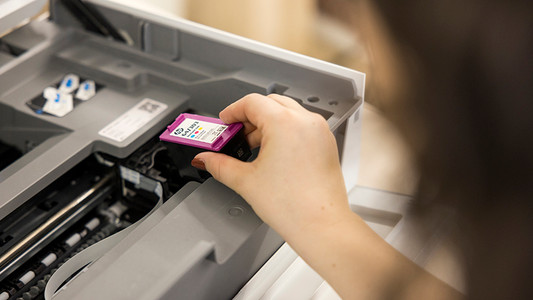
The cartridge of your HP printer is empty and need to be replaced. Replacing your in is easy. In this article, we'll explain how to install an HP cartridge in 3 steps.

How do you install an HP cartridge?

The cartridge of your HP printer is empty and need to be replaced. Replacing your in is easy. In this article, we'll explain how to install an HP cartridge in 3 steps.

How do you install an HP cartridge?

The cartridge of your HP printer is empty and need to be replaced. Replacing your in is easy. In this article, we'll explain how to install an HP cartridge in 3 steps.

How do you install an HP cartridge?

The cartridge of your HP printer is empty and need to be replaced. Replacing your in is easy. In this article, we'll explain how to install an HP cartridge in 3 steps.

How do you install an HP cartridge?

The cartridge of your HP printer is empty and need to be replaced. Replacing your in is easy. In this article, we'll explain how to install an HP cartridge in 3 steps.

Didn't find your answer?

Find an answer to your question quickly and easily via our customer service.

Coolblue specialist
Personal chat Digitalk.
You're now chatting with Coolblue customer service
This chat is closed
foo
Oeps File size is larger than 5MB. Upload a smaller file.