Welcome to your environment! You can order everything from your assortment with your personal budget here.

You can always return to the normal Coolblue website by clicking here.

Your outstanding budget (incl. VAT) is always visible here, so you know exactly how much you can spend.

Coolblue home

Help with your product
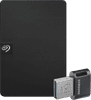
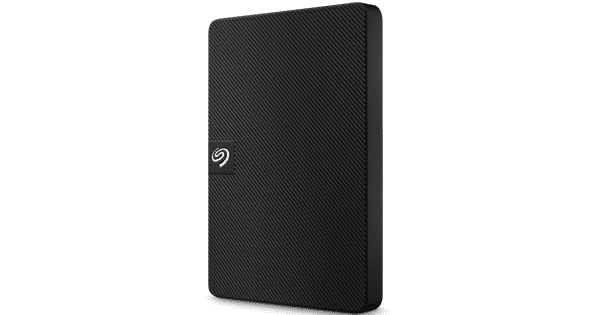
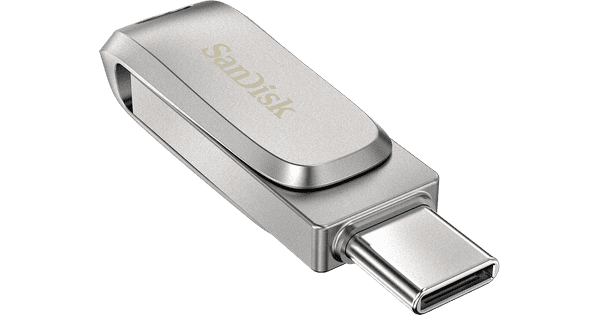
Seagate Expansion Portable 1TB + Samsung Fit Plus USB 64GB
0 reviews

Add extra storage space to your laptop and desktop with the Seagate Expansion Portable 1TB, and take your files with you in your pocket with the Samsung Fit Plus USB 64GB. This extremely compact USB flash drive isn't very noticeable when you plug it into your device, and it combines size and power. Thanks to the 300MB/s read speed, you can open even the largest files in seconds. With a 90MB/s write speed, you can transfer files quickly, which is useful if you need to leave to go to a client quickly. You can store the large files on the Seagate Expansion Portable 1TB external hard drive. With 1TB of storage, you can store up to 500,000 photos or 500 hours of HD footage. The Expansion Portable has already been formatted for Windows computers, so you can use it right away. Via the USB 3.0 connection, you can transfer files, like a Full HD movie or photo collection, in about 15 seconds. In addition, you'll receive 2 years of data recovery services from Seagate in case your drive breaks. Thanks to the combination of the hard drive and USB flash drive, you always have 2 portable storage spaces at hand. The HDD offers a lot of extra storage, and the USB is a good way to take your documents with you on your travels.

Read all tips here

Backup tips in case of ransomware

Cyber criminals use ransomware to block access to computer networks or information. This way, you can loose access to important data. That's why you should regularly make backups on an external hard drive. On this page, we'll tell you what you need for this. We'll also explain how regular backups contribute to a secure network.

Backup tips in case of ransomware

Cyber criminals use ransomware to block access to computer networks or information. This way, you can loose access to important data. That's why you should regularly make backups on an external hard drive. On this page, we'll tell you what you need for this. We'll also explain how regular backups contribute to a secure network.

Backup tips in case of ransomware

Cyber criminals use ransomware to block access to computer networks or information. This way, you can loose access to important data. That's why you should regularly make backups on an external hard drive. On this page, we'll tell you what you need for this. We'll also explain how regular backups contribute to a secure network.

Backup tips in case of ransomware

Cyber criminals use ransomware to block access to computer networks or information. This way, you can loose access to important data. That's why you should regularly make backups on an external hard drive. On this page, we'll tell you what you need for this. We'll also explain how regular backups contribute to a secure network.

Didn't find your answer?

Find an answer to your question quickly and easily via our customer service.

Coolblue specialist
Personal chat Digitalk.
You're now chatting with Coolblue customer service
This chat is closed
foo
Oeps File size is larger than 5MB. Upload a smaller file.