Written by Emme-Lotte
Edited on
7 October 2025
·
10:06
How do you choose the best senior citizens tablet?
When choosing a senior citizens tablet, it's important to keep certain things in mind. The size and cover are important to consider in a tablet for senior citizens. This way, you can make sure that you don't have to zoom in and that you can place the tablet on a surface. With an iPad or Samsung tablet, your (grand)children can also use the tablet. In this article, we'll help you choose the best senior tablet.
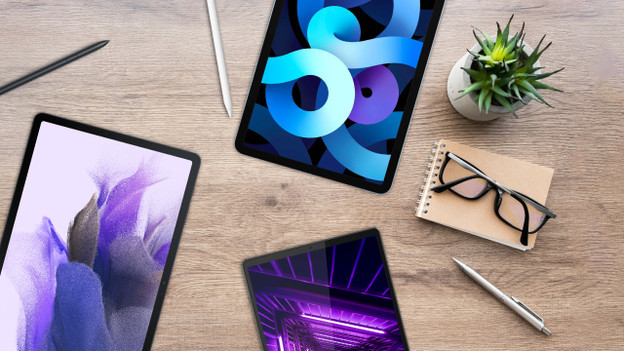
Choose a senior citizens tablet
With senior citizens tablets, you can stay in contact with your family and friends. For example, you can install WhatsApp and make video calls. In this article, we'll answer the following questions about how to choose the best tablet for elderly people:
- Which tablet operating system should you choose for senior citizens?
- Which size do you need for a senior citizens tablet?
- Do you want to place your tablet upright?
Which tablet operating system should you choose for elderly people?
Tablets have an Android or Apple operating system. Are you used to an Android smartphone? Choose an Android tablet. If you're using an iPhone, the iPad suits you best. That way, you don't have to get used to a different operating system. Both operating systems are user-friendly. With a Samsung tablet, Lenovo tablet, or iPad, you can set up specific things for senior citizens. You can enlarge the font size in the 'Accessibility' menu. In addition, your (grand)children can easily use these tablets as well.
623,-
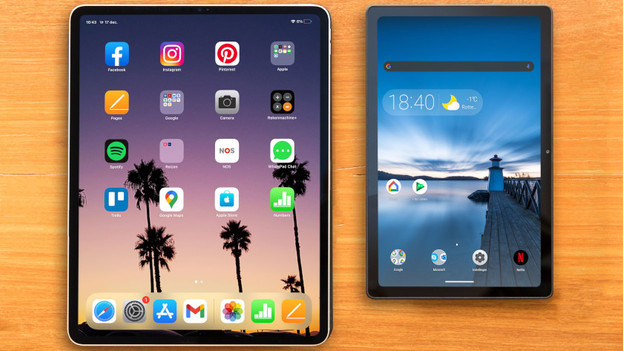
Which size do you need for a senior citizens tablet?
The best size for a senior citizens tablet is a large or very large tablet. These offer enough screen space to see everything clearly, even when you set a larger font. As a result, you don't have to zoom in or scroll a lot while you read the news or a newspaper. You can also play games or do puzzles comfortably. With a large screen, you also don't have to miss a single detail of your favorite shows on YouTube or Netflix. This is the case for the Samsung Galaxy Tab S9 Plus, for example.
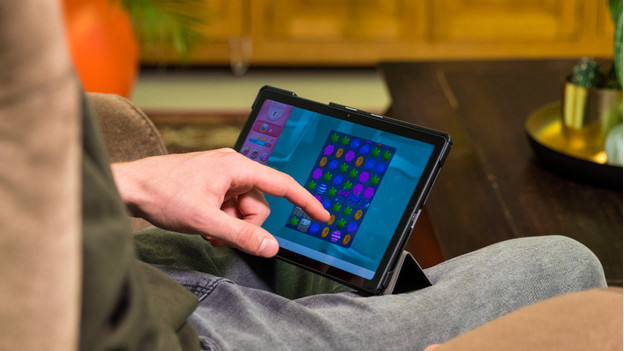
Do you want to place your tablet upright?
For senior citizens, a tablet with a cover and built-in stand is useful. This allows you to place the tablet upright on the table or cabinet, so you don't have to hold it all the time. When you watch your favorite shows or make video calls to your family, this is very convenient. With a book case, you can place the tablet upright with the front flap. Some book cases have a vertical stand. That's useful for when you read an article or the newspaper, for example
Article by Emme-Lotte
Tablet Expert.