Written by Stefan
Edited on
28 August 2026
·
07:30
Compare the Mac mini 2026 (M6/M5 Pro) to the Mac mini 2024 (M4)
In August 2026, Apple announced the new Mac mini (2026). Thanks to the fast M6 chip and powerful M5 Pro chip, it's even more powerful than its predecessor. This way, you can work even faster in all your favorite apps and files. Do you want to know more about what else has changed? In this article, you can read all about it.
Compare the Mac mini (2026) to the Mac mini (2024)
| Apple Mac mini (2026) | Apple Mac mini (2024) | |
|---|---|---|
| Processor | Apple M6 / Apple M5 Pro | Apple M4 / Apple M4 Pro |
| Number of processor cores | 12 (Apple M6) / 15 (Apple M5 Pro) | 10 (Apple M4) / 12 (Apple M4 Pro) |
| Number of graphics cores | 12 (Apple M6) / 16 (Apple M5 Pro) | 10 (Apple M4) / 16 (Apple M4 Pro) |
| RAM | 16GB / 24GB | 16GB / 24GB |
| Total storage capacity | Up to 1TB | Up to 1TB |
| Connectors | 2x USB-C, 3x Thunderbolt 4, or Thunderbolt 5, 1x 3.5mm, HDMI, Ethernet | 2x USB-C, 3x Thunderbolt 4, or Thunderbolt 5, 1x 3.5mm, HDMI, Ethernet |
Processor and speed
Mac mini (2026): fast M6 chip and powerful M5 chip
The new Mac mini (2026) has the latest Apple processors. You can choose from the Apple M6 processor and the powerful Apple M5 Pro chip. With the fast M6 processor, you can work smoothly in most apps and files. You can edit photos, browse the internet, and perform daily tasks. The powerful M5 Pro processor is made for demanding tasks. For example, you can program light apps, edit videos in high quality, and open large apps.
Mac mini (2024): older M4 and M4 Pro chips
The Apple Mac mini (2024) has the older M4 and M4 Pro chips. These are less powerful than the Mac mini (2026) chips. They have fewer processor cores and fewer graphic cores. Due to this, you can work less smoothly in apps and files and graphic design tasks are slower. You can choose from the same amount of RAM: 16 or 24GB. With this, you can use multiple apps at the same time and easily switch between them. Choose 24GB if you often use multiple large apps at the same time.
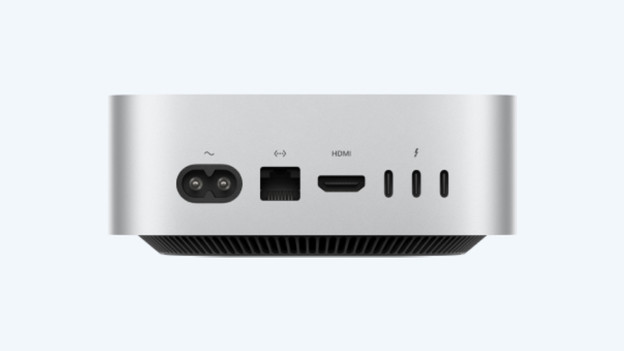
Design and connectors
Both the design and the connectors of the Apple Mac mini (2026) haven't changed compared to the previous generation. You still have 2 USB-C ports and a 3.5mm connector at the front of the Mac mini. On the back, you can find 3 Thunderbolt connectors. The Apple Mac mini also has an Ethernet port for wired internet. You can connect an external screen with the HDMI connector.