Written by Giorgos
Edited on
14 October 2025
·
11:16
Compare the different Microsoft Surface laptops
The Microsoft Surface PCs combine the power of a computer with the ease of a tablet. When you work a lot on the go, the Surface Laptop Go is suitable. For regular office work, we recommend the Surface Laptop. You can disconnect the Laptop Pro and also use it as a business tablet. With the Surface Laptop Studio, you can edit photos and videos. In this article, we compare these 4 series.
Comparison Microsoft Surface Laptop Go, Surface Laptop, Surface Pro, and Surface Laptop Studio
| Surface Laptop | Surface Pro | |
|---|---|---|
| Processor | Snapdragon X Elite, Snapdragon X Plus | Snapdragon X Elite, Snapdragon X Plus |
| RAM | 8GB , 16GB, 32GB | 16GB |
| Video card | Standard video chip, Qualcomm Adreno | Standard video chip, Qualcomm Adreno |
| Storage | 256GB, 512GB, 1TB | 256GB, 512GB, 1TB |
| Screen size | 13, 14, 15 inches | 13 inches |
Microsoft Surface Laptop 7 and Surface Pro 11 compared
The Microsoft Surface Laptop 7 and Surface Pro 11 have different specifications that determine what you can use it for. Which laptop suits you, depends on your wishes. Make sure to check what you need, so you can make the right choice.
- Are you on the go a lot for work?
- What kind of tasks do you perform on your laptop?
- Do you want to perform AI tasks?
- How powerful should the battery be?

Microsoft Surface Laptop Go: for light use on the go
When you work on the go often, the Microsoft Surface Laptop Go is a good choice. Thanks to the small 12-inch size, you can easily take the laptop with you. You can also use the laptop as a tablet thanks to the touchscreen. This way, you can quickly check your emails on the train and make notes during meetings. Thanks to the i5 processor and the 8 or 16GB RAM, you can smoothly work in Office programs. This way, you can also create presentations and spreadsheets on the go.
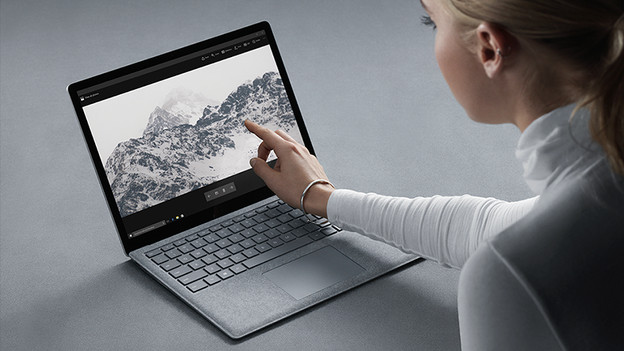
Microsoft Surface Laptop: for daily tasks
The Microsoft Surface Laptop models have enough processing power for all your work or school projects, thanks to the powerful Snapdragon processors. The new CoPilot+ laptops with a Qualcomm Snapdragon X Plus or X Elite processor add AI to your tasks. This speeds up tasks on your laptop and improves the battery life. The Surface Laptops have a fixed keyboard with a touchscreen, so you can also take notes with your fingers. These models have a luxurious appearance thanks to the sleek magnesium casing. Thanks to this, they can also take a hit.

Microsoft Surface Pro: 2-in-1 for extra mobility
You can use the Microsoft Surface Pro as more than a laptop. Disconnect the separately available Type Cover and you can convert the laptop into a tablet. The Surface Pro has a larger screen than the Surface Laptop Go. Do you want to add AI to your daily work? Choose a model with a Snapdragon X Plus or X Elite processor. Another big advantage of the Surface Pro is the extra powerful battery. It lasts 3 to 5 hours longer than that of the Surface Laptop, so you can easily last an entire day with 1 charge.
Note: you won't receive a Type Cover with a Microsoft Surface Pro, you need to purchase it separately.

Microsoft Surface Studio: for designers and graphic work
When you mainly do image editing, choose a Microsoft Surface Studio. You can tilt the screen in different ways, so you can use it as a sketchbook or canvas. With the Surface Pen (not included), you can make accurate edits on the sharp QHD screen. You can also process and render all your images quickly thanks to the NVIDIA RTX 4050 video card. For example, you can edit large photos, company videos, and small 3D models.
Note: a Surface Pen isn't included with a Microsoft Surface Studio, you need to purchase it separately.
Article by Giorgos
Laptop Expert.