Written by Rowan
Edited on
29 April 2024
·
09:29
Expert review Apple MacBook Pro M2 (2023)
On 17 January 2023, Apple introduced the new MacBook Pro. This model is available in 2 sizes: 14 and 16 inches. Both sizes have the powerful M2 Pro or M2 Max chip. The design is a treat for the eyes as usual. In this article, I'll tell you everything on the MacBook Pro (2023).
Note: new model available
In October 2023, Apple released a new MacBook Pro. This model gets all its power from the powerful M3, M3 Pro, and M3 Max chips.
Tested MacBook Pro models
- MacBook Pro 16 inches (2023) M2 Max
With the M2 Max chip, you can multitask with the most demanding programs like Xcode.
On the 16-inch Liquid Retina XDR display, you won't miss a single detail.
The M2 Max chip supports up to 4 extra screens.
The large size makes this MacBook model less suitable for on the go.
From
3.969,-
- MacBook Pro 14 inches (2023) M2 Pro
With the M2 Pro chip, you can multitask with demanding programs like Final Cut Pro.
On the 14-inch Liquid Retina XDR display, your work looks vibrant.
Thanks to its compact size, this model easily fits in your bag.
If you edit 3D objects or develop apps, we recommend the M2 Max chip.
From
2.399,-


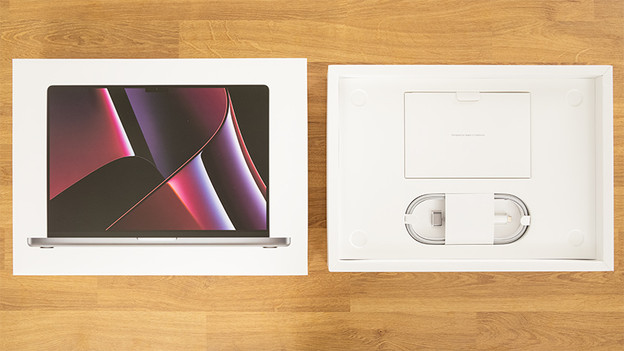
First impression of the MacBook Pro (2023)
Unboxing a new MacBook is a lot of fun. It comes in a beautiful, slim box. There's an image of your newest addition on the front of the box. I carefully removed the lid from the box. The first thing you see is the new MacBook model, neatly wrapped in a transparent film. Underneath my MacBook model, I find a folder with a couple of booklets and Apple stickers, the USB-C power adapter, and the USB-C to MagSafe 3 cable.
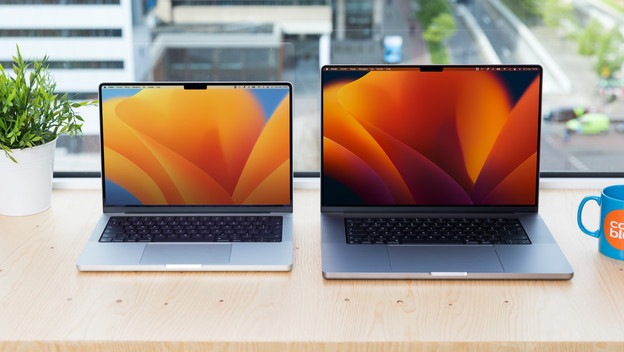
Choice between 2 sizes
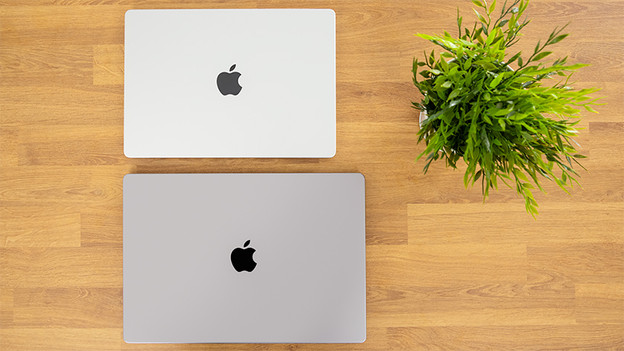
Just like its predecessor, the MacBook Pro (2023) model is available in 2 sizes: 14.2 inches and 16.2 inches. The 14-inch model is ideal for on the go, since it only weighs 1.6kg. The 16-inch model is better suitable for a fixed workplace due to its weight of 2.1kg. With the extra screen space, you'll have a better overview of all your work and you can edit even the smallest details.
M2 Max or M2 Pro chip
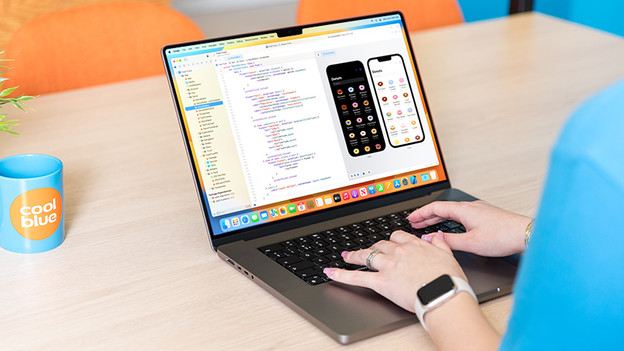
M2 Max chip: 3D editing and app development
You'll find the M2 Max chip in both sizes. This processor has more graphic cores than the M2 Pro chip, which means it has more graphic power. As a result, you can edit complex 3D files in Shapr3D and develop apps in Xcode. Everything is very fast, which saves you a lot of time. M2 Max also supports up to 4 external screens, which offers a better overview if you work in multiple programs at the same time.
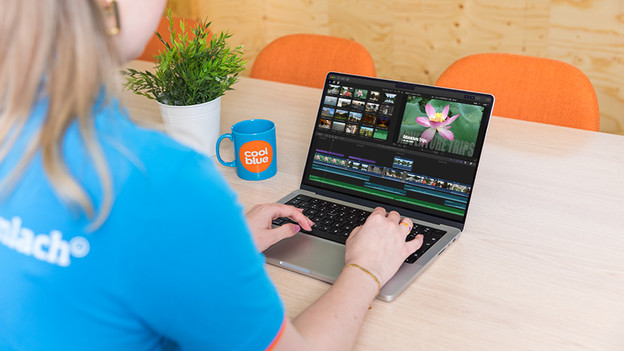
M2 Pro chip: demanding photo and video editing
The M2 Pro chip is very fast, just like the M2 Max chip. I edit my photos in Adobe Photoshop without my MacBook getting hot. I also edit my videos in Final Cut Pro without slowing down. The M2 Pro supports up to 2 external screens, so you can keep a clear overview. Do you want to connect more external screens and do you want more graphic power? Choose a MacBook Pro with M2 Max chip.
Enough connectors for peripherals
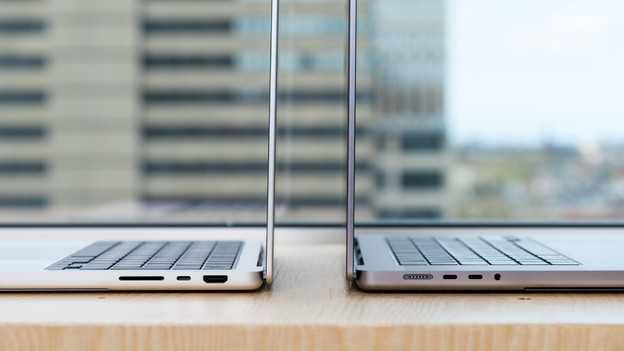
I was surprised by the return of the MagSafe 3 connector. This is especially useful when you get up with your MacBook while it's still connected to the charger. The cable will disconnect right away, which prevents you from tripping or causing an accident. The MacBook Pro 3 also has Thunderbolt 4 ports and a mini jack connector. It also has an SDXE card slot and an HDMI port. The only thing missing is an Ethernet connection. Do you want stable internet via an Ethernet cable after all? Use a docking station.
Get the most out of your MacBook with macOS Ventura
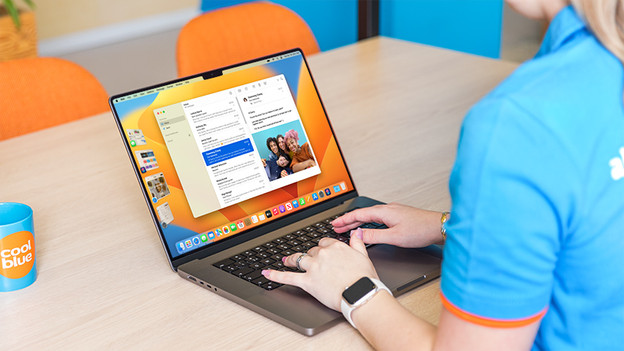
On the MacBook Pro (2023), you'll find the new operating system macOS Ventura. Thanks to this, you'll have the latest updates right away. I'm especially happy with Stage Manager. This function helps you to organize your active programs. For example, I see all my active programs on the left side of the screen when I open the Mail app. This makes multitasking easier and faster, and I can keep a better overview of my work.
Go Green
This MacBook is for you if you value sustainability. At a first glance, both the material of the laptop and packaging looks new. But according to Apple, almost everything is made of recycled materials. For example, the aluminum in the casing is 100% recycled and 97% of the packaging is made of sustainable fibers. In addition, the MacBook Pro is energy-efficient. The 14-inch version lasts 18 hours on a single charge and the 16-inch version as long as 22 hours.
Conclusion
Do you want to perform the most demanding tasks? the M2 Max chip is the best choice for you. Do you mainly edit photos and videos? You should choose the M2 Pro chip. The 16-inch size is ideal for editing the smallest details on a fixed workplace. The 14-inch size is better suitable for on the go.