
Written by Job
Edited on
8 July 2025
·
15:06
How do you choose a video card?
If you're looking for a new video card, there are several things to keep in mind. For a video card that's suitable for demanding games, choose a video card with a powerful processor. When you livestream during gaming, you also need more RAM. We'll explain what the important properties of a video card are.

Summary of the properties
Which properties of a video card are important for you depends on your usage situation. Ask yourself the following questions when you choose a video card:
- Which chipset do you need?
- How much RAM do you need?
- How many cores do you need?
- How high does the energy consumption have to be?
- Which HDMI version do you need?
- Which versions of DisplayPort are there?
- How many fans do you need?
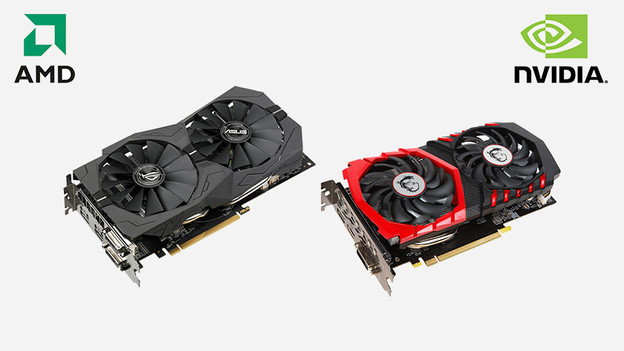
Which chipset do you need?
The chipset or graphics processing unit determines the processing power and the speed of the video card. The higher the number behind the name of the manufacturer, the higher the chipset. Choose an RTX 4070 or higherfor demanding games that you play with a Quad HD or 4K image quality. For light games like Fortnite, an NVIDIA RTX 4050 or 4060 is enough.

How much RAM do you need?
We also call the RAM of a video card vRAM. We measure the amount of RAM in gigabytes. The vRAM determines how many graphic edits the video card can perform at the same time. With a high RAM, like 16GB, your PC performs multiple demanding tasks. For example, livestream while you game, or use several graphic programs for 3D editing. This way, you can game with smooth images and it won't slow down.

What are cores?
The cores (CUDA cores) render the images of your games. This provides realistic light effects and shadows, for example. An RTX 4060 has 3072 CUDA cores. With this, you can game in Full HD resolution with smooth images and a constant 60 frames per second (fps). Do you want to game with a higher resolution? Choose a video card with more CUDA cores, like the RTX 4080. It processes tasks even faster, so you can game with sharper images.
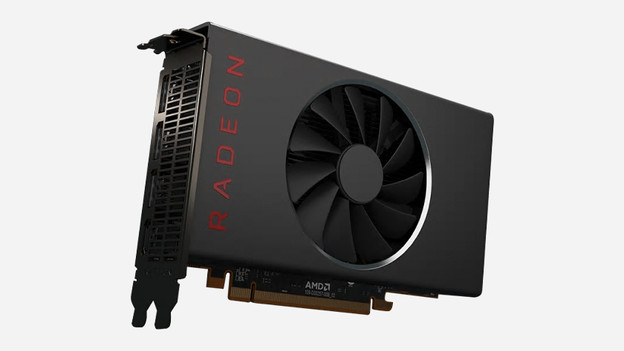
How high does the energy consumption have to be?
The Thermal Design Power (TDP) is the maximum energy consumption of the video card. We measure this in the number of Watts. If you play a demanding game like Microsoft Flight Simulator, your video card consumes a lot of energy. That's why it's important that the video card stays cool. The more TDP your video card has, the more heat it dissipates. This way, your PC performs well without slowing down. An RTX 4080 with good cooling and a 320W TDP works better than an RTX 4090 with a lower maximum energy consumption, for example.

Which HDMI version do you need?
You can connect your gaming monitor with an HDMI or DisplayPort. If you game with a lower 144Hz refresh rate, choose an HDMI connector. There are various versions for built-in HDMI ports. Most video cards have an HDMI 2.1 port. This is the latest version. With this HDMI connector, you can play games with a 4K resolution and a 120Hz refresh rate. You can also enjoy 4K images with an HDMI 2.0 connector, but only a 60Hz refresh rate.

Which versions of DisplayPort are there?
Do you like fast shooters or racing games with smooth images? Use a DisplayPort connector. DisplayPort supports a 144Hz refresh rate or higher. There are 2 options for a DisplayPort connector: 1.4a and 2.0. With a DisplayPort 2.0 connector, you can game with a refresh rate up to 240Hz and with a 4K resolution. This port is also more future-proof, because it can handle 8K images up to 120Hz. The 1.4a has a refresh rate up to 120Hz when you game with a 4K image quality.
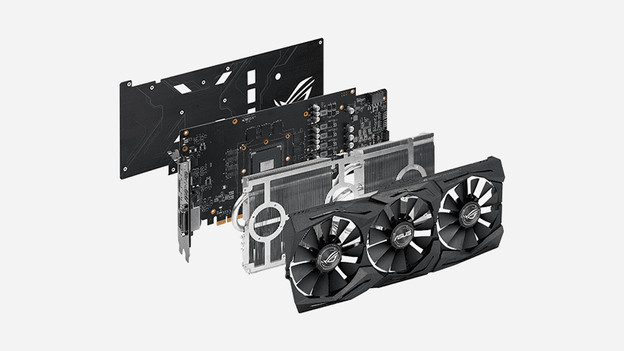
How many fans do you need?
The fan of a video card provides cooling. A video card can become very warm during gaming. With 2 or more fans, your components stay cooled. Even when you play a demanding game with a high image quality. Video cards with 3 fans provide more cooling than a video card with 2 fans. This way, you can game longer without your PC performing less well. Your PC also makes less noise when you use 3 fans.
