Written by Rowan
Edited on
9 September 2026
·
10:13
How do you choose a MacBook for business use?
You're looking for a MacBook for work, but don't know which one suits your job and work. That's fair, because there are many things you should take into account. For example, the model, processor, RAM, and storage capacity. In this article, you can read about how to choose the best MacBook for business use for you.
How can I help you?
Our digital expert will help you, but it can sometimes make mistakes, like humans do.

Choose Apple MacBook for business use
There are different MacBook models. The following questions will help you choose the best MacBook for you:
- What kind of work are you going to use your MacBook for?
- How many gigabytes of RAM and storage do you need?
- What size is convenient for your work?
- Do you want to business rent your MacBook?
What kind of work are you going to use your MacBook for?

Administrative work
Do you have an office job and mostly work in light programs? A MacBook Neo or MacBook is fine. These MacBook models are fast and easy to take with you. You can smoothly work in programs like Microsoft Office, Excel, and Gmail. You can also use all of your online management systems, of course. Do you have a video meeting? Thanks to the 1080p FaceTime HD camera, you're always clearly visible.
IT work
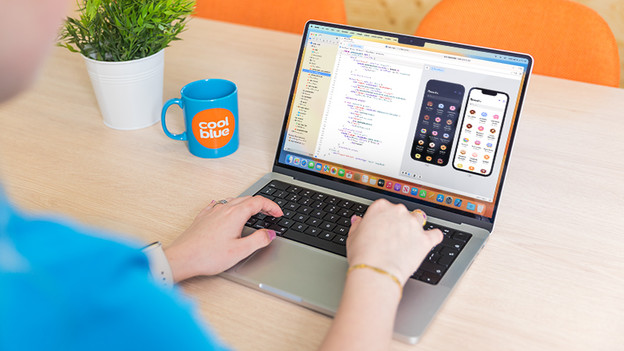
Are you an IT manager, software engineer, developer, analyst, programmer, or do you have a different IT job? You'll need a powerful MacBook Pro. Choose an M4 Pro/M5 Pro or M4 Max/M5 Max chip, so you can perform your work without slowdowns. With these chips, you can create 3D designs on AutoCAD, develop apps in Xcode, and use programming languages like JavaScript to make web applications.

Graphic design
As a content creator, filmmaker, or producer, you also need a powerful MacBook Pro. For editing demanding audio and video files, you need at least an M4 Pro or M5 Pro chip. For the most demanding edits, choose an M4 Max or M5 Max chip. This processor has the most graphic cores, which means it has more power to render, produce, and process your content.
How much RAM and storage do you need?

Smooth multitasking with enough RAM
The RAM determines how many tasks your MacBook can handle at the same time and how smoothly your MacBook runs demanding programs. If you work in multiple programs and software at a time, we recommend at least 16GB RAM. The more you choose the smoother your MacBook works.
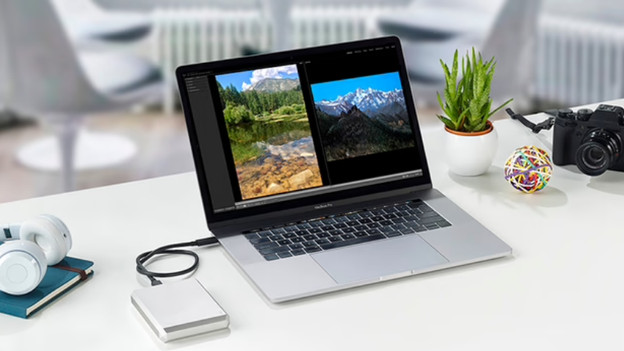
With more storage, you can store more and larger files.
It's also important that you have enough storage. You don't need much storage if you store almost all your files in an online management system or cloud services. Do you want to store your files locally? You'll need more space. The more demanding files are, the more storage space you need.

Which size is useful for your work?
If you have an office job and often have to work on the go, a compact size is convenient. A 13 or 14-inch MacBook fits on small surfaces more easily and fits in your bag better. A smaller Mac also weighs less. Do you often work from home or edit detailed files? A larger size is better, of course.

Do you want to rent your MacBook?
Would you rather rent your new MacBook? At Coolblue, you can rent a business MacBook for a fixed monthly amount. You can take out a contract for 12, 24, 36, or 48 months depending on how much you want to pay per month. There are a few conditions you have to meet. You can read what thee are in the article about Apple Financial Services below.
Article by Rowan
Apple Expert.