Written by Lucas
Edited on
23 August 2022
·
12:48
How do you improve the connection of your Jabra earbuds?
When the music stutters with your Jabra earbuds, that's probably a result of the connection. It might help to turn the earbuds off and back on again. You can read in this article what other things you can do to improve the connection.

Improving the connection in 3 steps
With these 3 steps, you can improve the connection of your Jabra earbuds.
Step 1: turn earbuds off and on
Step 2: check other signals
Step 3: download update

Step 1: turn the earbuds off and on again
Does the music keep stuttering? Turn the earbuds off and back on again. This usually solves the problem right away.

Step 2: check signals around you
Does the music often stutter in the same place? Check the signals around you:
- Turn off all other Bluetooth devices in your area.
- Don't stand too close to appliances such as fridges and microwaves, these affect the Bluetooth signal.
- Have you connected the earbuds to your smartphone? Keep it in your front pocket or in your hands, not in your backpack or back pocket.
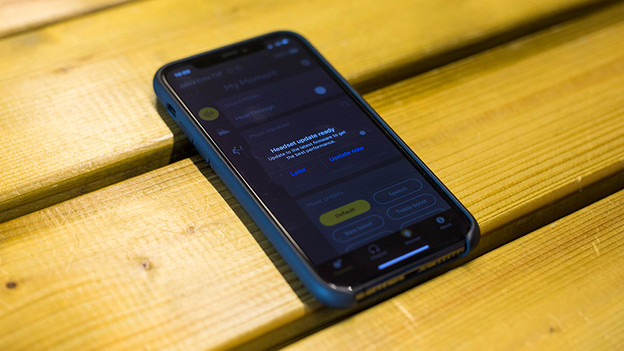
Step 3: check if there's an update available
If the music still stutters, download the Jabra Sound+ app. Check in the app if there's an update available for your earbuds and download it. Press 'Discover' at the bottom of the screen and search for an update.