Written by Kayleigh
Edited on
21 March 2025
·
16:32
How do you install a Brother cartridge?
After printing for a while, you need to replace the ink of your Brother printer. Replacing the ink is easy. In this article, we'll explain in 3 steps how you set up a Brother cartridge.
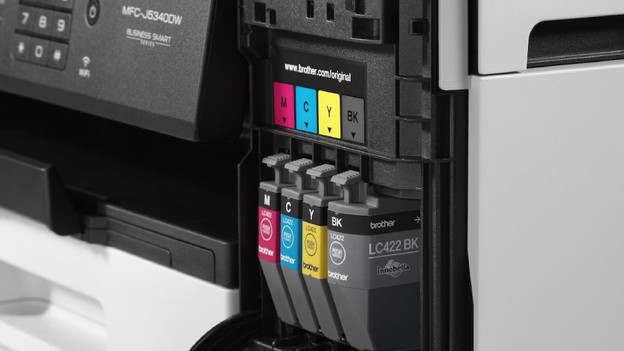
How do you install a Brother cartridge?
With the next steps, you can replace the cartridges of your Brother printer in no time:
- Step 1. Open the hatch.
- Step 2. Remove the old cartridge.
- Step 3. Place the new cartridge.
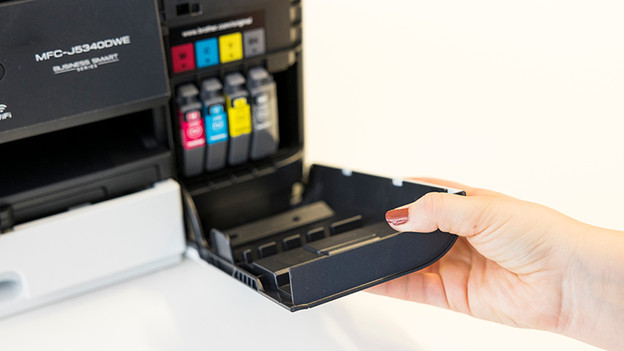
Step 1: open the hatch
Where the cartridges are placed is different for every Brother printer. Check the manual to find out where the cartridges are in your model. This can be on the side, but also on the front or back. Open the hatch of your printer and the hatch of the cartridge holder.
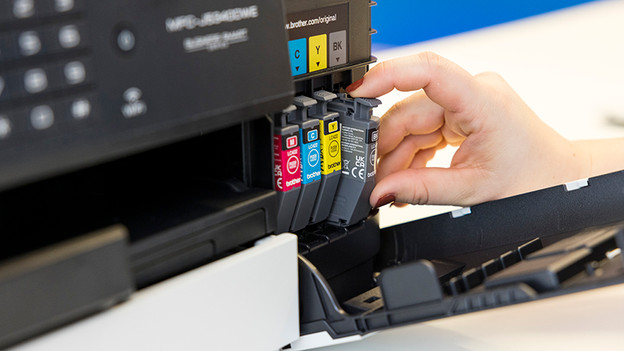
Step 2: remove the old cartridges
Push the hatch of the cartridge as far as possible. This way, you unlock the cartridge. Remove the cartridges from your printer 1 by 1. Ink can make stains on your clothes which is hard to remove, so watch out that the cartridge doesn't leak when removing it. Don't throw the empty cartridges in the garbage bin. There can still be ink in the cartridges and this is bad for the environment. There are even electronics in a cartridge with printhead. Bring your empty cartridges to Brother or a different collection point.
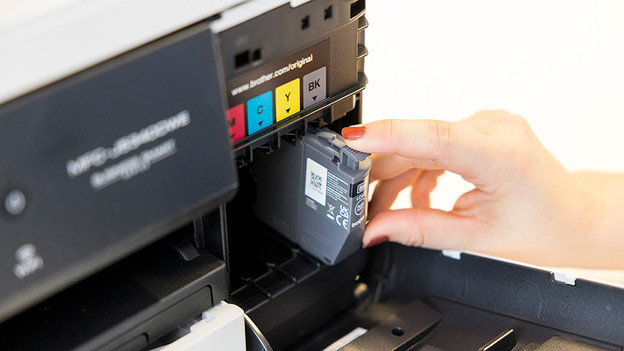
Step 3: place the new cartridges
Take the new cartridges out of the packaging and remove the plastic tape from the cartridge. Don't touch the copper contact points or nozzles, because you can damage the cartridge. Hold the cartridge on the side and place it in the cartridge holder. Did you hear a click? The cartridge is firmly in place. Take care that you place the right color in the right cartridge holder. Close the lid of the cartridge holder and the printer. The cartridges are set up.
Article by Kayleigh
Printer Expert.