
Written by Robyn
Edited on
15 December 2023
·
15:26
How do you use Siri on the Apple Watch?
Siri is the digital personal assistant from Apple. Siri can also help you with all your questions about life and everyday things on the Apple Watch. For example, you can ask Siri to send a message or calculate a route. In this article, we'll explain what you can do with Siri on the Apple Watch and how you set Siri up on your smartwatch.
Get started with Siri on the Apple Watch
In addition to the iPhone, iPad, and MacBook, Siri is also available on the Apple Watch. With these tips, you'll know how to use Siri from your wrist.
- What is Siri?
- How does Siri work?
- How do I set up Siri?


What is Siri?
Apple has programmed Siri to help you with your everyday tasks. For example, it's morning and you think to yourself that you can't forget to take bread out of the freezer in the evening. Siri will remind you when you get home. Or ask Siri to start your workout on the Apple Watch in the gym. That way, you can start exercising without having to select your Apple Watch workout first. Siri can make calls, send messages, take notes, or open apps for you. All you have to do is ask Siri.

How does Siri work on the Apple Watch?
There are 3 ways to ask Siri questions and have Siri perform tasks on your Apple Watch.
- Raise your wrist and say what you need.
- Press the Digital Crown, the dial on the side.
- Speak to Siri. Tap the Apple Watch screen or raise your wrist and say 'Hey Siri'. Then, state your command or question.
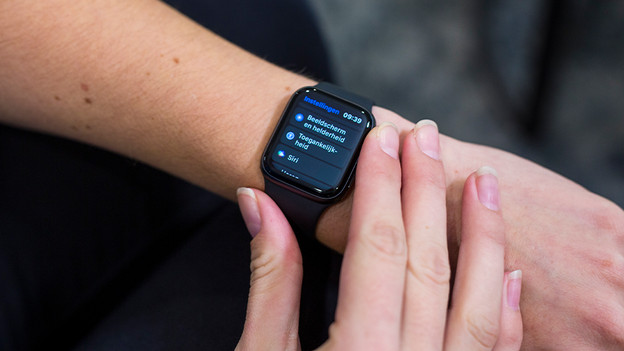
Set up Siri on the Apple Watch
If you want to set up Siri on your Apple Watch, you need an iPhone.
- Go to Settings on the connected iPhone and tap Siri & Search.
- Turn on Listen for "Hey Siri". On the iPhone X or newer, you turn on Press Side Button for Siri. And on the iPhone 8 or older, you turn on Press Home Button for Siri.
- Go to Settings on the Apple Watch and scroll to Siri. Here, you choose between Hey Siri and Raise to Speak.
- On the Apple Watch, you can choose when Siri is allowed so speak. Always, when 'silent mode' isn't activated, or only if you're wearing AirPods or headphones.
Article by Robyn
Smartwatch Expert.
