Written by Charlotte
Edited on
7 October 2025
·
10:05
How do you descale your Nespresso Lattissima Pro?
When you descale your Nespresso Lattissima Pro, limescale doesn't get the chance to build up in your coffee machine. In addition, you can keep the best coffee quality and extend the lifespan of your Nespresso. When it's time to descale your machine, it'll give you a sign. We'll explain how to descale your machine step by step.
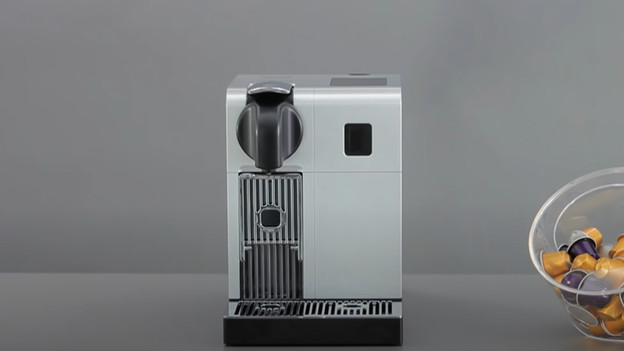
Get started with your Nespresso Lattissima Pro
It takes about 25 minutes to descale. We'll go through these steps:
- Step 1. Empty the container for used coffee capsules
- Step 2. Pour the descaler in the water tank
- Step 3. Connect the descaling pipe
- Step 4. Start descaling
- Step 5. Rinse the machine
- Step 6. Rinse the descaling pipe
You need:
- 1L container
- De'Longhi EcoDecalk descaler
How often do you clean the Nespresso Lattissima Pro?
When your Nespresso needs to be descaled, it'll indicate this on the display. This is about twice a year on average. When you use the machine intensively, this will be more often. Use the descaler by Nespresso or De'Longhi. When you descale your machine, the coffee will stay the best and the machine will last longer.
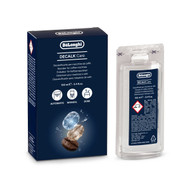
18,99

Step 1: prepare the descaling
- The machine will how a notification on top of the machine when it's time to descale.
- Go to the menu via the button with the cogwheel.
- Press the down arrow until 'Descale' appears, and press the check to confirm.
- The display will indicate that it takes 25 minutes to descale. Confirm this notification by pressing the check. Press the check again.
- The display will tell you to empty the drip tray and container for the used coffee capsules.
- Lift the handle to allow the last-used capsule to fall into the container.
- Empty the container and drip tray and put them back into the machine.
- Press the down arrow.

Step 2: connect the descaling pipe
- Take the water tank out of the machine and fill it with 100ml of descaler and 500ml of tap water.
- Place the filled water tank back into the machine.
- Press the down arrow.
- Attach the hot water outlet to the machine. You can find it on the right side of your Nespresso.
- Attach the hot water outlet to the front of the machine.
- Confirm this by pressing the down arrow.

Step 3: start descaling
- Place a container of at least 1L under the coffee and hot water outlet.
- Confirm this by pressing the down arrow.
- Press the check to start the descaling cycle.
- The machine will indicate when the descaling cycle is done.
- A message will appear on the display, telling you to empty the container for used coffee capsules, the drip tray, and the container under the coffee and hot water outlet.
- Press the down arrow.

Step 4: rinse the machine
- Take the water tank out of the machine, rinse it thoroughly, and fill it up to the maximum mark.
- Confirm the rinse by pressing the down arrow again.
- Place the container of at least 1L under the coffee and hot water outlet.
- Press the down arrow again.
- The rinse cycle can start, press the check.
- The machine will now rinse until the water tank is empty.
- When the machine is done rinsing, it'll turn off automatically.
- Rinse the hot water outlet and clean it with a damp cloth. Place it back in the right side of the machine.
- Your Nespresso Lattissima Pro is ready for use again.
Article by Charlotte
Coffee Machine Expert.