
Written by Maurits
Edited on
1 October 2025
·
11:08
Get started with Sony noise canceling
With Sony noise canceling, you can close yourself off from your environment. This means that you'll hear little ambient noise in busy places, such as a busy train or an office. This way, you can completely immerse yourself in your favorite music. How do you enable noise cancellation on Sony headphones or earbuds? We'll explain it to you in this article.

Get started with Sony noise canceling
You can switch noise canceling on or off in the Sony Sound Connect app. If you turn off noise canceling, you can hear your surroundings clearly. This is called Ambient aware. In the following steps, we'll explain how to switch noise canceling on and off:
- Step 1: connect your earbuds
- Step 2: download the Sony Sound Connect app
- Step 3: enable noise canceling
- Step 4: adjust the amount of ambient noise

Step 1: connect your earbuds
You connect your Sony earbuds or headphones to your device via Bluetooth. Are you having difficulty connecting your earphones or headphones? We're happy to help you with that. In the article below, you can read how to connect your earbuds or headphones.
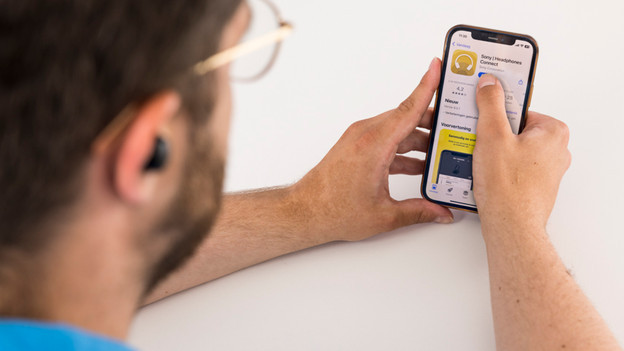
Step 2: download the Sony Sound Connect App
After you've connected the headphones or earphones, download the Sony Sound Connect app. You can download the Sony Sound Connect App from the App Store or Google Play Store. Once you've downloaded the Sony Sound Connect app, launch the app.

Step 3: enable noise cancelation
Open the Sony Sound Connect app and go to Sound. Then, click on the V symbol at Crtl ambient sound. You'll now see 3 options. These are Noise Cancellation, Ambient Sound and Off. For noise canceling, click on Noise reduction. Now, Sony noise canceling is turned on.

Step 4: control ambient noise
Want to continue hearing ambient noise? With the Sony Sound Connect app, you can determine in 20 steps how much sound you want to continue hearing. You go to Sound. Then, click on the V symbol at Crtl ambient sound. Click Ambient sound to determine how much sound you want to let through. You can do this by moving the bar from the left right. Want to hear your surroundings as clearly as possible? Select Off and switch off noise canceling.
Article by Maurits
Audio Expert.
