Written by Giorgos
Edited on
21 August 2026
·
09:12
Why choose a student laptop with an NVIDIA GeForce video card?
A student laptop with an NVIDIA GeForce video card has various advantages. You can render your graphic design files faster or use the processing power for data sets in mathematical studies. You can also play your favorite games when the school day is over. In this article, you can read what the advantages of a student laptop with an NVIDIA GeForce video card are.

Why do you need an NVIDIA GeForce video card?
With an NVIDIA GeForce video card, your student laptop works faster during various tasks. Without this video card, your games slow down and your graphic design projects render much slower. That's because an NVIDIA GeForce video card has more power than a built-in shared video card from Intel or AMD. For light graphics tasks, an RTX 5050 or RTX 5060 laptop is enough. With an RTX 5070, you get smooth gameplay and a video card that's powerful enough for most demanding tasks. With more VRAM in an RTX 5080 or RTX 5090 for example, you have enough power for demanding data science, robotics, or AI learning.
Which video card do you need for your studies?
| CUDA cores | Tensor Cores | Ray tracing cores | VRAM | Minimum card required | |
|---|---|---|---|---|---|
| Data science and AI learning | 6000+ | Yes, 16+ needed | No | 12 - 24GB | RTX 5070 |
| Statistics | 2000+ | No | No | 6 - 8GB | RTX 5050 |
| Machine learning | 5000+ | Yes | No | 12 - 24GB | RTX 5070 |
| Economics | 4000+ | No | No | 8GB | RTX 5060 |
| Robotics | 5000+ | Yes | Yes | 12 - 16GB | RTX 5070 |
| Civil engineering and architecture | 5000+ | Yes | No | 12 - 16GB | RTX 5070 |
| Film and video editing | 5000+ | Yes | Yes | 12 - 24GB | RTX 5070 |
| Digital illustration | 3000+ | Yes | Yes | 8 - 12GB | RTX 5060 |
| 3D design | 5000+ | Yes | Yes | 16 - 24GB | RTX 5070 Ti / RTX 5080 |
| Game design | 5000+ | Yes | Yes | 12 - 16GB | RTX 5070 |
| Music and sound design | 2000+ | Yes | No | 4 - 8GB | RTX 5050 / RTX 5060 |
What are the advantages per study?

Graphic design studies
When you're studying graphic design, we always recommend a video card. With a video card, you can edit photos, videos, 3D designs, and more faster. On average, an NVIDIA video card works 10 times faster than a built-in video card. That's thanks to the special cores that can calculate edits faster. The RAM of a video card, also known as VRAM, works differently than that of your laptop. The larger the VRAM on your video card, the more smoothly you can process large graphic design files. That's useful when you work in programs like Adobe Premiere Pro or AutoCAD.

Mathematical studies
You can use a video card for more than graphic design studies. With studies like Data Science, the CUDA and Tensor AI cores help you to process large calculations. The VRAM also helps with large data sets. It retains the data and makes all calculations with the cores. With a video card, you can do so up to 10 times faster than without. Even when you work with millions of Excel rows. A student laptop with an NVIDIA video card also helps with deep learning for financial predictions. Thanks to the CUDA and Tensor cores, you train a model within a couple of minutes. Without a video card, this can take hours or even days.
Technical studies
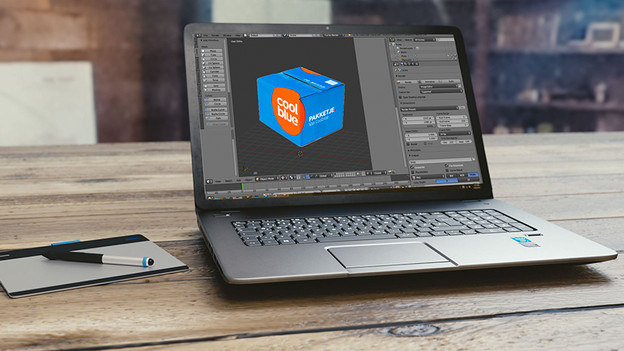
When you create blueprints or develop software, an NVIDIA video card helps with the entire development process. Video cards with a lot of VRAM like the 5080 and 5090, are powerful enough for large CAD files. In addition, you can use ray tracing lighting effects for realistic visualizations. For software development, you can run various simulations smoothly without slowing down. Are you pursuing a demanding technical degree, such as robotics, engineering, or aerospace engineering? A laptop with an NVIDIA video card works up to 10 times faster.
Which technologies do NVIDIA video cards use?
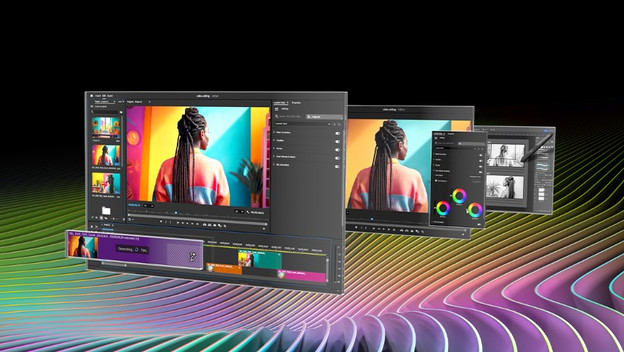
NVIDIA video cards work with NVIDIA Studio. This technology works with the most popular editing programs, such as all Adobe programs, Blender, AutoCAD, and DaVinci Resolve. NVIDIA Studio also helps with various AI functions. You can use Render Denoising for 3D editing, which lets you make faster renders. For video editing, you can use Video Enhancement when you need just a few more frames for a smooth transition.
Which games do you want to play?
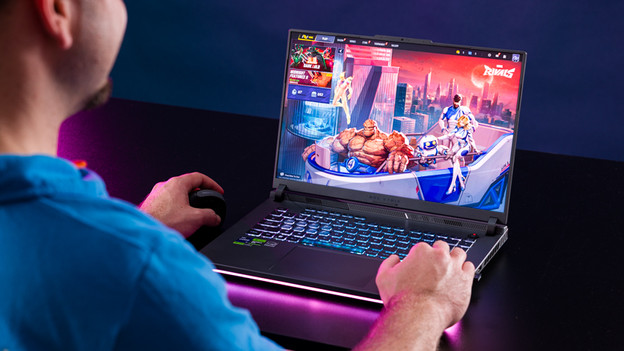
The video card you choose determines which games you can play. If you like to play demanding games like Microsoft Flight Simulator, you need a more powerful video card. This game only runs smoothly at 60 fps in Full HD with the RTX 4070 or RTX 5070. In the following articles, we list which games you can play and at how many fps. This way, you'll know right away if the video card in your student laptop is powerful enough for gaming after school.
View our gaming laptops with an NVIDIA video card
Article by Giorgos
Laptop Expert.