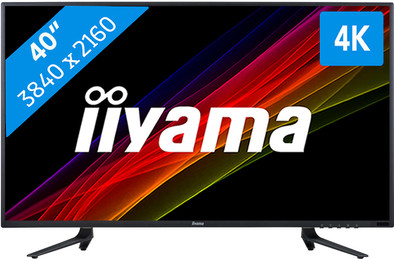
iiyama ProLite X4071UHSU-B1
Never available again
View alternatives in the sidebar
View alternatives in the sidebar
Sharpness | 4K (UHD) | |
|---|---|---|
Curved | ||
Aspect ratio | Standard (16:9) | |
Refresh rate | 60 Hz | |
Response time | 3 ms | |
Panel type | VA panel | |
Color depth | 17 million colors (8-bit) | |
Built-in speakers |
According to our monitor expert
The iiyama ProLite X4071UHSU-B1 is a 40-inch VA monitor with UHD resolution. As a result, you have ample workspace and the screen is legible from just about every angle. You can easily open multiple windows on the screen at once, which is useful when you need to work with a lot of information. The high brightness and better color representation make this screen suitable for graphics work.
5 stars
23
4 stars
14
3 stars
2
2 stars
0
1 star
0
I split my review into 3 parts
the monitor
connect to a MacBook 12” with USB-C.
the Coolblue service
The screen: First of all what a lap screen is 40”. Sometimes I just completely lose my mouse and it turns out to be 'a few meters' away. The image is spotless, only Â'out of the boxÂ' I find it all a bit dull/cold. Fortunately, the screen has enough options to set it to your taste. I mainly use the screen for web design and some photo editing. The latter is really great on this size screen. I control the screen at a resolution of 3480x2160 px at 30hz. More on this later.
The sound from the speakers is reasonable, don't expect super sound here. The viewing angle is fine. What is also positive is that all possible cables are included. What is disappointing is that there are no batteries for the remote control. The screen has a USB hub for 2 devices, in my opinion this could have been one more port. A real downside is that the screen is tilted forward a bit. This cannot be stated. Put 2 caps on it now.
Connect to a MacBook 12” with USB-C There are not many experiences on the internet with external (4K) screens connected to a MacBook with only 1 USB-C connection. That's why I'm writing about it here. I control the screen at 3480x2160px at 30h with a MacBook 12” (2015). For this I use an HDMI cable connected to a USB-C digital AV multiport adapter. I also put the USB hub on the screen via the adapter. This gives me a workable situation with only 1 port on the Mac. In the beginning I had connected the HDMI cable to port 1, the screen occasionally went out on this port. Port 1 turns out to be the 60hz HDMI port. The MacBook can only handle 30hz. It works perfectly on port 2 (max 30hz). It remains special that such a small device can handle such a resolution (and higher). Port 2 is the HDMI with MHL port. The advantage is that the sound also goes directly through the screen. To quickly adjust the resolution, I use the App Display Menu on. Recommended! The combination of screen and Macbook is fine for the work I do. For gamers or people who have higher demands for more speed, you will not be happy with this combination.
The Coolblue service:
In one word: TOP!
I had first bought another 4K screen of 24”. I couldn't control it properly and everything got so small at 4K that I needed about a magnifying glass. I was allowed to exchange the screen for another one. That has become the ProLite X4071UHSU-B1. This one was just in my budget, the 32” screens I first looked for are all more expensive.
In Amsterdam I was able to exchange the screen. When we got there, the screen turned out to be out of stock. To compress. The seller offered to have the screen delivered the same day by courier. Class, nicely done. Connected the new screen and immediately noticed some dead pixels, called again and was allowed to exchange again. Very annoying of course, but Coolblue can't avoid that.
The good service, advice and knowledgeable employees is really something to be happy about. Coolblue is a large webshop but with the service of a local entrepreneur, great
E.C. van der Plas
13 November 2015
Automatically translated from Dutch
There is not much that can be said about this monitor. It is a good monitor that is very all-round. Whether you want to game, Photoshop or get started with Adobe Premiere, it's all possible.
Compared to the Philips bdm4065uc with which I have experience, you can say that this iiyama is the better of the two. Especially on speed and contrast. An extra is that this iiyama monitor can also be controlled at 4k 60Hz via HDMI 2. The iiyama is also a lot more economical in power consumption.
I don't quite understand the negative point that Coolblue mentions here:
"To get the most out of your 4k screen, you'll need an HDMI 2.0 or DisplayPort cable."
Where is this as a minus? These cables are simply supplied with the monitor.
Perhaps Coolblue is trying to explain that your video card must support 4k. So if you want to use this monitor optimally, you need a brave video card with the right ports (DisplayPort 1.2, or HDMI 2.0). As an example you can think of an Nvidia 960GTX or higher. Also don't forget to check your diet. The 4k violence cannot simply be controlled with a standard 450 watt power supply. 750 watts is recommended.
Een gebruiker
15 December 2015
Automatically translated from Dutch
Connected to a MacBook Pro via the Thunderbolt connection, using the mini displayport to displayport cable on monitor.
High resolution and large screen make working with DAW software (Cubase) so much more enjoyable. Especially if the distance between monitor and user is almost 2 meters !
Recommended at an unbelievable price!
P. C.
27 February 2016
Automatically translated from Dutch
Product number | 670286 | |
|---|---|---|
Manufacturer code | X4071UHSU-B1 | |
Brand | Iiyama | |
Warranty | 3 years | |
Processing of your defect | On-site service |
Recommended display resolution | 3840x2160 | |
|---|---|---|
Sharpness | 4K (UHD) | |
Aspect ratio | Standard (16:9) | |
Refresh rate | 60 Hz | |
Response time | 3 ms | |
Panel type | VA panel | |
Brightness | 350 cd/m2 | |
Local dimming | ||
HDR support | ||
Contrast ratio | 5000 | |
Touchscreen | ||
Screen reflection | Anti-glare | |
Blue light filter | ||
Flicker-free technology | ||
Color space | sRGB | |
sRGB color coverage percentage | 100 % | |
Color depth | 17 million colors (8-bit) | |
Adaptive Sync | ||
Resolution width | 3840 pixels | |
Resolution height | 2160 pixels | |
Anti-reflection type | Matte | |
Horizontal viewing angle | 178 ° |
Height | 57,7 cm | |
|---|---|---|
Width | 90,65 cm | |
Depth | 23,85 cm | |
Weight | 12,2 kg | |
Color | Black | |
Including stand | ||
Material | Plastic | |
Cable management | ||
Appearance | Neutral | |
Curved |
Number of HDMI connectors | 3 | |
|---|---|---|
Number of Female HDMI type A 1.4 ports | 1 | |
Number of headphone jacks | 1 | |
Type of headphone connection | 3.5mm (TRRS) | |
Number of Female Standard DisplayPort 1.2 ports | 1 | |
Number of female standard USB-A ports | 2 | |
Female standard USB-A port version | 3.0 | |
Number of female standard VGA ports | 1 | |
Number of female 3.5mm TS Audio Jack ports | 1 | |
Number of female 3.5mm TRRS Audio Jack ports | 1 | |
Type of USB port | Standard USB-A | |
Number of USB ports | 3 |
Adjustable in height | ||
|---|---|---|
Tiltable | ||
Pivotable stand | ||
Pivot function | ||
VESA mount option | ||
VESA mount | 200x200mm |
Energy consumption standby | 0,5 W | |
|---|---|---|
Energy consumption active | 60 W |
Built-in speakers | ||
|---|---|---|
Sound system | Stereo | |
Split screen | ||
Kensington lock | ||
Best tested |
Design according to customers | Neutral | |
|---|---|---|
Recommended for use | Image editing and graphic design |
Receive more coverage in case of damage than with your standard warranty. Coolblue takes care of everything: from taking out the insurance to repairs. Is a repair not possible? You receive the purchase price as CoolblueCredit.
XCover is allowed to arrange and process insurances on behalf of the insurer. The insurances are governed by Belgium law. If you have a complaint, you can contact the or our customer service.
First, add your monitor to your shopping cart. On the next page, choose the Protection Plan below. You always have a 30-day return window and pay no deductible in case of damage.
The insurance can be canceled every year, even if you have paid in advance. If you cancel earlier, you will receive a refund for the overpaid amount.