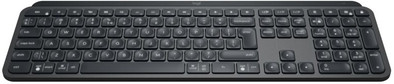
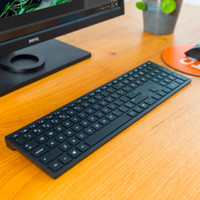
This keyboard is a bit of an investment, but then you have something! The texts typed correctly the first time fly out... I think this makes me a lot more productive, and that for that reason alone I can ask for a salary increase, with which I could get the investment back ;-)
Actually, I prefer to use a mechanical keyboard, but they are also very expensive, and because of the sound that is not an option for both home and office (I don't have the space to myself at home and at the office ;-) Despite this keyboard has 'flat keys' (scissor switches I believe) it allows me to type quickly yet error-free. This is not only due to a well-set action (i.e. from what pressure the key actually presses), the travel (i.e. by what distance the key is depressed) but also due to the concave notches in the center of each key. The keystroke is also a lot quieter than most other keyboards, which makes it very suitable for working from home (eg for typing during a Teams or Zoom meeting) or in an office with colleagues sitting next to you.
The 'unique selling point' of this keyboard is the combined MacOS and Windows layout. Namely, from work I got a Windows laptop, and privately I use MacOS. With a keyboard for one thing or another you can also control both (for years with a Windows keyboard I have operated MacOS, and vice versa, and that always worked fine because of 'muscle memory' for the shortcuts in both environments). But now, with the combined layout of this keyboard, the layout is just right in any environment and I honestly like that very much.
Another good feature of this keyboard is that you can easily save three different Bluetooth connections, and that switching between the three devices is quite smooth. Sometimes the connection to MacOS won't go as smoothly, but I think that's a problem with older versions of MacOS (Mojave in my case), and I don't think it's because of the keyboard.
The included Logitech software, Logi Options, allows you to change the function of most function keys. I don't use this, but it can be very useful for certain users. It also seems that with Logi Options you can set a kind of 'flow' function, so that in combination with an MX mouse you can easily switch between different devices by moving the MX mouse to the edge of the screen. I haven't been able to try this out, firstly because I don't have an MX mouse and secondly because I can't get Logi Options installed on my work laptop. Despite that, the bluetooth connection with my work laptop works correctly, and I can simply switch by pressing the button on the keyboard.
Despite the hefty price, I am very happy with the keyboard. I am allowed to come to the office once a week (I make medicine, which is a crucial profession) and because this keyboard is so nice to type, I now even take it with me to the office. I just can't type on those "soggy" standard office keyboards anymore. So I also bought a special soft case for these MX Keys to get the MX Keys neat and undamaged from home to the office and back ;-)
I don't think this is a suitable keyboard for gamers who actually prefer a mechanical and wired keyboard with ultra-low latency, high action and long travel etc. But for people who type a lot of texts, and switch between MacOS and Windows every now and then , this is an ideal keyboard.