Adobe Photoshop & Premiere Elements 2021 (Dutch, Windows)
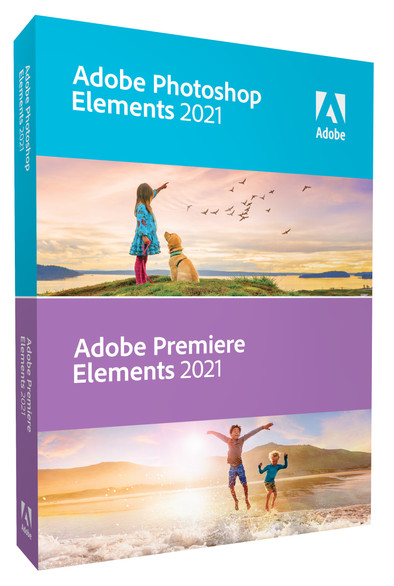
Never available again
View alternatives in the sidebar
View alternatives in the sidebar
Product number | 871954 | |
|---|---|---|
Manufacturer code | 65313016 | |
Brand | Adobe | |
Warranty | 2 years | |
Processing of your defect | Via Coolblue |
Software category | Photo editing, Photo presentation, Video editing | |
|---|---|---|
User type | Commercial, Personal | |
Menu language | Dutch | |
Publisher | Adobe |
Compatible with operating system | Windows | |
|---|---|---|
Compatible with Windows version | Windows 10 | |
Required internal memory (RAM) | 8 GB | |
Required hard drive space | 10,3 GB |
anything for a smile
According to our editing software expert
With this plan, you can edit photos and videos in Photoshop and Premiere.
You have access to the Dutch version of Photoshop and Premiere for Windows.
You don't have to extend the license.
You can use Adobe Photoshop & Premiere Elements 2021 to edit your photos and videos on your laptop or computer. For example, you can adjust the contrast or lighting for your images in Photoshop. Thanks to the Healing Brush tool, you can remove imperfections or unwanted objects from your image. You can also make your static images move, color photos automatically, and change the position of a face for example. Thanks to the 25 editing options with instructions in Premiere Pro, you can easily create your own video. Adobe Sensei is a digital tool that helps to easily edit and organize your photos and videos. You can learn multiple editing options step by step via tips and instructions. You can also use this to import, edit, and share HEIF photo files and HEVC video files.
System requirements of Adobe Photoshop Elements 2021: 8GB RAM, 10.3GB storage, Windows 10 64-bit.
I once started with Adobe Elements 8, then 13, I liked it very well, now the 2021. Still have a lot to discover but it looked good. I will also be working on the Premiere soon, another great challenge!
Carla Versteege
9 December 2020
Automatically translated from Nederlands
There are more possibilities, but compared to nr 11, there is not much difference and some tools are no longer available
herman geerts
5 January 2021
Automatically translated from Nederlands
You can achieve a lot with little knowledge. Good addition to Windows 10 system.
Eric van Parijs
9 January 2021
Automatically translated from Nederlands