This is the one
Fellowes Jupiter A3


Don't have an account yet? Start here
If you purchase a Fellowes product, you'll receive up to 3 years extra warranty. This way, you get the standard 2-year warranty and get 1 extra year of warranty from Fellowes. View the promotional Terms and Conditions for more information.
If you purchase a participating paper shredder or laminator between 1 May 2026 and 30 September 2026, you receive a cashback from Fellowes. You can register your promotional product for the Fellowes promotion up to 30 days after purchase. Go to the promotional Terms and Conditions (PDF) for more information.

Product number | 909850 | |
|---|---|---|
Manufacturer code | 5748401 | |
Brand | Fellowes | |
Warranty | 2 years | |
Processing of your defect | Carry-in warranty |
Height | 13 cm | |
|---|---|---|
Width | 20,8 cm | |
Depth | 53 cm | |
Weight | 6,9 kg | |
Color | White |
Paper size | A3 | |
|---|---|---|
Thick laminating sheets | 100, 125, 175, 250, 80 | |
Lamination speed | 3 ppm | |
Auto shut-off | ||
Warm-up time | 60 seconds | |
Maximum input width | 320 mm | |
Number of temperature settings | 2 | |
Automatic reverse function | ||
Energy-saving functions | ||
Auto shut-off after | 30 min |
5 stars
0
4 stars
0
3 stars
0
2 stars
0
1 star
0
With the Fellowes Jupiter A3 I have a laminator that heats up quickly and laminates my paper within 17 seconds. I have many options due to the maximum A3 format and the maximum thickness of 250 microns. When I am not using the laminator, it makes a buzzing sound.
Fast laminator with good quality The nice thing about this device is that I can get started right away. For the installation, I turn on the laminator and within a minute it is already warmed up and ready for use. I do not need anything else for the installation. The laminating itself is also fast. A standard A4 sheet is laminated by the Jupiter in less than 20 seconds. That is useful if I laminate multiple documents in a row. I use the 80 micron Image Last laminating sheets from Fellowes and get very good results with them. The laminating sheet has a slight gloss and when I laminate a photo, the colors splash off.
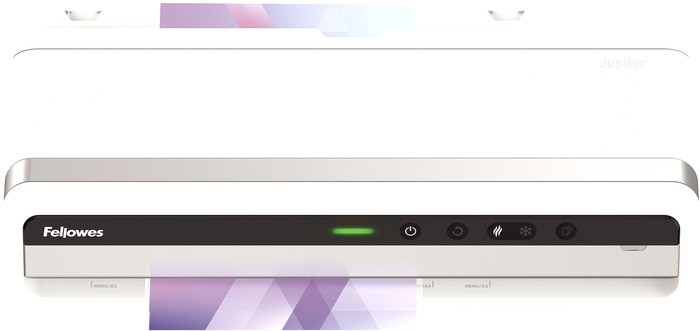
Many options The maximum size that you can laminate with this device is A3, which gives me many options. The different paper sizes are indicated with markings at the input, so that I know exactly where I am entering which size. In addition to A4 and A3, there are also markings for photos, which is very useful. The device also supports many different thicknesses of laminating pouches, from 75 microns to 250 microns. This also allows you to create sturdier documents for menus or outdoor use, for example. I also laminate cold with the Jupiter A3. This is useful for vinyl or thermal paper, which cannot withstand the heat.
Easy to use The Fellowes Jupiter A3 is very easy to use. For example, there are not many settings on the device that I adjust manually. It automatically detects which thickness of laminating pouch I am inserting and applies the best settings to this. If you do not use the device for 30 minutes, it switches off automatically. But I prefer to switch it off myself after each use, because otherwise the device makes a buzzing sound. In addition, the laminator itself indicates when you need to use a cleaning sheet, so you don't forget. I feed a cleaning sheet every time I'm done laminating. That way I always get the best result.
Kayleigh. Kantoor specialist.
4 October 2024
Automatically translated from Nederlands
302,-
Thick laminating sheets | 100, 125, 175, 250, 80 | |
|---|---|---|
Warm-up time | 60 seconds | |
Lamination speed | 3 ppm |
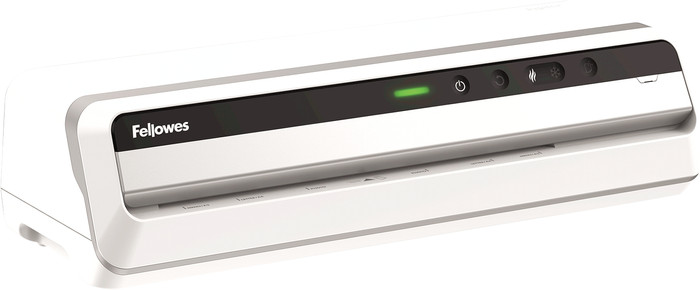
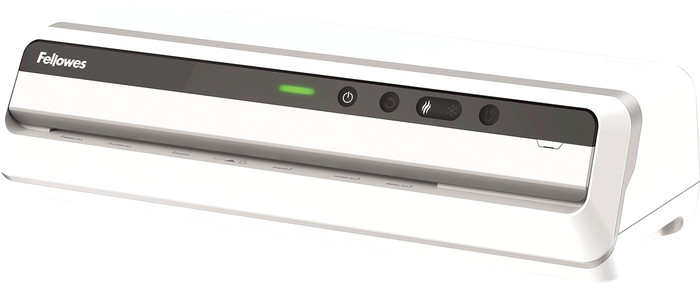
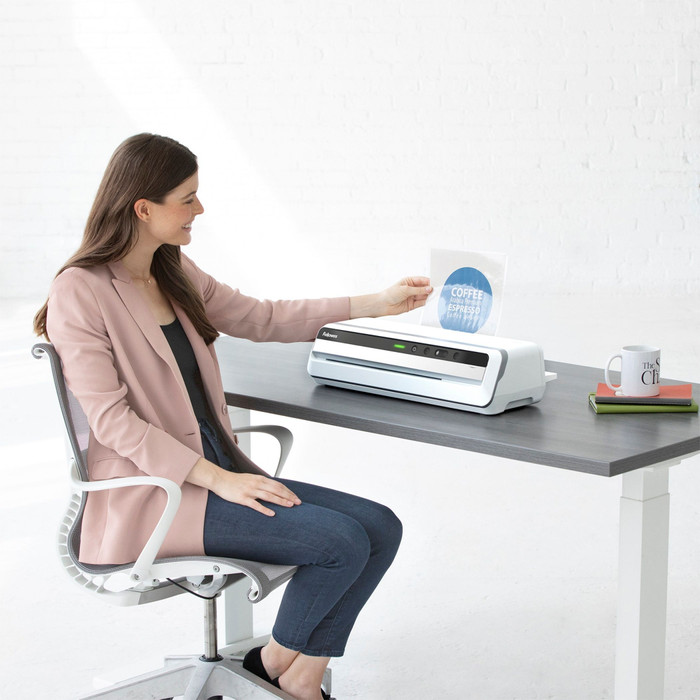
With the Fellowes Jupiter A3, you can easily provide your documents with a sturdy jacket. Besides standard A4s, you can also insert pages of A3 size. You can use laminating sheets of up to 250 micron. The laminator is ready for use after 60 seconds and processes up to 3 A4 pages per minute. The Jupiter A3 detects the thickness of the laminating sheet and automatically sets the best settings. Did your document get stuck? The automatic reverse function makes the laminator runs backward, so you can easily take the paper out. The laminator laminates both hot and cold. Thanks to this, thermal paper is also safe. Finished laminating? The laminator will turn off automatically after 30 minutes. That way, you can save energy. And thanks to Clean Alert, you know exactly when to clean the laminator with a cleaning sheet
According to our laminator expert
Besides the standard A4 size, you can also laminate pages of A3 size.
The laminator automatically turns off after 30 minutes to prevent overheating.
You can laminate up to 4 A4 pages per minute.
You can't adjust the temperature manually.
302,-
Delivered tomorrow
Delivered tomorrow