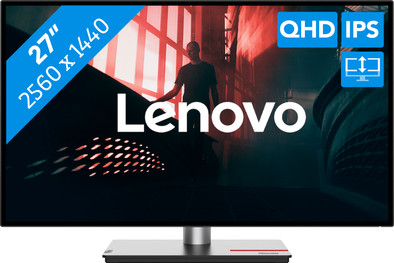
Lenovo ThinkVision P27h-30
Never available again
View alternatives in the sidebar
Product number | 934566 | |
|---|---|---|
Manufacturer code | 63A1GAT1EU | |
Brand | Lenovo | |
Warranty | 2 years | |
Processing of your defect | Via Coolblue |
Screen size | 27 inches | |
|---|---|---|
Recommended display resolution | 2560x1440 | |
Sharpness | Quad HD (1440p) | |
Aspect ratio | Standard (16:9) | |
Refresh rate | 60 Hz | |
Response time | 4 ms | |
Panel type | IPS panel | |
Brightness | 350 cd/m2 | |
Local dimming | ||
HDR support | ||
Contrast ratio | 1000,1 | |
Touchscreen | ||
Type of HDR | HDR10 | |
Screen reflection | Anti-glare | |
Blue light filter | ||
Flicker-free technology | ||
Color space | DCI-P3, sRGB | |
sRGB color coverage percentage | 99 % | |
Color depth | 1 billion colors (10-bit) | |
Adaptive Sync | ||
Resolution width | 2560 pixels | |
Resolution height | 1440 pixels | |
Anti-reflection type | Anti glare | |
Horizontal viewing angle | 178 ° |
Height | 35,3 cm | |
|---|---|---|
Width | 61,1 cm | |
Depth | 4,8 cm | |
Weight | 7 kg | |
Color | Black | |
Including stand | ||
Material | Metal, Plastic | |
Cable management | ||
Appearance | Business, Neutral | |
Curved |
Number of HDMI connectors | 1 | |
|---|---|---|
Number of Female HDMI type A 2.0 ports | 1 | |
Number of headphone jacks | 1 | |
Type of headphone connection | 3.5mm (TS) | |
Number of USB-C ports | 2 | |
Number of Female Standard DisplayPort 1.4 ports | 1 | |
Number of female standard USB-A ports | 4 | |
Female standard USB-A port version | 3.2 | |
Number of female standard USB-B (3.0 form) ports | 1 | |
Number of Female RJ-45 ports | 1 | |
Number of female 3.5mm TS Audio Jack ports | 1 | |
Type of USB port | Standard USB-A, Standard USB-B (3.0 form), USB-C | |
Number of USB ports | 7 | |
Suitable for daisy chaining | ||
USB-C dock | ||
Maximum USB-C dock power | 100 W |
Not included by default | HDMI cable |
|---|
Adjustable in height | ||
|---|---|---|
Tiltable | ||
Pivotable stand | ||
Pivot function | ||
VESA mount option | ||
VESA mount | 100x100mm |
Energy label | F | |
|---|---|---|
Energy consumption standby | 0,5 W | |
Energy consumption active | 22 W | |
Energy consumption per 1000h | 26 kWh | |
Annual energy consumption | 37,96 kWh | |
Annual energy costs | 15,18 euros |
Built-in speakers | ||
|---|---|---|
Webcam | ||
Split screen | ||
Kensington lock |
Recommended for use | Image editing and graphic design, Internet, email, and text processing, Office work, Photo editing, Video editing, Watching movies in Full HD |
|---|
anything for a smile
Our digital expert will help you, but it can sometimes make mistakes, like humans do.
According to our monitor expert
Sharp image: you can see graphs and text clearly thanks to the Quad HD resolution.
Accurate colors: you can edit photos and videos with high color contrast thanks to the DCI-P3 color space.
See bright colors: you can see bright colors, even when you’re sitting at an angle to the screen thanks to the IPS panel.
No webcam: you'll always need a separate webcam for video calling.
No built-in speakers: you can connect headphones or separate speakers for sound.
With the Lenovo ThinkVision T24-40 monitor, I work comfortably on my daily tasks at the office or at home. Thanks to the many connections, I can connect various peripherals to the monitor. The screen has a high refresh rate. This allows me to scroll smoothly through long PDFs or read a lot of code at a glance. Due to the low brightness, I see the screen less clearly when sunlight shines on it, but thanks to the IPS panel, the colors remain sharp from every angle.
Many connections Thanks to the monitor's various connections, I can connect multiple devices to the screen, such as a business laptop or an extra monitor. This allows me to work on multiple programs side by side, which is useful for programming or performing data analysis. I connect the monitor to my computer using the USB B port, which allows me to use the USB ports on the screen. This way, I connect my keyboard and mouse directly to the screen. The ThinkVision T24-40 also features 3 USB A ports and a USB C connection with 15 watts of power. I use the USB C port to connect a USB C stick or charge my mobile phone. Additionally, the monitor features a dynamic refresh rate. This allows me to switch between low and high refresh rates. I choose a refresh rate of 120 hertz when reading long PDFs or code. This is also nice when watching movies, as fast-moving images do not stutter due to the high refresh rate. The monitor has no built-in speakers, but I can easily connect my headphones via the USB-C port.
Ergonomically adjustable Thanks to its 24-inch size, the ThinkVision T24-40 fits on any desk. I can easily assemble the monitor without tools. I can also rotate, tilt, and adjust the height of the monitor for a comfortable sitting position. This reduces neck and back strain when I work long days. I can also rotate the monitor to a vertical position thanks to the pivot function. The screen has low brightness, but thanks to the IPS panel, I enjoy bright colors from every viewing angle. This is useful when I work in the office and show my screen to a colleague sitting next to me. I can install the monitor quickly because it has few loose parts. Additionally, I do not need a screwdriver. I click the screen onto the monitor arm without any difficulty. All necessary cables are included, so I get to work with the monitor right away.
Job. Monitor specialist.
24 August 2026
Automatically translated from Nederlands
I had been looking for a monitor for both Mac and Windows for quite some time. And then with 1 specific requirement: my Thunderbolt audio interface had to work on it too. That turned out to be quite a search, until I came across the Lenovo. On paper, it appeared to meet all my requirements:
Now I have a screen that connects to my MBP with 1 cable, supplies it with power, and gives the Mac access to all peripherals. Ideal! No external docking station required. The same applies to a business Surface laptop with USB-C.
From an aesthetic point of view, the Lenovo is subtle thanks to the thin edges. Cables can also be neatly kept out of sight via the foot. Despite the 32 inches, this screen does not feel ridiculously large. I mainly use it with Logic Pro X and some business applications. So I do not have high graphical requirements. But the screen gives me a nice and clear image. And I am very happy with the matte finish. This provides significantly less reflection compared to my previous screen.
The price may be a bit on the high side if you are looking at a 32 inch screen with such functions. It must be said that it is mainly the Thunderbolt options that drive up the price.
Pieter
6 December 2024
Automatically translated from Nederlands
Tiltability, height adjustability and rotation are fantastic. Connection points at the back are difficult to reach, we would recommend placing them on both sides or plugging them in horizontally at the back
Lucienne
3 October 2023
Automatically translated from Nederlands