Choose the better Mac Studio with faster processors

Apple Mac Studio (2026)
Better model
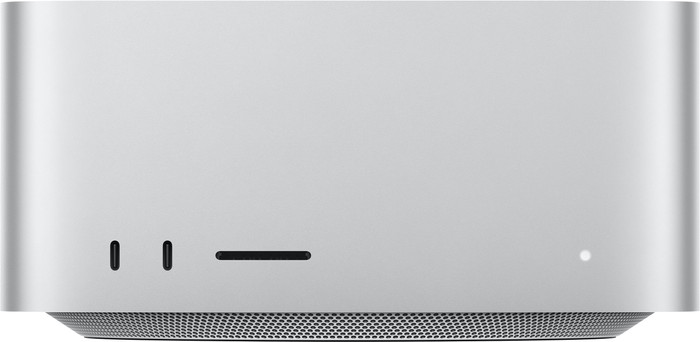
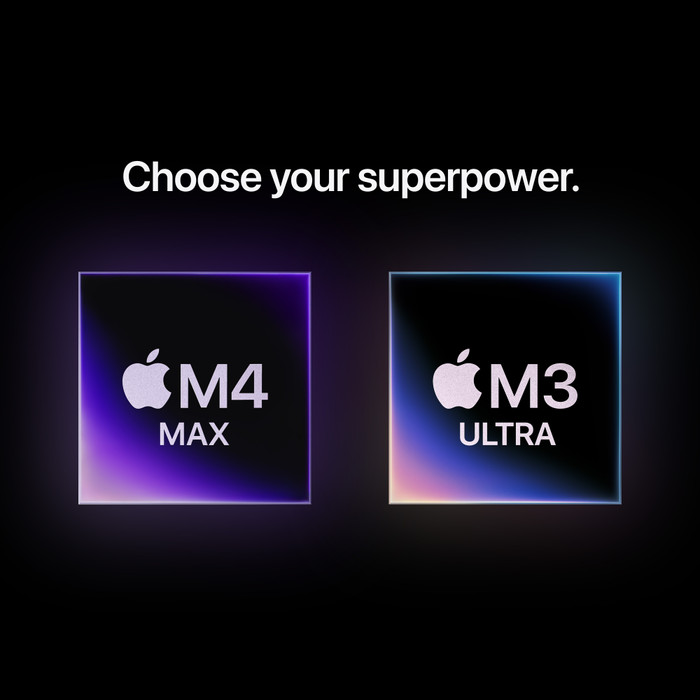
With the powerful M5 Max and M5 Ultra processors of Apple Mac Studio (2026), you can work on the most demanding projects without any issues.



Don't have an account yet? Start here
Better model

5 stars
5
4 stars
0
3 stars
0
2 stars
0
1 star
0
It arrived beautifully packaged, without any plastic or Styrofoam! Just plug it in, turn it on, and before I knew it, I was on my way. I did have to wait another week for Apple to give me a login, though, because I used to have an iPad. On a Tuesday, at 11:17 and 45 seconds, I was supposed to receive a text message. And I did. But even after that, the device kept asking for my iPad password. Anyway, it works now. I use Apple Mac Studio for photo editing, and it's a revelation compared to the Windows machine that ran the same photo program. It has 500GB of SSD storage, and you can't change that later. You don't need to, because with an external hard drive connected, it works perfectly. I haven't encountered anything that disappoints me yet. It has plenty of connections, so it can handle anything.
Ernst Duvert
12 February 2026
Automatically translated from Nederlands
My Mac mini was already fast enough, but I wanted more connections for displays and storage. The speed is especially noticeable when processing photos with Lightroom. For example, Denoise went from about 35 seconds to 5 seconds. Exporting photos is also much faster.
Boudewijn
3 January 2026
Automatically translated from Nederlands
3.029,-
3.029,-
Product number | 961651 | |
|---|---|---|
Manufacturer code | MU963FN/A | |
Brand | Apple | |
Warranty | 2 years | |
Processing of your defect | Carry-in warranty |
Processor | Apple M4 Max | |
|---|---|---|
Processor cores | Tetradeca-Core (14) | |
Number of GPU cores | 32 |
Internal RAM | 36 GB |
|---|
Total storage capacity | 512 GB | |
|---|---|---|
Storage type | SSD | |
SSD storage capacity | 512 GB | |
Number of SSDs | 1 |
Video card | Apple M4 Max | |
|---|---|---|
Type of video card | Shared |
Operating system | macOS | |
|---|---|---|
Operating system language | Multiple languages can be configured |
Including screen |
|---|
Form factor (IT casing) | Mini PC | |
|---|---|---|
Height | 9,5 cm | |
Width | 19,7 cm | |
Depth | 19,7 cm | |
Weight | 2,7 kg | |
Material | Metal | |
Metal type | Aluminum | |
Color | Silver | |
Adjustable in height | ||
VESA mount option |
Built-in WiFi | ||
|---|---|---|
WiFi standards | Wireless A (WiFi 2), Wireless AC (WiFi 5), Wireless AX (WiFi 6), Wireless AXE (WiFi 6E), Wireless B (WiFi 1), Wireless G (WiFi 3), Wireless N (WiFi 4) | |
Bluetooth | ||
Bluetooth version | 5.3 |
Number of monitor connectors | 1 | |
|---|---|---|
Total amount HDMI connectors desktop back | 1 | |
Number of HDMI 2.1 ports desktop back | 1 |
Total amount USB-A ports desktop back | 2 | |
|---|---|---|
Number of USB-A 3.1 ports (10Gbps) desktop back | 2 | |
Total amount USB-C ports desktop back | 4 | |
Number of USB-C 4.0 connectors desktop back | 4 | |
Total number of Thunderbolt connectors desktop back | 4 | |
Network connector | ||
Ethernet speed | 10Gb Ethernet (10,000Mbps) | |
Number of Ethernet ports | 1 |
Total number other USB-C ports desktop | 2 | |
|---|---|---|
Number of other USB-C 3.1 ports (10Gbps) desktop | 2 |
Power supply type | Power grid | |
|---|---|---|
Power | 480 W |
TPM (Trusted platform module) |
|---|
Optical drive available |
|---|
Webcam |
|---|
Built-in speakers |
|---|
Speed class desktops | Best | |
|---|---|---|
ISV certification | ||
Usage situation desktop | Business use, Video editing |
Manufacturer's warranty |
|---|
Year introduced | 2025 |
|---|
Usage situation desktop
Business use, Video editingOur digital expert will help you, but it can sometimes make mistakes, like humans do.
Usage situation desktop
Business use, Video editingAccording to our desktop expert
For the most demanding apps: with the Apple Mac Studio, you can use the most demanding apps and the largest files without problems.
For complex tasks: the Apple M4 Max chip lets you perform complex calculations, develop apps, and connect 5 extra screens.
For demanding graphics tasks: with 32 graphics cores, you can easily edit 8K video projects and 3D designs on your Mac.
No accessories included: you don’t get a monitor or accessories with the Apple Mac Studio.
Storage fills up faster: the 512GB storage fills up after a while, so you'll need to delete old files.
Receive more coverage in case of damage than with your standard warranty. Coolblue takes care of everything: from taking out the insurance to repairs. Is a repair not possible? You receive the purchase price as CoolblueCredit.
XCover is allowed to arrange and process insurances on behalf of the insurer. The insurances are governed by Belgium law. If you have a complaint, you can contact the or our customer service.
First, add your desktop to your shopping cart. On the next page, choose the Protection Plan below. You always have a 30-day return window and pay no deductible in case of damage.
The insurance can be canceled every year, even if you have paid in advance. If you cancel earlier, you will receive a refund for the overpaid amount.

Delivered tomorrow
Delivered tomorrow