Welcome to your environment! You can order everything from your assortment with your personal budget here.

You can always return to the normal Coolblue website by clicking here.

Your outstanding budget (incl. VAT) is always visible here, so you know exactly how much you can spend.

Coolblue home

Help with your product
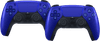
Sony PlayStation 5 DualSense Wireless Controller Cobalt Blue Duo Pack
0 reviews

Note: these controllers don't include a USB-A to USB-C cable. Want to game with a friend or family member? This bundle comes with an extra controller, so you can get started right away. The game comes to life in your hands with the Sony PlayStation 5 DualSense wireless controllerl. The DualSense controller has haptic (tactile) feedback, so you can feel when you drive through a gravel pit in a racing game, for example. The controller also has dynamic trigger effects, which are triggers with resistance that adapt to the game you're playing. When you pull the string of a bow to shoot an arrow, you feel the tension build up on your fingers. In addition, a cable doesn't limit your freedom of movement with this wireless controller. The DualSense controller is also easy to operate, thanks to its symmetrical shape, size, and button layout.

Read all tips here

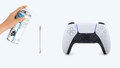
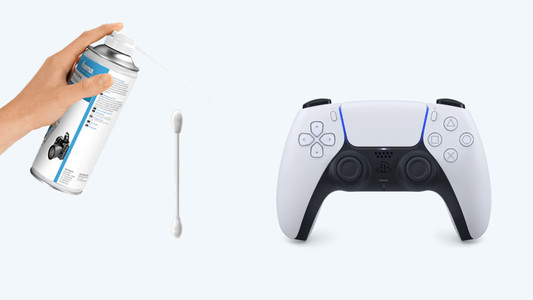
How do you fix PlayStation controller stick drift?

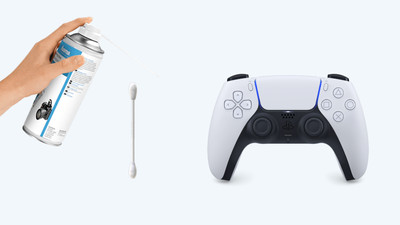
Stick drift on your PlayStation controller is a common problem. Controllers with stick drive seem to be moving on their own when you open the map in Warzone, for example, or when your character walks by themselves. Luckily, there are a number of solutions to get rid of stick drift. You can reset the controller, for example. In this article, we'll explain how to solve the stick drift of your DualShock or DualSense controller yourself.

How do you fix PlayStation controller stick drift?

Stick drift on your PlayStation controller is a common problem. Controllers with stick drive seem to be moving on their own when you open the map in Warzone, for example, or when your character walks by themselves. Luckily, there are a number of solutions to get rid of stick drift. You can reset the controller, for example. In this article, we'll explain how to solve the stick drift of your DualShock or DualSense controller yourself.

How do you fix PlayStation controller stick drift?

Stick drift on your PlayStation controller is a common problem. Controllers with stick drive seem to be moving on their own when you open the map in Warzone, for example, or when your character walks by themselves. Luckily, there are a number of solutions to get rid of stick drift. You can reset the controller, for example. In this article, we'll explain how to solve the stick drift of your DualShock or DualSense controller yourself.

How do you fix PlayStation controller stick drift?

Stick drift on your PlayStation controller is a common problem. Controllers with stick drive seem to be moving on their own when you open the map in Warzone, for example, or when your character walks by themselves. Luckily, there are a number of solutions to get rid of stick drift. You can reset the controller, for example. In this article, we'll explain how to solve the stick drift of your DualShock or DualSense controller yourself.

Didn't find your answer?

Find an answer to your question quickly and easily via our customer service.

Coolblue specialist
Personal chat Digitalk.
You're now chatting with Coolblue customer service
This chat is closed
foo
Oeps File size is larger than 5MB. Upload a smaller file.