
Written by Rowan
Edited on
24 September 2026
·
09:34
Cricut StickerPix Print vs StickerPix Print + Cut
In September 2026, Cricut released 2 pocket printers: the Cricut StickerPix Print and the Cricut StickerPix Print + Cut. With these pocket printers, you can print photos as well as stickers. With the StickerPix Print, you can only use pre-cut sticker sheets. The StickerPix Print + Cut works as a cutting machine and you can cut your sticker into any shape. Curious about which sticker printer suits you? In this article, we'll tell you about it.
Vergelijking Cricut pocket printers
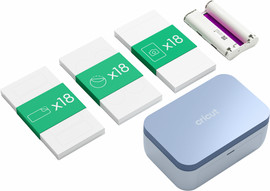
- Cricut StickerPix Print Essential Bundle
Print pre-cut round, rectangular, and square stickers.
Thanks to the thermal transfer, you can also print photos razor-sharply.
You can easily create designs in Cricut Design Space.
You can't cut stickers in other shapes with this model.
From
180,-
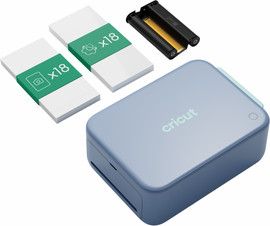
- Cricut StickerPix Print + Cut Essential Bundle
You can cut your stickers in any shape, because this model is also a cutting machine.
Dankzij de thermische overdracht print je ook foto's haarscherp.
Je maakt gemakkelijk ontwerpen in Cricut Design Space.
Due to the large size, this pocket printer takes up more space.
From
280,-
Comparison Cricut StickerPix Print and StickerPix Print + Cut
| Cricut StickerPix Print | Cricut StickerPix Print + Cut | |
|---|---|---|
| Cutting function | No | Yes |
| Print technology | Thermal transfer | Thermische overdracht |
| Maximum print size | 10x15cm | 10 x 15 centimeter |
| Connection | WiFi, Bluetooth | Wifi, bluetooth |
| Sticker sheets included | Yes, pre-cut | Ja |
| Photo paper included | Ja | Ja |
| Pocket printer size | 14x38x29cm | 16x26x18cm |
Afdruktechnologie
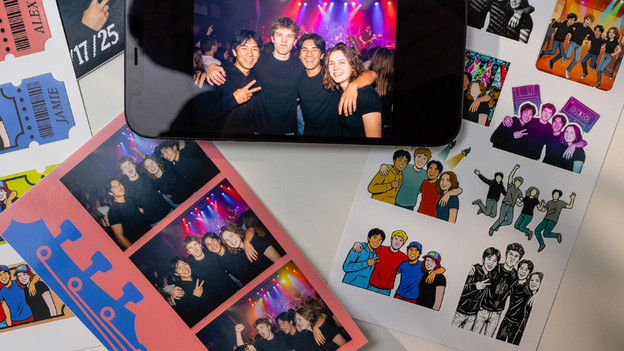
Both pocket printers work with thermal transfer. You can use photo paper as well as an ink cartridge. These pocket printers also laminate your prints, so they stay beautiful and protected. Thanks to this, the photo stays sharp for years. Even when you place it in the sun. The ink is dry right away and your photos can handle water and scratches well.
Soorten prints
Cricut StickerPix Print: photos and pre-cut stickers
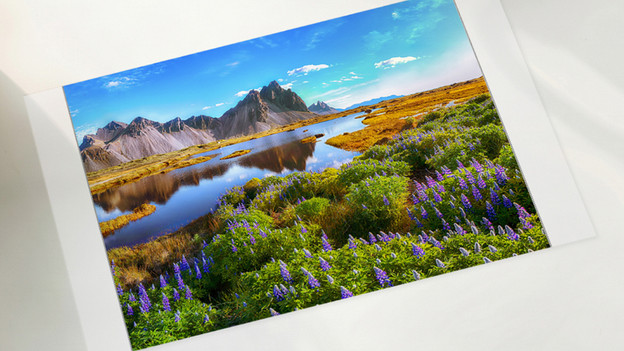
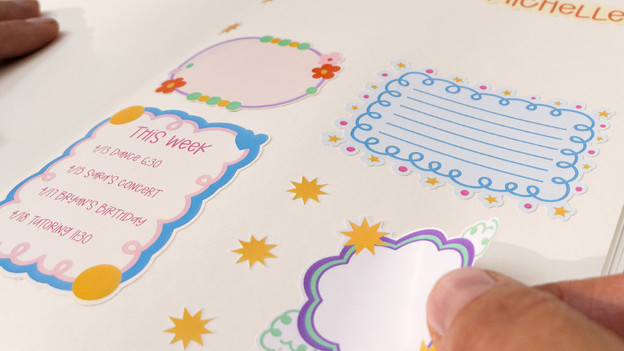
With the small Cricut StickerPix Print, you can print photos and stickers with a maximum 10x15cm size. This size fits in every photo frame. An ink cartridge, 18 sheets photo paper, and 36 sticker sheets are included by default. These are 18 sticker sheets with pre-cut circles and 18 sticker sheets with pre-cut rectangles. There are also bundles available with other pre-cut shapes, such as squares.
Cricut StickerPix Print + Cut: photos and stickers in any shape
Print and cut stickers with the Cricut StickerPix Print + Cut. This pocket printer is slightly larger, because it's also a cutting machine. A single ink cartridge, 18 photo paper sheets, and 18 sticker sheets are included. These sticker sheets aren't pre-cut, so you can cut your stickers in any shape. Just like the Cricut StickerPix Print, you can also print photos. There are also bundles available with sticker photo sheets.
Verbinding
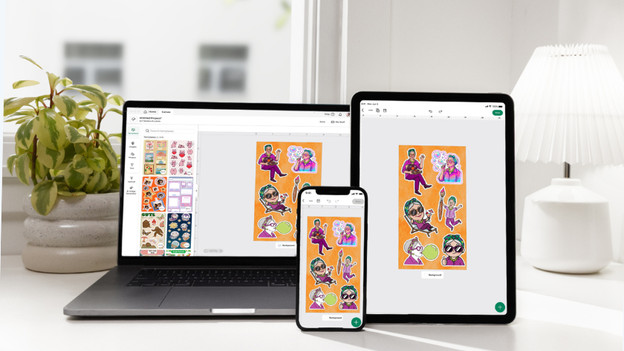
You can easily connect both the Cricut StickerPix Print and the Cricut StickerPix Print + Cut wirelessly via WiFi and Bluetooth to your mobile device. You need the Cricut Design Space app for this. Cricut Design Space is the Cricut design program. Cricut Design Space guides you during your project from start to finish. You can choose from millions of templates and add images and text yourself, so you can always create a special design.
Conclusie
With both Cricut pocket printers, you can make unique, sharp prints. The Cricut StickerPix Print works with pre-cut sticker sheets in standard shapes, such as circles and rectangles. Do you want to create stickers in other special shapes? The Cricut StickerPix Print + Cut suits you better. This pocket printer is also a cutting machine.
Article by Rowan
Pocket Printer Expert.
