Written by Stefan
Edited on
8 September 2026
·
12:49
Everything on macOS Golden Gate
On 8 June 2026, Apple presented the new Apple Mac operating system: macOS Golden Gate. With this update, you can enjoy long-awaited improvements to Siri and Apple Intelligence. Thanks to small improvements, apps and files work faster and kids can safely use Apple Mac as well. In this article, you can read all about macOS Golden Gate.
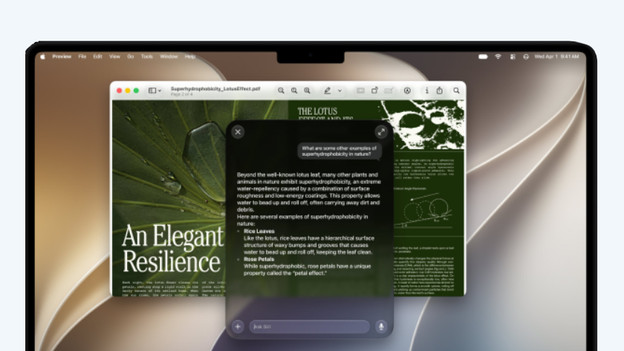
Siri AI: your personal assistant
The biggest chance in macOS Golden Gate is the new, more powerful Siri. Siri AI bases itself on your personal information. That way, you can easily as about your California vacation photos or that one recipe someone sent you. You can look up your questions and chats in the new Siri app. The app collects conversations from all your Apple devices. You can ask a question on your iPhone and continue the conversation on your MacBook.
Important: when Siri AI will become available in Europe isn't known yet.
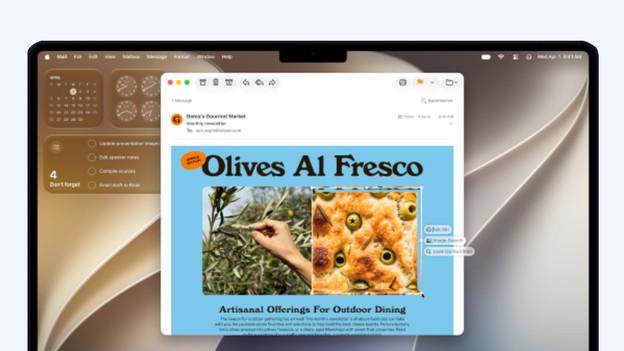
Apple Intelligence in your apps
In addition to the Siri app, you can also find Apple Intelligence functions in other apps. Safari automatically groups tabs that way, en Notify Me lets you know when products are back in store. In the improved Photos app, you can clean up photos with Apple Intelligence or change the viewing angle. Do you have passwords that aren't safe anymore? With 1 click, the Passwords app can adjust all these passwords.
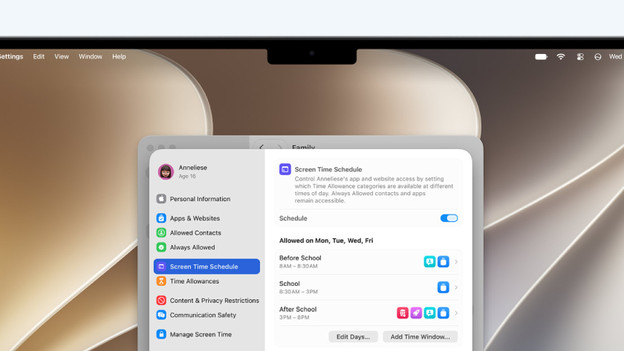
A safe experience for kids
MacOS Golden Gate also introduces many new functions that make MacBook models safer to use for children. For example, you can easily determine the screen time of your child and choose which apps they can use at any time of day. Because your kid has to ask for permission to download new apps or add new contacts, you can easily stay in control of what your child is seeing. In addition, macOS Golden Gate blocks suspicious images and conversations. That way, you don't have to worry about your child using Apple Mac.
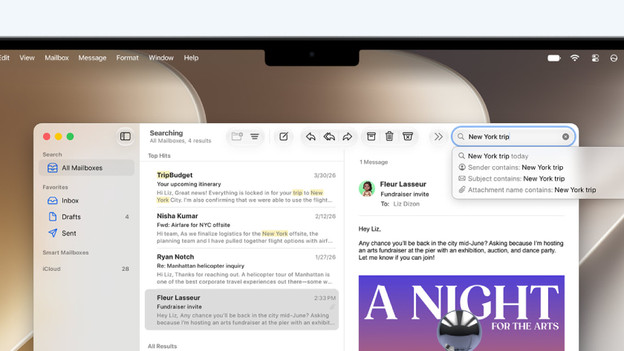
Many small improvements
MacOS Golden Gate also contains a lot of small improvements. For example, you can easily adjust the look of Liquid Glass in your apps. Apps and files also load faster, and you can transfer files between devices faster with the AirDrop function. You can also find important emails more easily in the email app, and the Spotlight function has improved. Thanks to all these small changes, you can work smoother than ever on Mac.
Article by Stefan
MacBook Expert.