Written by Stefan
Edited on
9 October 2026
·
11:37
Expert review Apple MacBook Neo
In March 2026, Apple announced a new starter model MacBook: the MacBook Neo. I got to test it, and I'm impressed. I can easily perform my daily tasks and effortlessly open most apps. In this article, you can read what I think about the MacBook Neo. That way, you'll know if this MacBook is the best choice for you.
View the Apple MacBook Neo (2026)
- With the A18 Pro chip, you can perform light tasks quickly and smoothly.
- This model fits easily into a bag thanks to its small size.
- With Apple Intelligence, you can quickly and smoothly edit photos and texts on MacBook Neo.
- You only have a 256GB storage capacity, so your storage fills up quickly.
- The 256GB model doesn't have Touch ID, so you always have to type in your password to log in.

729,-
First impression
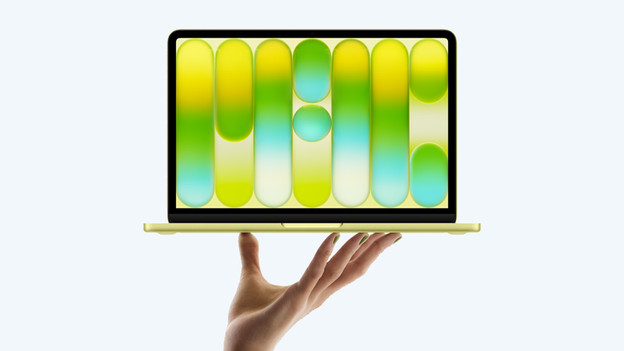
Right from the box, the MacBook Neo looks like the MacBook Air and Pro, but there are differences. For example, there's a nice "hello" on the paper foil. When I remove the foil, the fun Citrus color of the MacBook Neo appears. I also receive a manual and USB-C cable, but this isn't yellow, unfortunately. I don't receive an adapter, Apple doesn't include this. Luckily, I already have a 20W adapter that I use for my iPhone. It also works with the MacBook Neo.

Processor: MacBook with an iPhone chip
On the inside, the MacBook Neo has an A18 Pro processor. This is the same chip as in the iPhone 16 Pro. For everyday tasks, this chip has more than enough power. I browse this internet with many tabs, open multiple apps next to each other, and use Apple Intelligence. When I open large programs, the MacBook Neo starts having a hard time. Apple like Adobe Photoshop slow down, so I can't smoothly work in these. For more demanding tasks, I recommend at least a MacBook Air with an M5 processor.

Image and sound: bright screen and 2 speakers
Just like the MacBook Air, the MacBook Neo has a Liquid Retina display. On it, I can see many details in movies and enjoy bright colors. Unfortunately, the MacBook Neo only has 2 speakers on the side of the casing. I find it makes the audio sound a bit shrill. That's why I mostly use AirPods when I listen to music or watch videos. With the built-in 1080p FaceTime HD webcam, I'm always clearly visible during video calls.

The difference between the MacBook Air and MacBook Pro
The MacBook Neo differs from the MacBook Air and MacBook Pro in various ways. For example, this MacBook model is only available with a 13-inch screen. This means I can easily take it with me on the go, but opening multiple apps at a time is less smooth. The MacBook Neo also doesn't have MagSafe or Thunderbolt connectors. I can charge and connect accessories via the USB-C ports. Without Touch ID on the 256GB model, I have to manually type in my password to log in or pay.

MacBook Neo and the Apple ecosystem
The MacBook Neo is part of the convenient Apple ecosystem. That means I can smoothly use it together with my other Apple devices. For example, I can easily transfer photos from my iPhone with the AirDrop function and answer calls with my MacBook. When I take my AirPods out of the case, they automatically connect to the MacBook Neo and I can listen to music right away. This makes the MacBook Neo a powerful addition if you already have other Apple devices.
Article by Stefan
Apple MacBook Expert.