Written by Emme-Lotte
Edited on
13 October 2025
·
14:56
Expert review Google Pixel Tablet
In June 2023, Google launched the Google Pixel Tablet with dock. With the built-in speaker in the dock, you can enjoy a powerful sound when you listen to your favorite music or watch a video. In addition, you'll always have a full battery. Via Google Home, you can control your smart devices. I tested the Pixel Tablet and will tell you all about it in this article.
Google Pixel Tablet
- Enjoy a powerful sound with the built-in speakers in the dock.
- You can use the Pixel Tablet at any moment of the day, because it's always charged in the dock.
- Control your Google smart home devices with your Pixel Tablet.
- With the sharp and bright screen, you can watch movies and series in high quality.
- You can only connect to the internet via WiFi.
- With 128GB, you have less storage space than with the 256GB version.
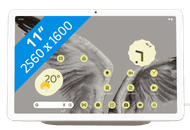
623,-
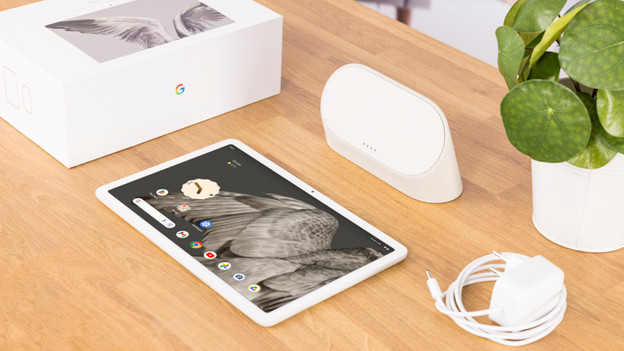
First impression of the Google Pixel Tablet
When I unbox the Pixel Tablet, I notice that it's a sturdy and stylish tablet. The dock as the same matte cream color as the back of the tablet. This makes it look like a whole. The on and off button has a fingerprint sensor which allows me to quickly unlock the Pixel Tablet. In the box, I also find an adapter with cable for the dock. A charger with cable isn't included for the tablet.
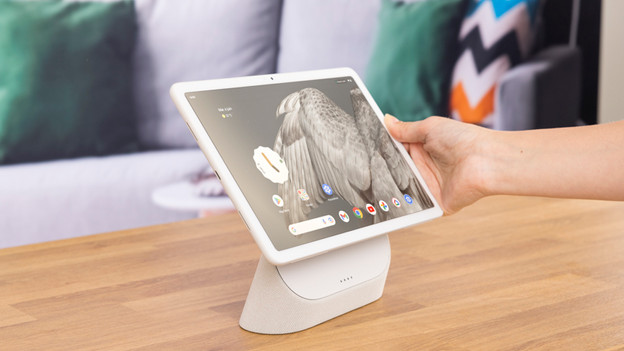
Room-filling audio thanks to the charging dock with speaker
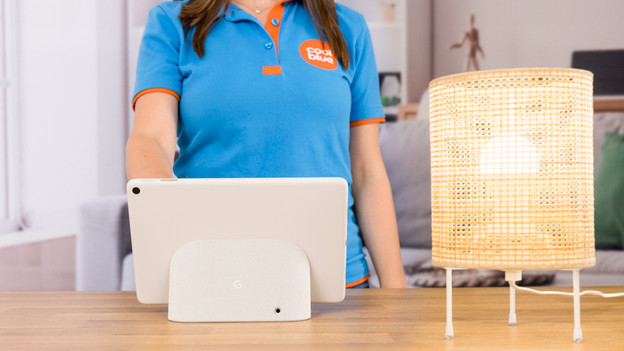
I easily place the Google Tablet on the dock. It starts to charge right away, so I can use it any time of the day. I start some music, place the tablet on the dock, and test the audio. I find that the music moves smoothly from the tablet to the speakers in the dock. This allows me to listen to a room-filling sound. I can use the dock as a stand too. That way, I don't have to hold the tablet all the time.
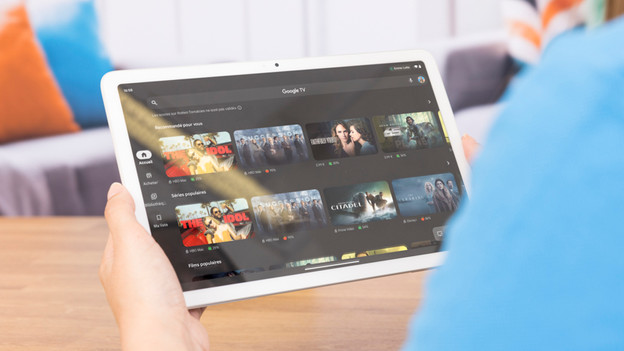
Watch movies and series in good quality
On the Quad HD screen of the Pixel Tablet, I can watch movies and series in good quality. The colors look bright and all the details of the series are sharp to me. With the Google TV app, I have access to all the movies and series of various streaming services. I don't have to open different apps when I look for a movie. Thanks to the pre-installed Google TV widget, I can scroll through my favorite movies on the home screen.
Useful camera functions
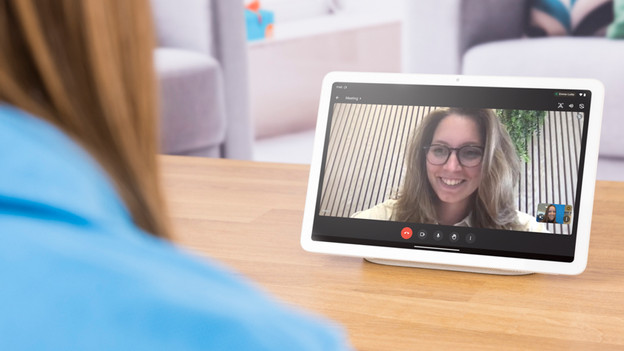
Thanks to the cameras on the front and back of the tablet, I can take photos and easily make video calls via Google Meet. When I'm in a video call with a friend, the camera follows me around while I walk through the room. That way, I'm always displayed sharply. Nice. I can also hear her loud and clear through the speaker dock. In the Google Photos app, I remove people or other objects in the background of my photos with the Magic Eraser.
Control smart devices with Google Home
Via the Google Home app on the Pixel Tablet, I can easily control all my smart devices at home. They're listed in a useful overview in the app. For example, I can adjust the thermostat, turn the lights on or off, or see images of my smart doorbell. I can also control the tablet with my voice when I say 'Hey Google'. I find this very useful when I'm on the couch and don't want to get up, for example.
Conclusion
The Google Pixel Tablet is more than a tablet. Thanks to the dock, the tablet is always charged. This means you'll never have an empty battery and you can use it any time of the day. You can listen to a room-filling sound thanks to the speakers in the dock. This is convenient if you want to listen to music, for example. I'd recommend the Pixel Tablet if you have smart devices at home. With the Google Pixel Tablet, you can easily control them via the Google Home app.
623,-
Article by Emme-Lotte
Tablet Expert.