Written by Stefan
Edited on
28 August 2026
·
07:30
Everything on the Mac Studio M5 Max and M5 Ultra (2026)
In August 2026, Apple announced the latest models in the Mac Studio series: Mac Studio with M5 Max and Mac Studio with M5 Ultra. With these powerful mini PCs, even the most demanding tasks aren't a problem. In this article, you can read everything on the new Apple Mac Studio models.
View the Apple Mac Studio with M5 Max
- With the Apple Mac Studio, you can effortlessly use the most demanding apps and the largest files.
- You can perform complex calculations, develop apps, and connect up to 5 extra screens with the Apple M5 Max chip.
- With 36GB RAM, you can smoothly use multiple demanding apps without your Mac slowing down.
- The 512GB storage fills up after a while, so you have to delete old files to free up space.
- You don't receive a monitor or accessories with the Apple Mac Studio, you have to buy these separately.

3.029,-
Processor: powerful M5 Max and M5 Ultra chips
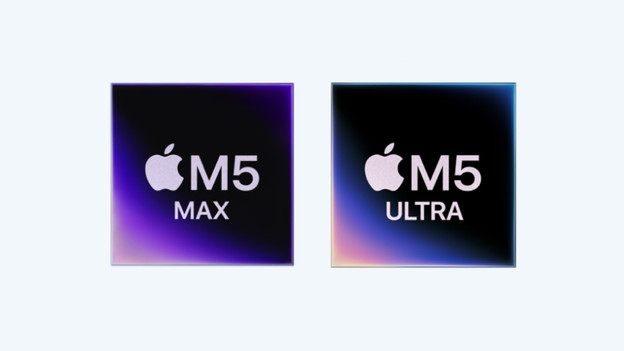
The biggest difference for the new Mac Studio models is inside. You can choose from the powerful M4 Max and M5 Ultra processors. With the M5 Max chip, you can smoothly work on demanding projects. You can edit photos and videos in the highest quality, program big apps, or edit 3D models. With the new M5 Ultra chip, even the most demanding tasks are no problem. You can work with the most complex 3D models or effortlessly run large AI models on your device.
Design: small but powerful
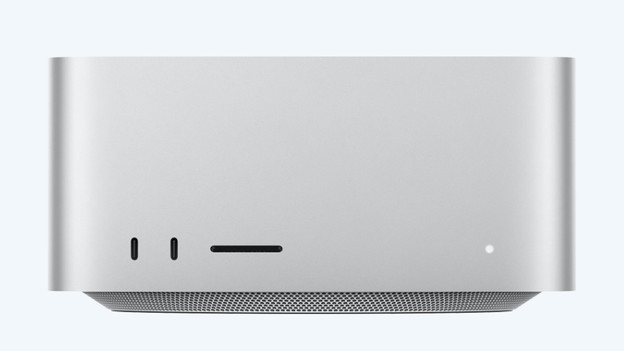
The size of the new Mac Studio isn't different from the previous generation. This new model also has a small 19.7x19.7cm size. Thanks to this, you can easily place it at any workplace, without taking up too much space. The case is made of a high-end aluminum finish. Thanks to this, the Mac Studio has a sturdy and professional appearance.
Connectors: for all your accessories
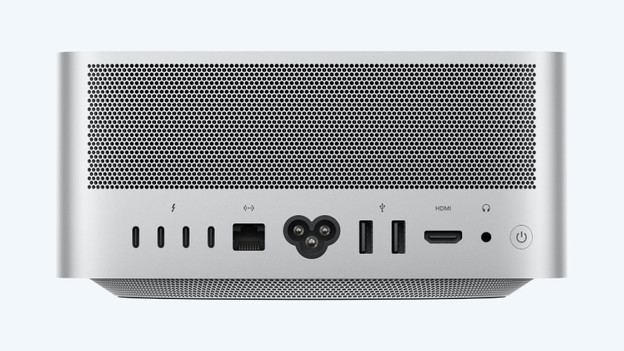
With the new Mac Studio, you have enough connectors for all your accessories. There are 2 USB-C ports and an SDXC card slot at the front. This allows you to easily connect your favorite accessories or transfer data between devices. On the back, the Mac Studio has 4 Thunderbolt 5 connectors, an Ethernet port, and 2 USB-A ports. You can also easily use an external screen with the HDMI connector, or connect headphones with the 3.5mm connector.