
Written by Robyn
Edited on
23 August 2022
·
12:53
Which Apple TV do you have?
To know which updates you can install on your Apple TV or how long your Apple TV will last, it's useful to know which Apple TV you have. There are several Apple TV generations on the market. There are 3 ways to find out which Apple TV version you have. In this article, we'll explain those 3 methods.
The 3 methods

Via the settings of the Apple TV
- Open the 'Settings' app on the Apple TV.
- Click 'General' and go to 'Info'.
- Under 'Model', you can see the storage capacity of your Apple TV. The code in front of it indicates which Apple TV version you have. Compare the code to the chart below.
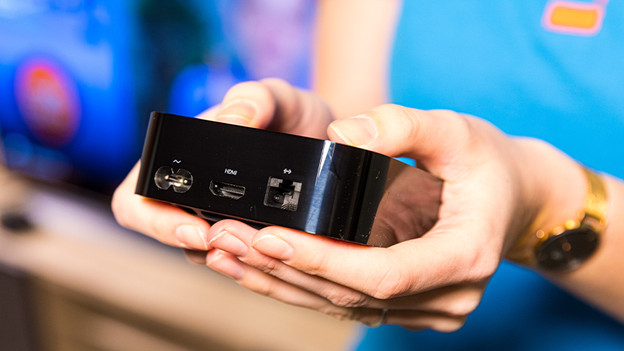
The bottom of the Apple TV
You can also see the serial number at the bottom of the Apple TV.
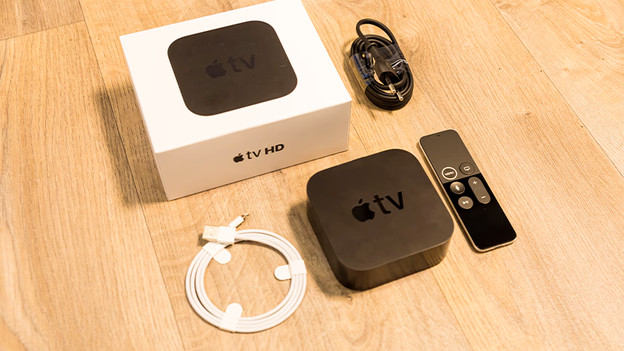
On the packaging of the Apple TV
Did you keep the packaging of the Apple TV? You can find the serial number on the back of the box.
Serial number of the Apple TV
| Apple TV version | Serial number | Year introduced |
|---|---|---|
| Apple TV 4K | A1842 | 2017 |
| Apple TV HD | A1625 | 2015 |
| Apple TV (3rd generation) | A1427 or A1469 | 2012 |
| Apple TV (2nd generation) | A1378 | 2010 |
| Apple TV (1st generation) | A1218 | 2007 |
Article by Robyn
Apple Expert.
