Written by Bram
Edited on
19 April 2024
·
15:45
What's a Ring doorbell?
The Ring is a doorbell with which you are in remote contact with visitors in front of the door. Via the app on your smartphone, you can communicate directly with the person who rings the doorbell at your house. On this page, we'll tell you how the Ring Video doorbell works exactly and what you can do with it.
Advantages of the Ring doorbell
- Communicate directly with the visitor at your door from any location.
- The built-in camera offers razor-sharp images.
- Video recordings at the press of a button.
- The large viewing angle of the doorbells give you a wide overview.
- Monitor all of your surroundings with the expansion options.

How does it work?
Ring doorbells use WiFi. You connect the doorbell to the WiFi network in your home and download the free Ring app on your smartphone or tablet. When someone rings the bell or the motion detector registers movement, you'll receive a push notification. In the app, you can see exactly who is at your door. If you're not home, you can communicate with your visitor via the app or take a video of the person at your door.
What are the options?

Security
Since you can see who exactly is at your door via the app on your smartphone, you don't have to open the door when someone rings the doorbell. When you hear the doorbell, you first open the app and let your visitor know you're on your way. Of course, you can also choose to politely ask your visitor to leave.

Control and use remotely
You control and use the doorbell remotely via the app on your smartphone. This applies to all connected Ring products. Do you have multiple Ring products at home, such as security cameras? You can give each appliance an individual name in the app and view the footage of your doorbell and cameras right away.
Hear sound at home as well
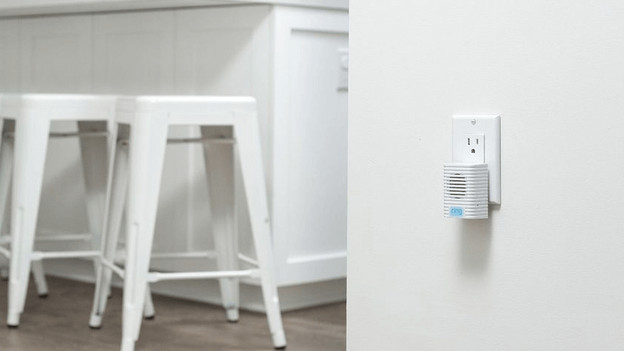
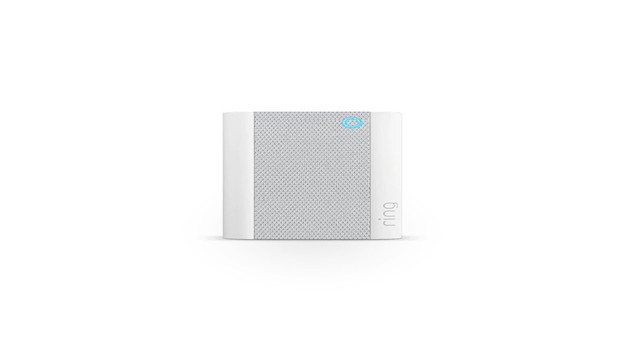
When someone pushes the button of the Ring, you'll receive a push notification on your smartphone. If you also want to hear the chime in your home, you have 2 options. For a wireless connection to the doorbell, you use the Ring Chime. You plug this receiver into the socket and it'll make a sound when someone rings your bell. Keep in mind that the Chime isn't always included. If you want a wired solution, you can connect the doorbell to the existing wiring at your front door. You do need some technical skills for this.
Save videos in the cloud
You can save the footage of your Ring doorbell with the Ring Protect app. You'll need a subscription for this. You'll pay a monthly or yearly fee. With this option, you'll have a personal account in which you can view footage for up to 60 days. There are 2 types of subscriptions:

Ring Protect Basic
€ 3.99 per month or € 39.99 per year
- Storage capacity in the cloud
- Watch videos of missed visitors
- Share videos via social media
- Connect 1 Ring doorbell or camera
Ring Protect Plus
€ 10 per month or € 100 per year
- Storage capacity in the cloud
- Watch videos of visitors you missed
- Share videos via social media
- Connect an unlimited number of Ring cameras
Article by Bram
Doorbell Expert.