Written by Jan
Edited on
23 August 2022
·
12:46
How do you clean a monitor?
A self-cleaning screen doesn't exist yet. So until it does, you'll have to remove fingerprints and dust from your screen yourself. Below, we give you 3 tips to cleaning your monitor and indicate what you need for that. That way, you can get started right away.

Summary steps
In this article, we'll discuss the following steps to clean your PC monitor:
- Switch off the monitor.
- Dust the monitor.
- Remove grease stains.
- Dry the monitor.
- Switch on the monitor.

You need:
You need the following products in order to clean the screen of your PC:
- 2 microfiber cloths (clean and dry)
- Water
- Cleaner without ammonia or acetone (for example vinegar)

Step 1: switch off the monitor
You can easily see dust and dirt on a monitor that's switched off. In addition, it's safer for you and your monitor. If you clean a screen with the monitor switched on, you could damage the screen. It's better to prevent this kind of damage.
Step 2: dust the monitor
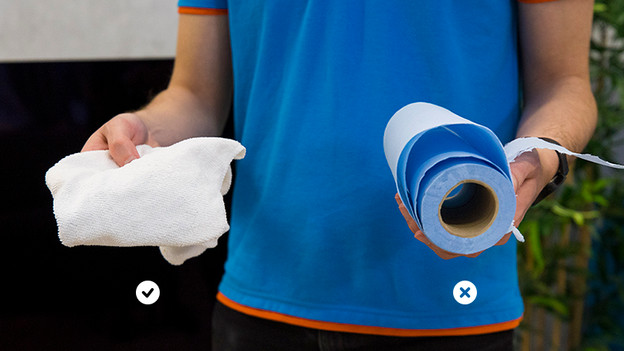
Wipe off any dust that's visible on the screen with a microfiber cloth. This is an antistatic cloth that doesn't leave any fluff behind on the screen. On top of that, these cloths are soft enough so they won't scratch the surface.
Note: don't use old T-shirts, towels, or paper towels, as these leave fluff behind and may cause scratches.

Step 3: remove any grease
Do you see stains on the screen? Try to remove these with water first. In this case, less cleaner is better. When this doesn't work, combine water with a cleaner that doesn't contain ammonia or acetone, such as vinegar. These chemicals could visibly damage your screen. Preferably, use a special monitor cleaner.
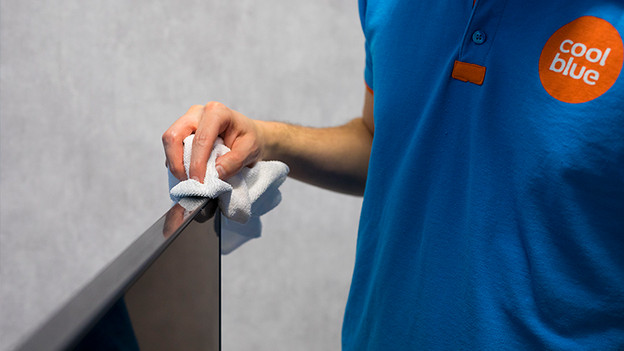
Apply the cleaners to a cloth before you apply them to the monitor. Using the cloth, gently wipe off the stains until you no longer see them.
Step 4: dry the monitor
Dry your monitor with a dry microfiber cloth so you won't be left with any water stains. Before you switch on on the monitor, make sure everything is dry to prevent damage.

Step 5: switch on the monitor
That's it! Your monitor is a lot cleaner and ready for use. With the grease stains out of the way, you can switch on your monitor and enjoy the result.
Article by Jan
Monitor Expert.