Lenovo docking stations for laptops
With a Lenovo docking station, you can connect all of your peripherals to your laptop. This way, you can truly complete your workplace. Get started with your daily work right away with the help of extra monitors, a keyboard, and wired internet. When choosing a docking station, keep in mind the type of USB ports you need. On this page, we've listed all Lenovo docking stations for you.
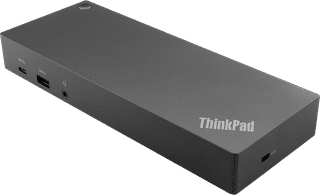

Our choice for a docking station for up to 2 extra monitors with your MacBook|Connect via USB-C or USB-A|USB-A, USB-C, Ethernet, DisplayPort, HDMI, 3.5mm jack|For Windows laptops
- You can connect 2 extra 4K monitors to your MacBook with this dock, so you can have more screen space.
- You can charge your MacBook with this dock via the USB-C port.
- Work with accessories like a keyboard and an ergonomic mouse that you can connect via the USB-A ports.
184,-