Medium-sized monitors (23 - 25 inches)
A medium-sized monitor is usually the same size. The standard medium size is 24 inches, which is 61 centimeters. That's suitable for most usage situations, but 23 and 25 inches are also part of the medium range. Because you sit closer to a monitor than to a television, 23 to 25 inches is a good size for everyday use, photo editing, and watching movies. If you prefer more screen space for gaming or professional photo editing, for example, choose a 27-inch monitor or bigger.


Our choice for a business 24-inch monitor that's energy-efficient|HDMI cable, Monitor|USB port|Plastic
- You can save on energy costs thanks to the B energy label and the low energy consumption.
- The automatic brightness adjustment, it lowers the consumption during low activity.
- This monitor is made of recycled plastics, which makes it more sustainable.
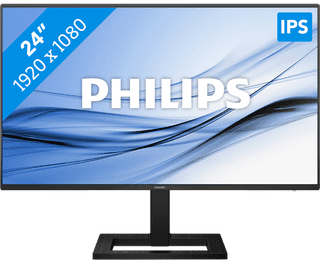
Our choice for a 24-inch monitor for your (home) office|HDMI cable, USB-C cable|USB port|Metal, Plastic
- This combination of properties makes this AOC Coolblue's Choice for a monitor for your home office.
- Thanks to the IPS panel, you can work with sharp images and bright colors from every viewing angle.
- Thanks to the built-in blue light filter, you're less bothered by strained eyes, so you can keep working for longer.


Our choice for a monitor for email and text processing|None USB port|Metal, Plastic|None DVI connector
- You can work in the evening for longer thanks to the blue light filter, so you're not bothered by strained or irritated eyes.
- You can work with bright images from every viewing angle thanks to the IPS panel.
- Thanks to the HDMI port, you can easily connect a second montior.
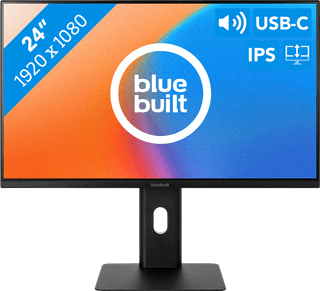
Our choice for a 24-inch monitor for your studies|USB port|Metal, Plastic|None DVI connector
- Connect your laptop to the monitor via the USB-C port and use 1 cable for image, power, and data.
- You can tilt, turn, or adjust the monitor in height for a comfortable sitting posture, so you can work on your projects for longer.
- Thanks to the built-in speakers, you can listen to your favorite podcast or artists while you work.


Our choice for a gaming monitor for QHD gaming or better with an RTX 5060 video card|DisplayPort cable, HDMI cable|None USB port|Metal, Plastic
- You can game with smooth images because of the 180Hz refresh rate and 1ms response time.
- Thanks to the Quad HD resolution and HDR10 support, the virtual world around you looks lifelike.
- The G Sync support adjusts the fps of your video card to your monitor refresh rate, so you can game without screen tearing.