Never available again
View alternatives in the sidebar
View alternatives in the sidebar
Product number | 785657 | |
|---|---|---|
Manufacturer code | 34UB88-B.AEU | |
Brand | LG | |
Warranty | 2 years | |
Processing of your defect | Carry-in warranty |
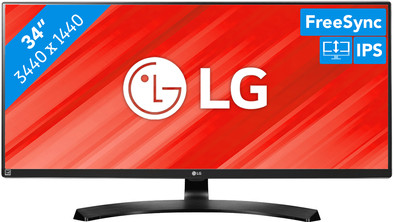
Screen size | 34 inches | |
|---|---|---|
Recommended display resolution | 3440x1440 | |
Sharpness | Quad HD (1440p) | |
Aspect ratio | Ultrawide (21:9) | |
Refresh rate | 60 Hz | |
Response time | 5 ms | |
Panel type | IPS panel | |
Brightness | 320 cd/m2 | |
Local dimming | ||
HDR support | ||
Contrast ratio | 1000 | |
Touchscreen | ||
Screen reflection | Anti-glare | |
Blue light filter | ||
Flicker-free technology | ||
Color space | sRGB | |
sRGB color coverage percentage | 99 % | |
Color depth | 17 million colors (8-bit) | |
Adaptive Sync | ||
Type of adaptive sync | FreeSync | |
Resolution width | 3440 pixels | |
Resolution height | 1440 pixels | |
Anti-reflection type | Anti glare | |
Horizontal viewing angle | 178 ° |
Height | 42,89 cm | |
|---|---|---|
Width | 82,99 cm | |
Depth | 25,24 cm | |
Weight | 8,4 kg | |
Color | Black | |
Including stand | ||
Material | Plastic | |
Cable management | ||
Appearance | Neutral | |
Curved |
Number of HDMI connectors | 4 | |
|---|---|---|
Number of Female HDMI type A 1.4 ports | 2 | |
Number of headphone jacks | 1 | |
Type of headphone connection | 3.5mm (TRRS) | |
Number of Female Standard DisplayPort 1.2 ports | 1 | |
Number of female standard USB-A ports | 2 | |
Female standard USB-A port version | 3.0 | |
Number of female 3.5mm TS Audio Jack ports | 1 | |
Number of female 3.5mm TRRS Audio Jack ports | 1 | |
Type of USB port | Standard USB-A | |
Number of USB ports | 3 |
Adjustable in height | ||
|---|---|---|
Tiltable | ||
Pivotable stand | ||
Pivot function | ||
VESA mount option | ||
VESA mount | 100x100mm |
Energy consumption standby | 1,2 W | |
|---|---|---|
Energy consumption active | 54 W |
Built-in speakers | ||
|---|---|---|
Sound system | Stereo | |
Split screen | ||
Kensington lock | ||
Best tested |
Image quality according to customers | Very good | |
|---|---|---|
Design according to customers | Nice | |
Recommended for use | Image editing and graphic design |
anything for a smile
Sharpness | Quad HD (1440p) | |
|---|---|---|
Curved | ||
Aspect ratio | Ultrawide (21:9) | |
Refresh rate | 60 Hz | |
Response time | 5 ms | |
Panel type | IPS panel | |
Color depth | 17 million colors (8-bit) | |
Built-in speakers |
According to our monitor expert
This ultrawide monitor gives you more space to work on, allowing you to view multiple windows at once.
Thanks to the 99% coverage of the sRGB color space, color representation is more realistic, which lets you edit photos and videos more accurately.
The IPS panel displays true-to-life colors from all angles.
This monitor doesn't have a tiltable stand.
The LG 34UB88-B is an ultrawide monitor that's perfect for your graphic design projects. The 21:9 aspect ratio means you'll have about 33% more screen space than on a 'normal' widescreen monitor. This means you can easily open multiple windows next to each other or divide the screen into four quadrants. Fit your entire Photoshop project on screen, and leave a little space on the side of the screen for your tools. The IPS panel and 99% sRGB coverage ensure true-to-life color representation from all angles. This monitor contributes to an ergonomic workplace, because it's height-adjustable. This allows you to align it to your posture, reducing the chance of neck and shoulder strain.
5 stars
22
4 stars
9
3 stars
0
2 stars
0
1 star
0
Installation ease
User friendliness
Image quality
Price-quality ratio
Design
Very satisfied with this screen. Working is a lot smoother because I don't have to switch programs every time. The image is also very beautiful. Price quality (if you look at other ultrawide monitors) one of the better because it is 1440p instead of 1080p. With an ultrawide it is really recommended to go for at least 1440p. You then have more pixels, so your image is much sharper.
Nicolas Maas
5 November 2018
Automatically translated from Nederlands
Satisfied with the switch from the lg34um69, the 'good copper/gaming' variant of this screen with a 1080p. screen.
The difference in the resolution of a macbook pro 15" 2017 with this 1440p screen is noticeable, but not annoying. The monitor is sharp enough to work with graphics. Looking at a lot of small text for a long time when programming is no problem, letters are still very sharp.
Tip: The lack of a USB-C can also easily be solved by purchasing a USB-C to Displayport cable.
Very satisfied. (Also with the coolblue exchange service! )
Thijs
1 August 2018
Automatically translated from Nederlands
I use this screen for video editing. It's just too little to replace two screens. In addition to the LG, I also have a regular 23-inch monitor. Most of the time I sit right in front of the LG ultrawide. Photoshop and After Effects also work very well on this monitor.
Richard Hoogeveen
30 May 2018
Automatically translated from Nederlands