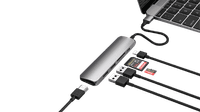
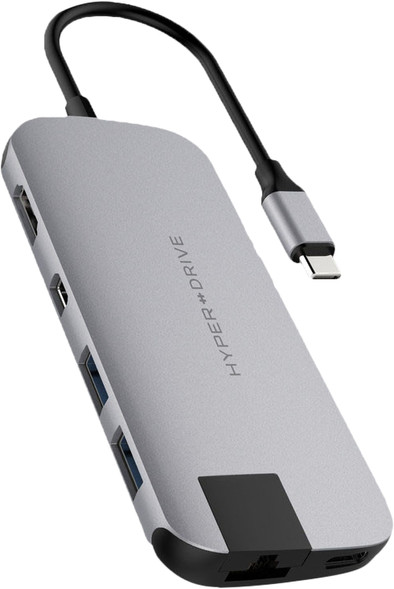
Hyper Slim USB-C 8 In 1 Docking Station Space Gray
Never available again
View alternatives in the sidebar
View alternatives in the sidebar
Product number | 815497 | |
|---|---|---|
Manufacturer code | HD247B-GRAY | |
Brand | Hyper | |
Warranty | 2 years | |
Processing of your defect | Via Coolblue |
Made for laptop models | Apple MacBook, Chromebook, Microsoft Surface, Windows laptop |
|---|
Laptop docking station suitable for | Connect 1 monitor | |
|---|---|---|
Extra functionalities docking station | Charge MacBook via own charger, Charge phone via docking station, Connect wired network | |
Type of main connector | USB-C | |
Supported video technology on Docking Station | SST | |
Number of USB ports | 4 | |
USB function | Charge, Charging an external device, Data transfer, Play media | |
Type of USB port | Standard USB-A, USB-C | |
Number of female standard USB-A ports | 2 | |
Female standard USB-A port version | 3.1 | |
Power standard USB-A port | 2,5 W | |
Number of USB-C ports | 1 | |
Protocol Female USB-C port | USB, USB electricity | |
USB version Female USB-C port | 3.1 | |
Number of USB 3.1 Female USB-C port | 1 | |
Power USB-C port | 100 W | |
Fast charging USB-C port | ||
Number of HDMI connectors | 1 | |
Female HDMI Type A port version | 1.4 | |
Number of Ethernet ports | 1 | |
Ethernet speed | Gigabit Ethernet (1000Mbps) | |
Number of Female Thunderbolt 3 (USB-C) ports | 1 | |
Type of DisplayPort connector | mini DisplayPort | |
Version Female mini DisplayPort port | 1.2 | |
Protocol mini DisplayPort port | DisplayPort | |
Memory card reader | ||
Memory card | MicroSD, MicroSDHC, MicroSDXC, SD, SDHC, SDXC | |
Number of connectable monitors | 1 | |
Maximum image resolution 1 monitor | 4K (3840x2160) | |
Maximum refresh rate 1 monitor | 30 Hz |
Cable length | 0 m | |
|---|---|---|
Color | Gray, Silver | |
Height | 0,9 cm | |
Width | 3 cm | |
Depth | 11,5 cm | |
Weight | 68 g |
Extra functionalities docking station | Charge MacBook via own charger, Charge phone via docking station, Connect wired network | |
|---|---|---|
Type of main connector | USB-C | |
Number of connectable monitors | 1 | |
Type of USB port | Standard USB-A, USB-C | |
Cable length | 0 m |
According to our dock for laptops expert
With this dock, you can connect 1 extra monitor to your laptop.
You can charge a laptop with this dock via the USB-C port.
You can use stable wired internet via the Ethernet port of this dock.
Because it doesn't have a 3.5mm jack connector, you can't connect your headset to this dock.
The Hyper Slim USB-C 8-in-1 Docking Station Space Gray functions on all Windows laptops, MacBook models, and Chromebook models with a USB-C port which sends a video signal This is how you can check if your laptop has a suitable USB-C port.
5 stars
28
4 stars
20
3 stars
11
2 stars
2
1 star
2
User friendliness
Price-quality ratio
Durability
I returned this product for four reasons:
I have a Macbook pro 2018 with two 4K screens. The sales text suggests I can rule out two monitors on it. It says: 'Use the mini displayport and the hdmi connection to connect 2 monitors to your laptop and achieve a maximum resolution of 3840x2160 with two screens.' I can be short about it: So that doesn't work. (I should mention that I plugged an apple hdmi-to-displayport adapter into the displayport into which the hdmi cable went from the display.)
My monitor showed snow half the times I plugged it in. I had to pry a bit to get a good picture. Awkward and it doesn't make me feel like I got good quality.
If you connect a lot of cables to it, it will bend in all directions and it will not stay neatly next to the laptop. It's a relatively small and light thing and the cables pull it up, left or right or down.
He gets very hot. Maybe that's how it should be, but given the first three setbacks, I decided to return it.
SnoopDoug
3 September 2018
Automatically translated from Nederlands
Handy hub to connect your MacBook to your workplace with, for example, extra screen(s), keyboard, mouse and Ethernet connection. Haven't been able to discover any (major) drawbacks yet.
Willem
15 July 2019
Automatically translated from Nederlands
good for laptop
bru
1 April 2019
Automatically translated from Nederlands