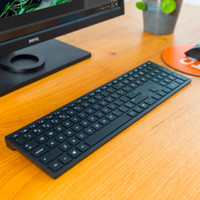
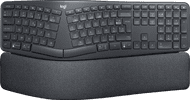
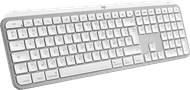
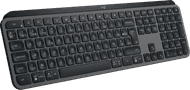
Logitech MX Keys S Plus Keyboard with Wrist Rest AZERTY - FR




anything for a smile
Exactly what I was looking for, a professional keyboard that I use for a course where I have to type quickly and error-free
Robbie
22 April 2024
Automatically translated from Nederlands
A nice and solid keyboard. The low keys provide a pleasant typing experience. But I returned the keyboard anyway because it is an annoying case. Normal keys such as PrtScr are missing, there is no physical indication for NumLock, the key illumination goes off after 10 seconds, the key illumination shines under the keys when you sit at a slightly more tilted position, which is very distracting and irritating, etc. You must install Logitech software to arrange various matters. For example, you can set a Print Screen key, and the key lighting can then be on for a maximum of 30 minutes. However, there is no option to always have the lighting on. However, there is a lag with the software: for example, pointing to a key to open a menu. There is a very noticeable delay before the menu pops up.
Menno
30 July 2024
Automatically translated from Nederlands
no hassle with cords, charge at night
André
3 March 2025
Automatically translated from Nederlands
Our digital expert will help you, but it can sometimes make mistakes, like humans do.
According to our keyboard expert
The keyboard has perfect-stroke keys, which were made for your fingertips, making every keystroke feel smooth and responsive.
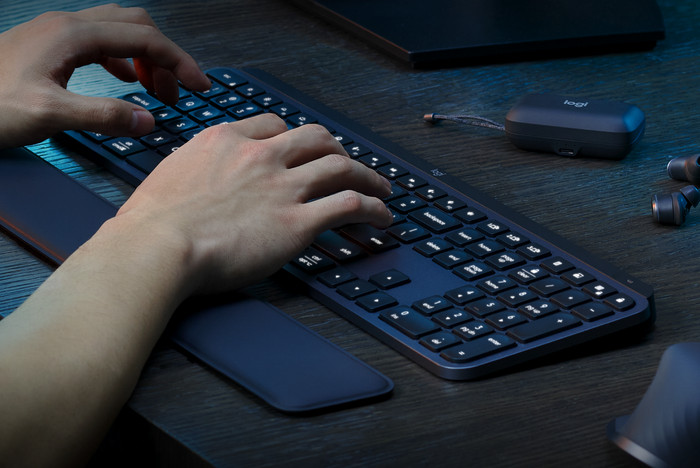
Thanks to the wrist rest, you can work ergonomically and prevent strains of your joints.
The keyboard lighting automatically adjusts to the environment and lights up when your hands come close.
To use the keyboard optimally, you need external Logitech software.
Type quickly, ergonomically, and comfortably with the Logitech MX Keys S Plus Keyboard with Wrist Rest. Thanks to the wrist rest, you prevent joint complaints when you type a lot. The keys of the MX Keys S are shaped to your fingertips, so you can type quickly and smoothly. It's also silent, so you can concentrate on you work. The keyboard backlight only turns on when your fingers get close to the keys, just like with its predecessor. This new model adjusts the brightness of the light to the ambient light. You can also connect the MX Keys S to up to 3 devices via Bluetooth or with the included Logi Bolt receiver. That way, you can work on your Windows laptop, MacBook, and iPad at the same time. Switch devices with the touch of a button. You can get the most out of your MX Keys S with the Logi Options+ software. Set up shortcuts, light settings, and connect it to your Master 3S mouse.
122,-
122,-
Product number | 940559 | |
|---|---|---|
Manufacturer code | 920-011570 | |
Brand | Logitech | |
Warranty | 2 years | |
Processing of your defect | Via Coolblue |
Keyboard layout | AZERTY | |
|---|---|---|
Geographic keyboard layout | BE layout, FR layout | |
Physical keyboard layout | ISO | |
Typing comfort | High-end | |
Backlit keyboard | ||
Spill-resistant | ||
Color lighting | White | |
Number of colors lighting | 1 | |
Brightness of backlight adjustable | ||
Programmable keys | ||
Multimedia shortcuts | ||
Flat keys | ||
Suitable for gaming | ||
Mechanical keyboard | ||
Type of keys | Membrane |
Connection type | Wireless | |
|---|---|---|
Type of wireless connection | USB and Bluetooth | |
Nano receiver | ||
Type of USB port | USB-C |
Keyboard size | 100% (Complete) | |
|---|---|---|
Keyboard composition | Keyboard, Numpad | |
Type of ergonomics | With wrist rest | |
Ergonomic design | ||
Height | 13,16 cm | |
Width | 43 cm | |
Depth | 2 cm | |
Wrist rest | ||
Color | Black | |
Weight | 810 g |
Gaming keyboard suitable for activity type | Long gaming sessions, On the go and LAN parties | |
|---|---|---|
Gaming keyboard suitable for game type | All-round games, MMORPG & MOBA |
Power supply type | Rechargeable battery, USB port PC/laptop |
|---|
Current product
Keyboard, Numpad
Keyboard, Numpad
Keyboard, Numpad
Keyboard
Keyboard, Numpad
BE layout, FR layout
FR layout
FR layout
BE layout
BE layout
122,-
120,-
104,-
100,-
104,-
Delivered tomorrow
Delivered tomorrow
Receive more coverage in case of damage than with your standard warranty. Coolblue takes care of everything: from taking out the insurance to repairs. Is a repair not possible? You receive the purchase price as CoolblueCredit.
XCover is allowed to arrange and process insurances on behalf of the insurer. The insurances are governed by Belgium law. If you have a complaint, you can contact the or our customer service.
First, add your keyboard to your shopping cart. On the next page, choose the Protection Plan below. You always have a 30-day return window and pay no deductible in case of damage.
The insurance can be canceled every year, even if you have paid in advance. If you cancel earlier, you will receive a refund for the overpaid amount.