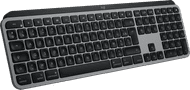
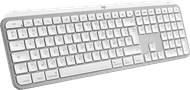
Logitech MX Keys S for Mac AZERTY White



No accessories
|
White
Color: White

Product number | 949881 | |
|---|---|---|
Manufacturer code | 920-011626 | |
Brand | Logitech | |
Warranty | 3 years | |
Processing of your defect | Via Coolblue |
Keyboard layout | AZERTY | |
|---|---|---|
Geographic keyboard layout | FR layout | |
Physical keyboard layout | ISO | |
Typing comfort | Basic | |
Backlit keyboard | ||
Spill-resistant | ||
Color lighting | White | |
Number of colors lighting | 1 | |
Brightness of backlight adjustable | ||
Programmable keys | ||
Multimedia shortcuts | ||
Flat keys | ||
Suitable for gaming | ||
Mechanical keyboard |
Connection type | Wireless | |
|---|---|---|
Type of wireless connection | Bluetooth | |
Bluetooth version | 5.1 | |
Nano receiver | ||
Type of USB port | USB-C |
Keyboard size | 100% (Complete) | |
|---|---|---|
Keyboard composition | Keyboard, Numpad | |
Type of ergonomics | Not ergonomic | |
Ergonomic design | ||
Height | 2 cm | |
Width | 43 cm | |
Depth | 13,16 cm | |
Wrist rest | ||
Color | White | |
Weight | 0,81 kg |
Gaming keyboard suitable for activity type | On the go and LAN parties | |
|---|---|---|
Gaming keyboard suitable for game type | All-round games, MMORPG & MOBA |
Power supply type | Rechargeable battery, USB port PC/laptop |
|---|
Receive more coverage in case of damage than with your standard warranty. Coolblue takes care of everything: from taking out the insurance to repairs. Is a repair not possible? You receive the purchase price as CoolblueCredit.
XCover is allowed to arrange and process insurances on behalf of the insurer. The insurances are governed by Belgium law. If you have a complaint, you can contact the or our customer service.
First, add your keyboard to your shopping cart. On the next page, choose the Protection Plan below. You always have a 30-day return window and pay no deductible in case of damage.
The insurance can be canceled every year, even if you have paid in advance. If you cancel earlier, you will receive a refund for the overpaid amount.

5 stars
0
4 stars
1
3 stars
0
2 stars
0
1 star
0
Keyboard works fine but initial problem connecting to Mac Mini via Bluetooth. Keyboard can be connected to three different computers/iPad but after first connecting to a Windows laptop it did not work to connect it to the new Mac Mini so I could not get in there. Logitech Helpdesk advised to reset the keyboard but the instructions were not 100% clear. On Reddit I found the solution: press Esc-O-Esc-O-Esc-B in succession. Pairing then went smoothly! Then set the keyboard to French input type and everything worked perfectly.
René
3 March 2025
Automatically translated from Nederlands
114,-
114,-
Our digital expert will help you, but it can sometimes make mistakes, like humans do.
Work quickly, comfortably, and efficiently on your iMac, MacBook, and iPad with the Logitech MX Keys S for Mac. This version of the MX Keys S keyboard is especially made for Apple devices and has the same characters on the keys that you're used to from Apple. This way, you can find the right keys right away. You connect the MX Keys S via Bluetooth with maximum 3 Apple devices and easily switch between your iMac, MacBook, and iPad. The keys are contoured to your fingertips, which makes typing fast and smooth. Because of the silent keys, you can stay focused while you work. The keyboard backlight only comes on when your fingers are near the keys. This model also adjusts the brightness to the ambient light. You also get even more out of your MX Keys S for Mac with Logi Options+ software.
FR layout
FR layout
FR layout
BE layout, FR layout
BE layout
Bluetooth
Bluetooth
USB and Bluetooth
USB and Bluetooth
USB and Bluetooth
According to our keyboard expert
The keyboard has PerfectStroke keys, which were made for your fingertips and make every keystroke feel smooth and responsive
The keyboard backlight adjusts itself automatically to the ambient light, and it lights up when your hands get close.
You can connect this keyboard to multiple Apple devices at the same time via Bluetooth, and switch between these devices with the push of a button.
You need the Logitech Options+ software to set up shortcuts.
Delivered tomorrow
Current product
Delivered tomorrow
114,-
119,-
110,-
112,-
104,-