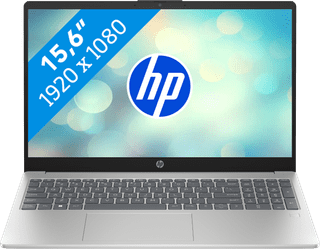
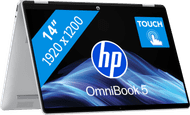
The HP OmniBook 5 Flip is a 2-in-1 laptop that I can easily transform into a tablet. Thanks to the high resolution, I see all details sharply on the screen. The laptop is a bit on the heavy side, but fortunately, it isn't very large.
First Impression
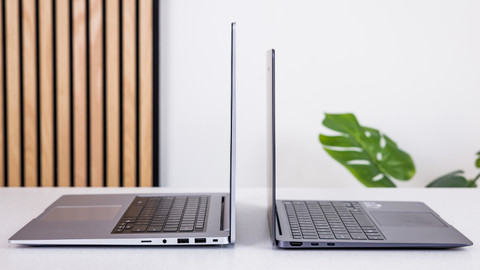
What strikes me immediately is that the OmniBook 5 Flip has a simple and sleek design. The laptop has 2 USB-A ports, allowing me to easily connect my wireless mouse and keyboard via the receiver. I can easily charge the laptop via one of the 2 USB-C ports. Additionally, I connect an external monitor via the HDMI port. Furthermore, the OmniBook 5 has a webcam slider. This allows me to easily close the webcam after an online video call and not worry about my privacy.
2-in-1 Model
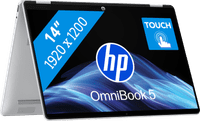
I use the OmniBook 5 Flip as both a laptop and a tablet. I fold the keyboard all the way back and easily swipe through images via the touchscreen. When I watch a movie, I set the laptop up on the table like a tent. When I give a presentation, I use the keyboard as a stand and lift the screen up a bit. That way, everyone can see the screen clearly. The screen is glossy, though, so I see my fingerprints a bit faster. Fortunately, I can wipe them away easily with a cloth.
Screen
The HP OmniBook 5 Flip has a 2K resolution. That is almost twice as sharp as a Full HD screen, allowing me to see every detail clearly. For instance, while watching a movie, I can see all the twinkling stars or a spaceship clearly on the screen. While editing my concert photos, I can even see small confetti clearly.
Keyboard
Because the laptop is somewhat larger, this OmniBook 5 has a numeric keypad. That is handy, as it allows me to enter numbers and formulas much faster. The keys make a soft tapping sound, so I don't disturb anyone with my typing. Furthermore, the keyboard has backlighting, so I can see the keys clearly even in the dark. This allows me to continue working on my text documents in the evening. I quickly open Microsoft's AI assistant using the Copilot key.